SP Football Life 2027 Discussion Thread (PC)

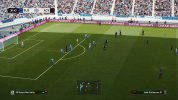
I started using Reshade this year. I didn't feel the need in the previous chapters (FL25 and FL26), but there's something off in FL27. Whites are too brillant, shadows are too dark, HUD is too bright. And this new "dynimic render lightning" doesn't convince me at all. Let's see if repacked stadiums fix something.
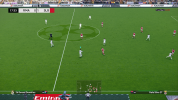
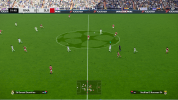
Well warm option in the selector was was making certain stadia be washed out or dull for me, so I have stuck to Natural light option. Or I am confused because the roof was closed, as I have not repeated this brighter result for Allianze arena except only after changing it off warm (and its meant to be at night in the stadium selector even though its master league but actually the external cinema shot is day). Still its a good football game no doubt.

For the quoted comment it could be the LUT table or/related to contrast for sure. I am sure these things have baked in LUTS as well and stadia lights, you may well have some luck with a particular LUT that changes few things, like a new color grading. I am sure this engine uses that heavily. I think thats how game engines were back round when they made it.

Overall, I can't fault the graphics because the above is a quibble, if I/people introduce randomness in to it some results won't be as good. Its why I got rid of about 90 out of 120 turfs in the folder/mod of that turf shape mod, and edited out with an asterix too many lights.

Thus I am finding vanilla settings on Natural great overall. One thing about the stadium(s) though I think it overrides whatever lighting you select if its got it baked in, which is for the best I think.

I am continuing to use the dlss5 thing but sometimes I turn it off, it makes the scene now I have it set up way more dynamic but this is no fault of the game, and as a visual thing its not like people are missing out fully.

The way the light files are (and I was trying to edit one with a hex editor from the mod this light file was, today), its hard baked, so I bet sometimes you will come across a combo that is just out of bounds, or a texture in a particular 3rd party stadium that is not good. In fact all vanilla stadia, and a few newer mod ones are exceptional I think. Others exist like Hills dickinson, and new etihad and whatnot. So that is good. On this website if one goes back are some HQ ones.

Really the game itself has decent faces and models not too much different its more an interaction of light versus it on; and closeups do not occur frequently, but its there if I want it on; which I don't really; also I happen to like the consistent vanilla graphics verus risking this thing introducing too much sharpness or contrast.

With the selector in the folder I turned the option to warm, dynamic changes it depending on replay or something and natural were not quite the ones. Any turf-mod light setting I usually either leave off by editing it out with an asterix.

Reshade is almost never dialed in to the persons own computer/monitor. But if it works thats great. I use an ENB however for skyrim to get dls5 done well with the ENB too on the side, and its one of the only ones I have ever had dialled in to be perfect and goodness that its a very sophisticated one (version 2 of it which is not even on nexus in their downloads anymore iirc)

I am personally rating this years highly and also the turf evolution mod is really a bonus. The videos and menu/presentation are better again, so I think its an improvement, but I have also come from FL25 and my third deletion of FC25/26 or something which I got for 10 bucks (thats how good it is); I won't be going back to that, but also this particular game is one that could never be commercially released and I am using the simsnob mod with it for gameplay but I even found vanilla gameplay a large cut above.

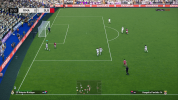
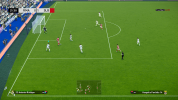
This is why perhaps blown out whites are actually a load-error of a LUT issue, on certain stadia with certain lights. So I think vanilla is great, stadiums have rather muted usually lighting as it is, as the floodlights come from way above or the daylight is from directly above+shadows. What is not viewable in the picture is the grass adjusts according to viewing angle and such, so I guess its neural AI like that; for example when taking a goal kick.

I would suggest getting the Dynamic Broadcast Camera mod by fletch on this website, it is a game changer. Vanilla graphics/graphics Konami used are agnostic and not sylistic on purpose. Its holding up pretty good.

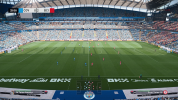
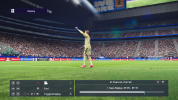
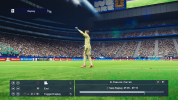
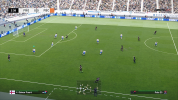
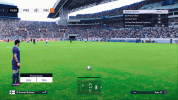
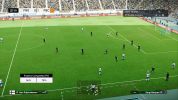
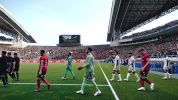
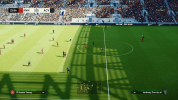
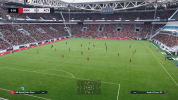
-Pic 1, 3 and 5 and 6 (broadcast cam that zooms in) have DLSS 5 thing, 2 and 4 don't. It does round out the scene really well, more dynamic image, but its not fully necessary, so if a person does not get the game going with LUT/reshade/dlss5 I wouldn't worry too much.
 

Attachments

  • FL_2027 2026-11-10 23-52-06_1.png
    FL_2027 2026-11-10 23-52-06_1.png
    4 MB · Views: 0
  • FL_2027 2026-11-10 23-54-47_2.png
    FL_2027 2026-11-10 23-54-47_2.png
    4 MB · Views: 0
  • FL_2027 2026-11-10 23-58-02_3.png
    FL_2027 2026-11-10 23-58-02_3.png
    4.1 MB · Views: 0
  • FL_2027 2026-11-10 23-58-05_4.png
    FL_2027 2026-11-10 23-58-05_4.png
    4.1 MB · Views: 0
  • FL_2027 2026-11-11 00-49-54_1.png
    FL_2027 2026-11-11 00-49-54_1.png
    4.5 MB · Views: 0
  • FL_2027 2026-11-11 00-53-52_2.png
    FL_2027 2026-11-11 00-53-52_2.png
    4.5 MB · Views: 0
Last edited:
Hello everyone. I’ve been trying out FL for the first time, and I absolutely love the gameplay. I’ve spent years playing PES 21 with countless retro and modern patches, as well as thousands of GPMods. My question is: how can I bring the gameplay (GP) from FL27 over to my other, older PES installations? Simply copying the `dt13` and `dt18` files isn’t enough, since the gameplay is also modified via the `.exe` file. Is there any solution? Thanks in advance!
 
Hey guys, loving this great patch, however for ML, is anyone else having issues with the weather not changing despite choosing them in the stadium settings pre-game? I change from rain to fine, but matches still end up having rain or snowing in winter. Thanks for any help.
 
The Legendary difficulty level in FL27 is awful; will there be an update planned?
The AI is nothing but dirty tackles and underhanded tactics.
 
The Legendary difficulty level in FL27 is awful; will there be an update planned?
The AI is nothing but dirty tackles and underhanded tactics.
it's the script of pes2021's core by konami for unlocked legend level... Smoke team never touched it in no one of their exes
 
Hi, I play Fl 27 under Linux (Proton). While the install was flawless, I can't update to FL27 1.1. The installer says "This program does not support the version of windows your computer is running". Any clue? Tnx.
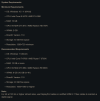
 
If anyone is going to add the Ghost in the camera thing to their game, I have found that even with the movement of broadcastcam and its dynamic movement, if you set the thing to Srgb n-1 option lower down in its menu, that is by far the best it would seem to retain/make better the colors of the game. The engine won't apply the detail/things you would get up close, so kits and stuff like that may well when its white be bright, etc. Unfortunately nvidia app won't allow all filters in to this game, so from that point to dull it slightly or not, you could use a reshade option, though thats often meh.

For this game to improve the image, a gamma corrector in reshade might be a go using this (nothing really wrong with the original vanilla image though) and going down the GITC's colour-difuse white section and increasing the nits to 500, it will allow the image to be slightly darker, which will be very helpful or to a value you want); after this point, necessarily it might be the thing to adjust down gamma, not fully certain one should put it into the loop of neural rendering.

Also color strength might be best lowered so it retains more of the vanilla look, perhaps to 0.70 but do as you wish, because here it means 'how much colour to transfer over' and that may affect how much more 'real' it looks, or not, as stated the vanilla look is pretty good like that.


Hi, I play Fl 27 under Linux (Proton). While the install was flawless, I can't update to FL27 1.1. The installer says "This program does not support the version of windows your computer is running". Any clue? Tnx.

You could actually install it on windows somehow and then copy it over? I think I have done this before with some things.

Ryan101

The Legendary difficulty level in FL27 is awful; will there be an update planned?
The AI is nothing but dirty tackles and underhanded tactics.

Its well noted if a little obscure that that is the case on legendary that it will outright cheat and bog you down, gain too much speed in the defensive areas and stuff. The one thing to try might be to make your defense compact in the team setup [which is not a formation change its the option] and then make the attacking part more spread apart so the formation closes and opens, and then make it overly defensive so they run back/hold shape. The way the game is with the cpu's 'skill' you will probably have to park the bus and counterattack.

Try something like Simsnob's, its not going to mess with data18_all or 13 (and they say keep the game's normal data18_all file so it doesn't mess too much), so you can just do that, but while you are at it, maybe its worth getting a version of data18_all from something like the 30th annivversary gameplay mod thing those guys did once, unless that has it; its since its a CPK maybe it does include such a data_18 but back it up into the same folder zipped in case whatever you do is not to your liking. Also the game itself can change dt_all files with its 'switcher' app


The one I use (but I do not venture into legendary) is the 30th anniversary one from that guy on this site (or a combo/team of people), and some changes come through no doubt it seems, making it worthwhile; and yes I have tested previously but maybe I will test again, to find the one I think I should use, but I think this one is fine. I am fully challenged (lol) on even regular in cup games, but in normal run of the mill games you are probably going to do ok but its not fully easy or nothing.

They note on the simsnob page "5.) You can still use other versions or your own variation of AI_Tweaks modules out there if you are looking for a specific style of gameplay to mesh with SSE."
 
Last edited:
Hi, I play Fl 27 under Linux (Proton). While the install was flawless, I can't update to FL27 1.1. The installer says "This program does not support the version of windows your computer is running". Any clue? Tnx.
maybe Wine (if you use it) has to be setted as windows 10 or 11 emulation:

1794393668575.png
 
Last edited:
maybe Wine (if you use it) has to be setted as windows 10 or 11 emulation or also like Windows 7 but not like windows XP (that should be it's default setting)
Good call however its most likely down to the x86/cpu editing the patch will do. Those are abstraction layers so its possible they do not allow for that; but maybe they do, but maybe its not going to let the editing/executions happen on a non NTFS drive (ext4 or BTRFS is probably what he is using on linux). For direct file copy or basic text editing a file may do it might be fine - but I highly doubt its a straight file copy.
 
Good call however its most likely down to the x86/cpu editing the patch will do. Those are abstraction layers so its possible they do not allow for that; but maybe they do, but maybe its not going to let the editing/executions happen on a non NTFS drive (ext4 or BTRFS is probably what he is using on linux). For direct file copy or basic text editing a file may do it might be fine - but I highly doubt its a straight file copy.
i think the problem is wine that it's setted by default on XP system... and installer doesn't accept that system for installation.. I used Wine on my old hackintosh with PES 2017 many years ago... wine need to be setted fine for each game in base the game requirements on original windows system
 
Last edited:
i think the problem is wine that it's setted by default on XP system... and intallation don't accept that system for installation.. I used Wine on my old hackintosh with PES 2017 many years ago... wine need to be setted fine for each game in base the game requirements on original windows system

That is good to know I want to switch to linux more over time.

GITC Uplift

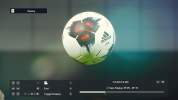
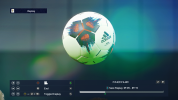
I have done 2 reshades for people, one is using a Supergreens LUT to restore some color, and another is using the bonus-LUT pack in reshade now to do a cinematic style rendering; they can be easily changed and adjusted. They are both text files or you can make them .ini. The final picture is the cinematic style LUT - with any LUT its ok to increase or decrease the intensity to blend it well.

Reshade will read text files (which means it can probably read any text on your machine in the folder, so yeah) - people can set a key to switch between them, and obviously its easy to make multiple files with different settings, though no one really likes having to manually flick through presets each match, this is more designed like two TV's or three (vanilla) side by side, after a while people will actually forget what the other colours look like or are all about, such that it will become relative and the variances are minor, but noticeable/different.

- - The keys might be numpad-plus and minus to switch presets, numpad-period to turn Gitc effects on/off and numpad-0 to turn effects of reshade back to vanilla and numpad-5 to open and close the window.

? -- Sometimes a stadium or light setting will have an insane white brightness that sears your eyes maybe due to its over high whitepoint and slight lack of colour in the image/desaturated and its rough-therefore sharpness to the image otherwise, the lut 2 cinematic one will add some much needed blue and green (lower gamma green in shade, higher temp blue) into the mix and act like wearing shades or sitting in the shade away from direct sunlight streaming into your retina.

?- x 2: Sometimes, or even most of the time depending on the person they will probably choose to use GITC Uplift just on its own - because do not forget its DLSS5 Neural rendering and some of its own pipeline/fx filters and its sorting out a fair few things.

Some Pointers/fx files to use in reshape and a tutorial thing to easily set it up. I will say it at start and end, if you are using GITC dlss5 or maybe some other (which is actually uplift in the file, you get it from github), I have set it to Srgb n-1 in exposure and to start with if its still a thing affecting the base or gets changed to look more like the natural setting - well I started with using warm LUT from the selector.

A) This was done by myself to give a new LUT/presentation, and restore greens to the fold, because often for sporting games they will balance around green, and it often is a movie thing too, while a mobile phone may well be blue, to balance around. It is meant to mimic it, but its not a full technical method - also it will probably strain your eyes less, and it is less sharp and reduces contrast a fraction, I also added some more anti-aliasin in a per pixel manner from reshade. So there is more adaptivity here, and you can turn on ambient occlusion if you want that, but its not always visible out of replays and might interact wrongly with the UI (as its all done in screenspace after the image is formed); you can also turn it all off with a hotkey you set. I have done the pictures at LUT 1.0, but ultimately you may choose to keep it at 0.1 or 0.2, or select another LUT from reshade's variables window to do things with, and one picture shows the more natural/neutral setting (with the ball versus green)

IN GITC dlss5 if you use it we need to cancel out color changes.
::> This will affect colors when you change stuff like that to ScRGB-n1. So do that, and also set quality to 67% (HQ not full) 1 <<<| | >>> 2 exposure to 'game' in the window 2 <<<| |>>> 3 then, set nits to 500 as it did give more headroom (exposure is to remove false results)... 3 >>> | | >>> 4 Then tick set shape and reduce darkening down a fraction maybe to .7 but remember this bit if you want to reverse it 4 <<< | | >>> 5 Exposure should be most likely set to game for you . Also if its burning up your GPU you could possibly do without CAS and the antialiasing. Normally its only 20% extra load or something. But any other settings you wish to change here are probably non interfering and might be best done in the main section of reshade.

A1) Another LUT that can be used, can make a separate file with it, is 100dollar one at 0.25, it adds in just enough to change things up, many combinations are possible. But for some stadiums and light, nothing is going to remove the glaring white highlights (which should be clipped addressed in A2) or the light itself on that one but Supergreens (default) at 0.5 probably will, with even mods like turf-light loader supposing turf loader gets its LUTS through for light.

A2) Whitepoint fixer is enabled in reshade, at 1.1. One good one are some dark nighttime scenes at stadiums for example in england and new york baseball, where the lights are out in the outfeild or its a large oval stadium, and the light comes across more as yellow, well a white point fixer will help with that and remove glare. I set it not in the file, but its easily turned on, 1.05 etc should be enough to clip it, but its a whole-screen effect, which actually might land you closer to several recent highlights packages than not.

A3) Turf loader seems to have some good lights, just edit out the bad one's for your system, a good one is CN Afternoon spring actually, that benefits from whitepoint rebalance, so I usually anyway leave such balance on 1.05; but mod lights may be worse needing higher number like 1.1 - but usually I put an asterix next to those in the file of turf-light loader's file as he states you should. But its easy to make different files and scroll through them with a hotkey even if someone wants to; I do not actually.

A4) I always trhought turf WC60 or something its called was a good one from he turf mod and the light summer 60-60 I think is a good one, but some mod stadiums won't have great light, and if there's bad ones in there, or bad turf-shapes I just asterix them out. So if its all kept within reason (now I think stadia LUT/light takes precedence not sure) a narrower/less large list is probably a good idea.

B) - Hill Dickinson stadium seems to be a good one to see the new light versus sun and shade kind of thing.
C) - I turned on a type of non-overbearing antialiasing, but turn it off if you do not want that. It does improve the image though.
D) - You can easily turn on/off MXAO occlusion, do a search for "mx", it will improve the image a lot but sometimes it may not play well with the UI, depending, since it is in screen space at the end of the pipeline.

- - LUT intensity can turn it up or down 0.1-0.8 whatever is wanted (I have it actually set to 0.1 myself but 0.2 is very good too and less 'colourful' as green is the main thrust of the supergreens LUT as it blends in for this monitor but there are many LUTS in there), however you may also adjust individual channels if you want to get any LUT back to something closer to the game - which is set to be neutral usually and be more life like than a tv studio or tv screen) so this is likely the biggest adjustment headroom with this setup that still retains vanilla stuff at the flick of a switch, but does not make it super green (depending on maybe the stadium turf/turf mod-light things you use), though its the main thrust of the file - just that you can edit it around as well as the type of LUT - you can set a shortcut key and turn the whole thing on/off. Also you can change the LUT, but pics were taken with SuperGreens LUT as it will restore any picture-stripping largely around green (games such as this, most sports games will tune around green for black points and whitepoints and gamma. Easing-in a LUT to a certain level will correct/change so much, and the game engine works fine with such blending, meaning your overall needed adjustments is minimal if brightness and everything else is fine, since reshade does not do Gamma adjustment all that well [since its in screenspace/after the pipeline gets the finished result probably]

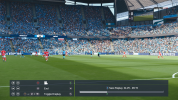
Now that free cam exists for the game or you can move the camera about way more to anywhere even in the stands [not sure why you would do that lol; and the pic is the replay camera but I intend to show the reshade window with the fx's listed], sometimes certain older maybe, stadia get a bit iffy, though the game did a lot to the stadia now I got to say they are all really cool, well I decided to reshade on this a little as I have been discussing, due to using the dlss5 thing which is not really that heavy if you lower it from full to high quality (as its meant for screen shots primarily in full).

My new take on the reshade situation is reshade is so misused, but in fact this game may well [ these days] benefit from something like reshade or nvidia's anti aliasing, one for reshade is available such as fast approximal anti aliasing. It can reduce the harshness of the image in good ways, depending on your preference with that because this year the FL27 engine and graphics are the best they have been with all the updates to the core;

if it gets in the way and the way to do it, is to set it to start off with effects to begin with, so they take a reload to make appear; so there will be no slowdown and once you are set flick on performance mode so it doesn't load every single setting/variable. You can do that in the file "
SkipLoadingDisabledEffects=1 and/or
NoReloadOnInit=0
"
Otherwise you can go in to reshade-shaders folder and remove all the ones you do not use; it will load whatever is in the folder, reshade is just text files and you can obtain even more fx files online.


- Then obviously for the guy and others where contrast or brightness was too much, if not the nvidia control panel which we ruled out for this, or AMD, then prod-brightness-contrast one will adjust exposure and other things, so you can tone down any highlights (necessary though for also the lighting effect of the pre 2020 era so too much and it will dull it probably)

- when it comes to fast anti aliasing/c-cas etc (which is on top of the game's own too which is not too heavy actually and nothing really wrong with it) it will probably lower the brightness height of surfaces a bit too as it must adjust the edges, so it will appear less bright in movement, so that might be a thing too that is good.

- the real way to adjust it to get a team or colour on to the screen which is bright like white on the menu screen in-match, and make it look alright against different colors, since the game won't hold still; this is way faster than doing spot adjustments; so have prod-contrast etc, search that one, and then move the sliders around. Simples.

- if a game is too blurry, too sharp, too de-colored, or too saturated, too bright etc, too little gamma etc versus correct color appearance it will tire your eyes out. Most people's presets for reshade are abysmal and will burn your retina's out easy - no doubt a game like this they would have prioritised the color green for the feild and the way it interacts with shadows, and the white-points etc for bright lights would of been secondary. And shaping things around the color green is way better than trying to make it too red, or add blue' etc or have it too pasty-grey coating over the image (which can come down to gamma a lot of the time but not always) so there will be limits.

- contrastBrightnessSaturation from prod08 is ideal available from reshade when you install it; and an example of that is, sometimes to get the brightness for your eyes etc or perception to the right level it may be to reduce color grading slightly (even if less color/turned down means your eyes will get tired faster and strain you, if you just do it slightly it can be whats needed), or in fact maybe the only setting needed is to slightly boost/saturate the color slightly by a few points, it can turn an off-red into the proper red, or yellow; that will lift color across the entire range from shadows/grey to when its bright near white; and sometimes it can be cutting-off the tips of the white level so it doesn't bloom too much, thus bringing colour perception back down to your monitor's needed level.

- for this game also the prod LUT one (do the search upon install) is a good one you can adjust it, but it might be different for each stadium, so you would only do it generally. For many things and for many people SuperGreens as the LUT is probably going to be the one they choose; especially if they are running the GITC dls5 thing as it will smooth out the colours/restore said colors a lot and help along with the extra antialiasing to sooth the sharpness introduced previously. But many others are viable to mix with all stadia

- 1a these pics are not with any LUT applied by this beyond the games warm.
- 1b so maybe this is a re-correcting not sure,

- 2a I think Supergreens will be liked by many people given the standard games come in. It does make it nice and green and forest-like, but I guess reds suffer a little.
- 2b I think Harmony color one below it then feels real natural, and possible its exactly like the one the game ships with (natural in selector)

- 3 the third pic is without the affects applied at all (to contrast pics 1 and 2 [2 just shows the fx's used); - this ease of use for reshade editing simply would not of been possible years ago, eg back around version 2 or 3, this is a very recent thing. In order to get the side by side best maybe save it to the desktop and view it back to back. Got to hand it to Konami, this game is like Assetto corsa, and the graphics pipeline/engine is actually really well done as people on this website already know.

4 - pic 4 is the colorharmony01 thing, while pic 5 is the SuperGreens its like its dropped your monitor into a temporate forest by a mossy pond.
5 - pic 6 is the no effect shot of the stands/grass (which is also what it basically looks like with colorharmony01, and pic 7 is with the super greens where its got a bit of a green-blue tint, typically adding green-blue sorts of layers to pictures is what people do to spruce up a shot or jazz it up a lot and make it pop a bit, but maybe at night its suitable. Also with the stadium situation maybe the stadium does not include such a LUT for itself as it did not come with the game.

6 - I barely adjusted any settings, maybe 6 in total, so its possible you may not even need to copy paste my settings. Also, when you go through them just shake the slider about lol, to see what it does. Thats it

7 pic 7 is basically a day game, and the light is more blue, true, but I also use the games warm LUT unless its fully replaced, and only a slight boost to red is needed maybe, but you see how its white/paler light, this is the blue daytime effect, so I might have landed on the result needed with the supergreens for this monitor. I think the most major change or rather the ability to arrive at that though since I changed NO LUT setting inside the fx file, ok, is that I previously adjusted brightness and contrast etc in the other PROD80 fx part, so this might be why any one would need to adjust theirs; and to do so you just do it against team colors, the menu screen, etc since this game is likely different to other titles that provide in-game sliders or other games in general.

8 You simply map the effects button (and the GITC button via reshade settings) to a handy button on the keyboard side by side and it can be alt-control etc [button], this way you always have access to normal mode.

9 Making a note that I did lift saturation slightly to 0.136, a random number actually but may be necessary for the overall scene, so your result you can get may be even more to your liking with other settings, but depending on your LUT its probably going to need lifting and/or adjustment of colours if you know a red on a jersey or yellow in real life is way different to what you end up with then thats your answer you can adjust fine or majorly.

-- It can be hard to get rid of the bright whites with this graphics engine, it seems, since probably the detail is not there and ambient occlusion often only touches on replays in meaningful ways (apart from outlines).


So = from the grass at night and day the green reflects up from reflection and affects the players etc, and in the sky the light beams down and skews the camera like that, or similar, depending, its very common but not to that extent maybe, unless there is glare but they set it up so there is not - however, doing anything to that further might ruin the rest of it if it cuts highlights elsewhere/not enough time yet/ exposure is difficult to rein in on this due to the dlss5 using it and whatnot/game engine limits of screen space etc, maybe ambient occlusion could be added further or something, and clouds

10 - so also it must be stated I am not sure fully now but I am pretty sure with the dynamic camera mod and the fact dlss5 is sampling the screen and history of the screen so much (and lets hope its not sending it back to home base lol) and the anti aliasing, the scenes of the game seem to be more dynamic and more sampled perhaps, so regardless this is a definite improvement for this years game, with its new base and exe etc.

10a - then when done, if you have heaps of fx's in there turn on performance mode to load faster, or remove them from the reshade-shaders folder.

10b if people like a sharper image though already a lot of layers of sharpening, AMD CAS (the adaptive contrast one) is particularly good.
 

Attachments

  • FL_2027 2026-11-11 23-19-03_6.png
    FL_2027 2026-11-11 23-19-03_6.png
    3.3 MB · Views: 0
  • FL_2027 2026-11-11 23-19-19_7.png
    FL_2027 2026-11-11 23-19-19_7.png
    3.3 MB · Views: 0
  • FL_2027 2026-11-11 23-22-17_8.png
    FL_2027 2026-11-11 23-22-17_8.png
    4.4 MB · Views: 0
  • FL_2027 2026-11-11 23-22-21_9.png
    FL_2027 2026-11-11 23-22-21_9.png
    4.3 MB · Views: 0
  • FL_2027 2026-11-11 23-52-24_1.png
    FL_2027 2026-11-11 23-52-24_1.png
    4.2 MB · Views: 0
  • FL_2027 2026-11-12 00-04-31_2.png
    FL_2027 2026-11-12 00-04-31_2.png
    4.5 MB · Views: 0
  • FL_2027 2026-11-12 00-12-05_3.png
    FL_2027 2026-11-12 00-12-05_3.png
    4.4 MB · Views: 0
  • FL_2027 2026-11-12 03-57-33_4.png
    FL_2027 2026-11-12 03-57-33_4.png
    3.8 MB · Views: 0
  • FL_2027 2026-11-12 04-54-51_5.png
    FL_2027 2026-11-12 04-54-51_5.png
    4.2 MB · Views: 0
  • FL_2027 2026-11-12 15-54-08_2.png
    FL_2027 2026-11-12 15-54-08_2.png
    4.7 MB · Views: 0
  • FL_2027 2026-11-12 19-54-14_2.png
    FL_2027 2026-11-12 19-54-14_2.png
    4.2 MB · Views: 0
  • FL27 LUT 1 (text file).txt
    FL27 LUT 1 (text file).txt
    1.6 KB · Views: 0
  • Fl27 LUT 2 (text file).txt
    Fl27 LUT 2 (text file).txt
    1.7 KB · Views: 0
Last edited:
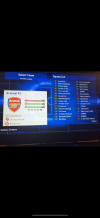
Just downloaded FL27 with the 1.1 update and there’s a few spaces in each teams squad that have DUMMY players in the squad list? Anyone else experiencing this or know how to sort it?IMG_4426.png
 
Well I can say this does not seem to happen for me. You could download Football Life mod studio v 0.30 from online.

Maybe works FM26 Mod Studio


In case any one searches for it. I did this because I needed to know what stadiums competitions were named and numbered now. All finals stadiums become 035 in the main matches or competitions file, and ALSO 035 for the new Finals_mapping file, if its in that file it will appear in the final. So all 5 or 10 finals stadiums can be in the main competition file, and the final in that one... for stages they have their own number, so if its world cup the pools become the following format


#### FIFA WORLD CUP 2026 STADIUMS ####

###### For FL27 035 becomes the knockout stages of a world cup or any cup, 034 is probably for one giant pool #####
###### Also 035 is used in the finals file too! Its appearance in the Finals_file denotes its usage, a much simpler mapping TBH #####
##### If you do not want a venue to appear in the finals in a list, edit it out with # ######

# FIFA WORLD CUP 2026 - GROUP STAGES

# GROUP A - 1058
1058, 009, Estadio Guadalajara, WC 2026\Estadio Guadalajara, , ,
1058, 009, Mexico City Stadium, WC 2026\Mexico City Stadium, , ,
1058, 009, Atlanta Stadium, WC 2026\Atlanta Stadium, , ,
1058, 009, Monterrey, WC 2026\Monterrey, , ,

# GROUP B - 2082
2082, 009, BMO Field - Toronto, WC 2026\BMO Field - Toronto, , ,
2082, 009, Levis Stadium - San Francisco, WC 2026\Levis Stadium - San Francisco, , ,
2082, 009, SoFi Stadium - Los Angeles, WC 2026\SoFi Stadium - Los Angeles, , ,
2082, 009, BC Place Stadium, WC 2026\BC Place Stadium, , ,
2082, 009, Lumen Field Stadium, WC 2026\Lumen Field Stadium, , ,

# GROUP C - 3106
3106, 009, Gillette Stadium, WC 2026\Gillette Stadium, , ,
3106, 009, MetLife Stadium, WC 2026\MetLife Stadium, , ,
3106, 009, Lincoln Financial Field, WC 2026\Lincoln Financial Field, , ,
3106, 009, Miami Stadium, WC 2026\Miami Stadium, , ,
3106, 009, Atlanta Stadium, WC 2026\Atlanta Stadium, , ,

# GROUP D - 4130
4130, 009, SoFi Stadium - Los Angeles, WC 2026\SoFi Stadium - Los Angeles, , ,
4130, 009, BC Place Stadium, WC 2026\BC Place Stadium, , ,
4130, 009, Levis Stadium - San Francisco, WC 2026\Levis Stadium - San Francisco, , ,
4130, 009, Lumen Field Stadium, WC 2026\Lumen Field Stadium, , ,

# GROUP E - 5154
5154, 009, Lincoln Financial Field, WC 2026\Lincoln Financial Field, , ,
5154, 009, NRG Stadium, WC 2026\NRG Stadium, , ,
5154, 009, BMO Field - Toronto, WC 2026\BMO Field - Toronto, , ,
5154, 009, Kansas City Stadium, WC 2026\Kansas City Stadium, , ,
5154, 009, MetLife Stadium, WC 2026\MetLife Stadium, , ,

# GROUP F - 6178
6178, 009, Dallas Stadium, WC 2026\Dallas Stadium, , ,
6178, 009, Monterrey, WC 2026\Monterrey, , ,
6178, 009, NRG Stadium, WC 2026\NRG Stadium, , ,
6178, 009, Kansas City Stadium, WC 2026\Kansas City Stadium, , ,

# GROUP G - 7202
7202, 009, SoFi Stadium - Los Angeles, WC 2026\SoFi Stadium - Los Angeles, , ,
7202, 009, Lumen Field Stadium, WC 2026\Lumen Field Stadium, , ,
7202, 009, BC Place Stadium, WC 2026\BC Place Stadium, , ,

# GROUP H - 8226
8226, 009, Miami Stadium, WC 2026\Miami Stadium, , ,
8226, 009, Atlanta Stadium, WC 2026\Atlanta Stadium, , ,
8226, 009, NRG Stadium, WC 2026\NRG Stadium, , ,
8226, 009, Estadio Guadalajara, WC 2026\Estadio Guadalajara, , ,

# GROUP I - 9250
9250, 009, MetLife Stadium, WC 2026\MetLife Stadium, , ,
9250, 009, Gillette Stadium, WC 2026\Gillette Stadium, , ,
9250, 009, Lincoln Financial Field, WC 2026\Lincoln Financial Field, , ,
9250, 009, BMO Field - Toronto, WC 2026\BMO Field - Toronto, , ,

# GROUP J - 10274
10274, 009, Kansas City Stadium, WC 2026\Kansas City Stadium, , ,
10274, 009, Levis Stadium - San Francisco, WC 2026\Levis Stadium - San Francisco, , ,
10274, 009, Dallas Stadium, WC 2026\Dallas Stadium, , ,

# GROUP K - 11298
11298, 009, NRG Stadium, WC 2026\NRG Stadium, , ,
11298, 009, Mexico City Stadium, WC 2026\Mexico City Stadium, , ,
11298, 009, Estadio Guadalajara, WC 2026\Estadio Guadalajara, , ,
11298, 009, Miami Stadium, WC 2026\Miami Stadium, , ,
11298, 009, Atlanta Stadium, WC 2026\Atlanta Stadium, , ,

# GROUP L - 12322
12322, 009, BMO Field - Toronto, WC 2026\BMO Field - Toronto, , ,
12322, 009, Dallas Stadium, WC 2026\Dallas Stadium, , ,
12322, 009, Gillette Stadium, WC 2026\Gillette Stadium, , ,
12322, 009, MetLife Stadium, WC 2026\MetLife Stadium, , ,
12322, 009, Lincoln Financial Field, WC 2026\Lincoln Financial Field, , ,


# FIFA WORLD CUP 2026 - KNOCKOUT STAGES

034, 009, BC Place Stadium, WC 2026\BC Place Stadium, , ,
# not for finals 034, 009, Mexico City Stadium, WC 2026\Mexico City Stadium, , ,
035, 009, Dallas Stadium, WC 2026\Dallas Stadium, , ,
034, 009, NRG Stadium, WC 2026\NRG Stadium, , ,
034, 009, MetLife Stadium, WC 2026\MetLife Stadium, , ,
035, 009, Atlanta Stadium, WC 2026\Atlanta Stadium, , ,
035, 009, Lumen Field Stadium, WC 2026\Lumen Field Stadium, , ,
034, 009, Miami Stadium, WC 2026\Miami Stadium, , ,
035, 009, Gillette Stadium, WC 2026\Gillette Stadium, , ,
# not for finals 034, 009, Monterrey, WC 2026\Monterrey, , ,
035, 009, Kansas City Stadium, WC 2026\Kansas City Stadium, , ,
035, 009, SoFi Stadium - Los Angeles, WC 2026\SoFi Stadium - Los Angeles, , ,
035, 009, Lincoln Financial Field, WC 2026\Lincoln Financial Field, , ,
# not for finals 035, 009, BMO Field - Toronto, WC 2026\BMO Field - Toronto, , ,
035, 009, Levis Stadium - San Francisco, WC 2026\Levis Stadium - San Francisco, , ,
 
Last edited:
Just downloaded FL27 with the 1.1 update and there’s a few spaces in each teams squad that have DUMMY players in the squad list? Anyone else experiencing this or know how to sort it?View attachment 461729
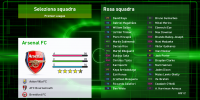
"extract" the EDIT file running the "FL27 Switcher.exe" and put it inside your "Documents" folder inside the "save" path of the game:


SPGAME\Football Life\2027\save

1794488745066.png1794488538616.png
 
Last edited:
Back
Top Bottom