- Thread starter
- #331

Sami 1999
Noob
- 28 June 2015
This is the approach I'm using.
DB from Xbox 360 (because on Xbox 360 the data0.big file doesn't seem to be encrypted, so its .bh file can be regenerated directly without having to convert the .sdat to .big then regenerating then putting the .sdat back into place instead of the .big), .rx3 files from PS3 (as the Xbox 360 files don't seem to work with RX3 master).
I also moved back to Xbox 360 (via Xenia Edge this time) for the 2010 World Cup game, as it looks like I finally found a balance between detail and performance. On top of that, Xbox 360 doesn't suffer from the "solid" back names issue, a thing that happened on PS3 and which I managed to overcome by putting "resolution scale" to 300%... Only to discover that names disappear/fade ourt in cutscenes now.
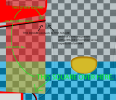
Currently testing the "texture borders" on those kits (as they're different from the ones used from FIFA 11 onwards), so I could start making my kits eventually (some of you might remember that I used to make kits back in the day both for PES and for FIFA):
View attachment 430560
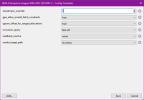
For 2010 World Cup, you can set "occlusion_query = fast" and set "readback_resolve = none" on Xenia Edge. This game doesn't seem to suffer from lighting issue with readback_resolve = none and that gives a huge performance boost.
As for 2014 World Cup, you can fix the dark/black pitch issue by setting readback_resolve = strict. But it will bring your performance to it's knees. A trick however is once you get into a match and the pitch is no longer dark, open the config menu on Xenia edge (pressing home button on controller works) and set readback_resolve = none. The lighting will remain stable for that match. Once you are done, you have to set it back to strict on the main menus before selecting a new team and match and rinse repeat.
Also good news = https://github.com/has207/xenia-edge/issues/199#issuecomment-4889976460
The missing 3D grass and goal net problem has been completely fixed thanks to swift response from the dev. Latest Xenia Edge release should be useable again.