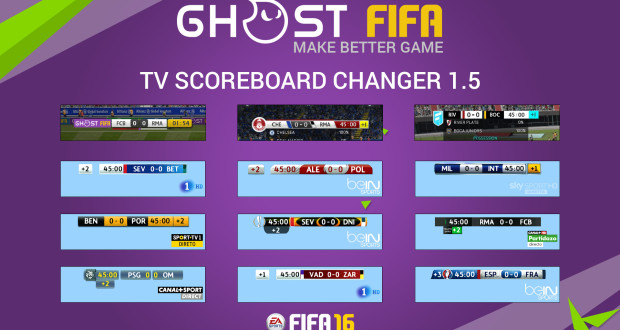
Nice collection, Anth! Thanks for sharing. With that Post I wanna remember there is imo a much more handy option to change scoreboards and TV Logos on the Fly. Monkeydragon´s Scoreboard and TV Logoserver. I have linked to both Tools below on my Mega drive.
It´s easy to use. And you can fill as many Scoreboards and Tv Logos in it you want. Just tab out of the running game at game start menu choose the scoreboard and TV Logo you want and hit import button. You will see the changes instantly in your next game. No need to quit the game.
Both Tools comes with pre installed Logos and Scoreboards. The original links are still active at Fifainfinity in FIFA 16 section on their website.
This is the original Post with the Instructions from the Author for scoreboard Changer tool:
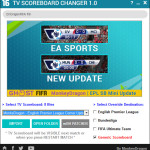
This tool lets you SWITCH FIFA 16 SCOREBOARD while playing the game.
Installation:
– Run INSTALLER as Administrator and Install “FIFA 16\” folder.
– Launch FIFA 16 TV Scoreboard Changer (Run as administrator)
* Be sure FIFA 16 not running while applying this step *
* For the first time running, the tool needs PATCH “some files” in “.bh files”
* This step only done for the first time or after applying Official Patch from EA ORIGIN *
– Click on “mBH PATCHER”
– Click PATCH
* Now you can start both FIFA 16, Scoreboard Changer *
– Select Scoreboard
– Click IMPORT
* The Scoreboard will be visible when you choose RESTART MATCH in PAUSE MENU (In case you’re in match) *
* Tip: before starting match from menu, ALT + TAB to SCOREBOARD CHANGER, select scoreboard and import *
If you want to add your own files, do as following:
– Click “OPEN FOLDER”
– Create new folder, e.g: My New SB
– Name your files as “overlay_xx02.big”
– Make “preview” photo (ratio: 16:9)
If you have fonts, create “fonts” folder inside “My New SB”, puts “fonts.txt” and “****.ttf” there. When you click import, the tool automically compare and copy fonts to FIFA 16.
DOWNLOAD LINK:
https://mega.nz/folder/kMYVTapT#5KdG77HER9JCTHdjcCyCPA