eFootball (All Platforms)

Here some info I searched about Tone intensity Model (A, B or C) here's an explanation how it works :

There is no universally “best” model between DLSS Neural Rendering Model A, B, and C. They are different neural networks trained with different parameters, not quality levels where C is automatically better than B or A. The correct choice depends on the game, scene and desired visual style.wccftech

What each setting does​

  • Model A/B/C: Changes the neural rendering model and therefore its interpretation of lighting, skin, hair, materials and shadows.
  • Tone Intensity: Controls the strength of the broad visual changes—mainly lighting, contrast, colour and subsurface-lighting effects. It is separate from the model choice.wccftech
  • Structure Intensity: Controls finer details such as contact shadows, reflections, ambient occlusion and material definition.

My recommendation​

For a natural-looking image:
  1. Test Model A, B and C at exactly the same settings.
  2. Start with Tone Intensity at 20–30%.
  3. Use the model that gives the most realistic lighting without making faces, skin or materials look glossy or artificial.
  4. Increase Tone Intensity gradually to around 35–50% only if the scene still looks too flat.
  5. Avoid immediately using 80–100%; high intensity can produce an overly processed or “AI-enhanced” appearance. Experimental implementations are generally best approached conservatively.wccftech

Practical default​

PreferenceSuggested choice
Most natural imageModel with the least visible alteration, usually at 20–30% tone

Stronger cinematic lighting

Whichever model looks best at 35–50% tone

Stylised or artistic game

Lowest tone intensity; DLSS NR may damage the intended art style

Realistic game with dull lighting

Try all three models at 30–40% tone
Faces look waxy/plastic

Reduce Tone Intensity and Structure Intensity, then test another model
Short answer: start with Model A, but do not assume it is objectively superior. Compare A/B/C in the same location and choose the one with the most stable, natural image; the model that looks best at low Tone Intensity is usually the better choice. DLSS 5 is intended to be controlled per game and per scene rather than treated as a single universal preset
 
This definitely improved things, but not perfect. Hopefully will get better and better. I'm not budging from 4k 😅

What does turning off MSAA do? Is it just for performace?
MSAA is a old Anti Aliasing tech.
Where is that MSAA option written?
 
For RTX 4000 series users the files provided here are enough ? I managed to make it work but unfortunately game crashes after some minutes... This DLSS injection can be an issue for an online game like efootball ?
 
Hopefully will get better and better. I'm not budging from 4k 😅
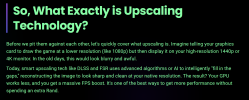
Don't focus anymore only on resolution...because the target of Technologies like DLSS for nvidia and FSR for AMD is this:

"The goal of these technologies is to run at a lower resolution for increased performance, and then infer a higher resolution image from this that approximates the same level of detail as if the image had been rendered at this higher resolution."

source: https://en.wikipedia.org/wiki/Deep_Learning_Super_Sampling

they are also called "upscaling technologies" for a reason ;)


1788199981348.png


certainly nvidia's latest DLSS5 now leaves its AMD FSR counterpart behind, but at least now to the "fans" of efootball PC, owners of an appropriate nvidia card, it will at least give a graphic happiness that konami doesn't want to give because they prefer mobile phone users now, as we have already claimed many times
 
Last edited:
Don't focus anymore only on resolution...because the target of Technologies like DLSS for nvidia and FSR for AMD is this:

"The goal of these technologies is to run at a lower resolution for increased performance, and then infer a higher resolution image from this that approximates the same level of detail as if the image had been rendered at this higher resolution."

source: https://en.wikipedia.org/wiki/Deep_Learning_Super_Sampling

they are also called "upscaling technologies" for a reason ;)


View attachment 443678


certainly nvidia's latest DLSS5 now leaves its AMD FSR counterpart behind, but at least now to the "fans" of efootball PC, owners of an appropriate nvidia card, it will at least give a graphic happiness that konami doesn't want to give because they prefer mobile phone users now, as we have already claimed many times
But the game isn’t as sharp in gameplay can when I lower it from 4K. Do I need to also consider other features?
 
But the game isn’t as sharp in gameplay can when I lower it from 4K. Do I need to also consider other features?
I haven't a nvidia card by many years so I can't know exactly you can set in today control pannel.. but for sure you can try to port near maximum all filters you can set... and try with 1440p...maybe you have also a control for sharpness setting somewhere... try also to remove smoth motion if enabled
 
Last edited:
No, you dont need a vector provider. Only these Files with Reshade Addon are needed.
Its not in the list, its a tab now.

View attachment 44348829f8cf55-ed27-4e15-be87-54a7285bd8d4.png
Hi bro I just pasted the 3 files (renodx-dlss.addon64 is the new version) to exe folder. Could you kindly advise how to display the tab like you do and make it active? I have enabled DLSS Neural Rendering and checked Neuer's face but it unchanged.
 
Hi bro I just pasted the 3 files (renodx-dlss.addon64 is the new version) to exe folder. Could you kindly advise how to display the tab like you do and make it active? I have enabled DLSS Neural Rendering and checked Neuer's face but it unchanged.
Press the home key on the keyboard.
If the RenoDX tab is not there you installed either Reshade wrong (You have to pick DirectX 10/11/12 during the installation) or you installed Reshade not with addon support.
 
Press the home key on the keyboard.
If the RenoDX tab is not there you installed either Reshade wrong (You have to pick DirectX 10/11/12 during the installation) or you installed Reshade not with addon support.
Programming
Hi, I just found my NGX modules are not detoured. I remembered you have mentioned 'force the NGX core on', do you know how to do it? Mine is RTX 4060, thanks
 
Bogo35, I checked out today DLSS Swapper and makes the install process so much simpler , you just need to select in installation route the second option "dlss feeder games without dlss" but I wonder if your modified file performs better than the one that provides Dlss swapper automatically ...
 
Bogo35, I checked out today DLSS Swapper and makes the install process so much simpler , you just need to select in installation route the second option "dlss feeder games without dlss" but I wonder if your modified file performs better than the one that provides Dlss swapper automatically ...
DLSS Feeder is not recommended for 64 Bit DX9, DX11 or DX12 games, even the creator himself wrote that.
Just delete every dlss file (except nvngx_dlssnr.dll file) you already installed and put Shortfuses newest file in your exe folder:

https://gofile.io/d/pOzeXb0x

Ingame untick everything in the reshade list and go to the RenoDX DLSS Tab.
The UI changed a bit with this new version.
Hook Method: Present
Required DLSS: Off

Thats it. Try it 😁
 
Hi Guys, new to the the modding scene in Efootball on PC. Can anyone recommend a patch for kits, scoreboards and balls etc? Is there a all in one or is it multiple files?

Thanks
 
DLSS Feeder is not recommended for 64 Bit DX9, DX11 or DX12 games, even the creator himself wrote that.
Just delete every dlss file (except nvngx_dlssnr.dll file) you already installed and put Shortfuses newest file in your exe folder:

https://gofile.io/d/pOzeXb0x

Ingame untick everything in the reshade list and go to the RenoDX DLSS Tab.
The UI changed a bit with this new version.
Hook Method: Present
Required DLSS: Off

Thats it. Try it 😁
Wow the difference is crucial for me . With an RTX 4080 super is the difference between being almost unplayable to very pleasent . With DLSS feeder I got around 50 fps (at 3440x1440 settings at max) but the steps you showed us and the file you provided not only looks better but I get around 65 fps and with Smooth Motion activated in Nvidia App I get around 130 fps with dlss 5 on! Thanks a lot Bogo36. I will be much careful with DLSS swapper from now on... makes it a lot easier but depending on which game like this one your method is much better not only in image quality but also performance. :YES:
 
Back
Top Bottom