# PSXRecomp
Generic static recompiler framework for PlayStation 1: MIPS R3000A to C to
native x64.
Background on the original prototype:
[I Built a PS1 Static Recompiler With No Prior Experience (and Claude Code)](https://1379.tech/i-built-a-ps1-static-recompiler-with-no-prior-experience-and-claude-code/)
[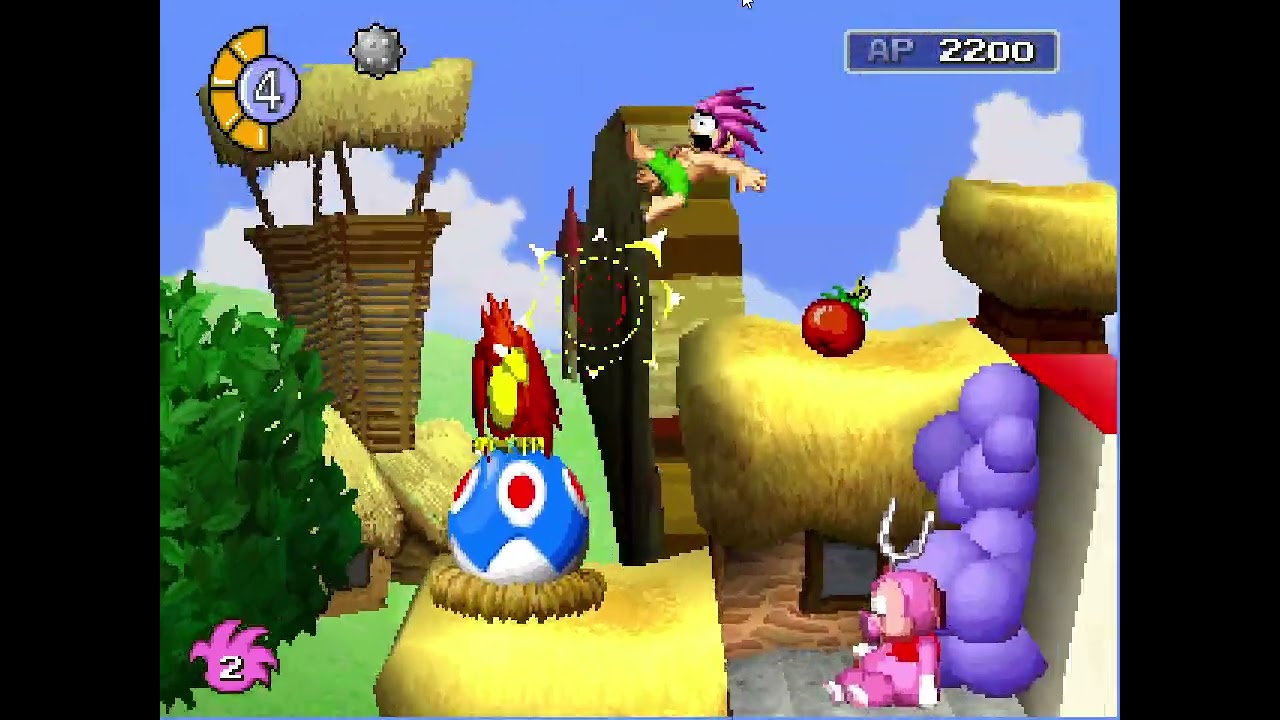](https://www.youtube.com/watch?v=CID9oVhgCyY)
## How to use PSXRecomp
PSXRecomp takes a PlayStation disc image and BIOS and creates a recompilation
project containing C source and build scripts.
### Generate a project with the released CLI
1. Download `psxrecomp-cli-windows-x86_64.zip` from
[Releases](https://github.com/mstan/psxrecomp/releases).
2. Extract the whole zip to a folder. Keep its contents together.
3. Open PowerShell in that folder and run:
```powershell
.\psxrecomp.exe build `
--disc "C:\Games\My Game\game.cue" `
--bios "C:\BIOS\SCPH1001.BIN" `
--output "C:\Projects\MyGameRecomp"
```
Use the `.cue` file when a game has one, and keep its `.bin` track files beside
it. Single-file `.bin` and `.iso` images are also accepted.
The output folder contains:
- generated C source for the game and BIOS;
- `game.toml`, which you can edit for game-specific settings;
- `CMakeLists.txt` and build scripts; and
- a local copy of the PSXRecomp runtime source needed by the project.
The downloaded CLI is self-contained. You do not need to install Python or
build this repository to generate a project.
### Build the generated project
Install CMake, Ninja, a C/C++ compiler, and SDL2 development files. Then run:
```powershell
powershell -ExecutionPolicy Bypass -File "C:\Projects\MyGameRecomp\build.ps1"
```
The generated project also includes a shell build script for macOS and Linux:
```sh
sh /path/to/MyGameRecomp/build.sh
```
The ready-made CLI release is currently for 64-bit Windows. You can build the
CLI from source on another operating system using the instructions below.
The generated project is a practical starting point, not a promise that every
game works without game-specific fixes. PSX games can load extra code and use
hardware in ways that require additional configuration or development.
Use only disc and BIOS files you obtained legally. PSXRecomp does not include
them. Generated game and BIOS source is derived from those files, so do not
redistribute it.
### Build the CLI from source
You need Git, Python 3, CMake, Ninja, and a C++20 compiler.
```sh
git clone --recurse-submodules
https://github.com/mstan/psxrecomp.git
cd psxrecomp
python tools/build_cli.py release
```
The ready-to-use CLI archive is written to `dist/`. To package debug binaries
instead, run `python tools/build_cli.py debug`.
> **Where the project is headed.** Development so far has been **breadth-first**:
> stand up as many games as possible and get them into a playable alpha, proving
> the framework generalizes. That phase has largely delivered — seven titles now
> run and ship public builds (see [Games](#games)). The project is now pivoting to
> a **depth / optimization** phase: pushing each game toward 100% static coverage,
> tightening timing accuracy, driving load times toward zero, and hardening the
> renderer and audio paths. Expect the fleet to get *faster and more accurate*
> rather than *wider* from here.
## What It Is
PSXRecomp translates PS1 MIPS binaries into C, then compiles that C as a
native executable linked against a PS1 hardware runtime. The v4 architecture
recompiles the real `SCPH1001.BIN` BIOS and runs it as the kernel — that
**low-level (LLE) recompiled BIOS is the foundation and the correctness oracle.**
Everything is architected LLE-first: accuracy comes first, and convenience is
layered on top, opt-in, never underneath.
Three things sit on that foundation:
- **An optional HLE tier.** A high-level BIOS layer can be laid over the
recompiled kernel to skip the boot sequence and service a few BIOS calls
directly — a player-facing convenience and optimization, enabled by default
but fully opt-out (`[runtime] bios_hle = false`). Anything it doesn't
implement falls straight through to the recompiled BIOS, so the LLE path stays
load-bearing and remains the oracle every accuracy check runs against.
- **Capture-and-compile for overlays.** PS1 games stream code off the disc at
runtime (*overlays*) that no ahead-of-time recompiler can see. PSXRecomp
captures each overlay the moment it loads and recompiles it to native code,
cached and reused forever after (`static → gcc → tcc` backend).
- **A general-purpose interpreter — as a transient safety net, not a fixture.**
Anything not yet native (a freshly streamed overlay, RAM-installed code) runs
in a small MIPS interpreter so the machine is always *correct*. But the
interpreter is explicitly meant to be **compiled away**: the same capture
feeds the TCC-backed sharding pipeline, which turns interpreted code into
cached native shards in the background. The more a game runs, the less the
interpreter is doing — the goal state is an idle interpreter and 100% native
execution.
PSXRecomp is a **framework**. Game-specific projects live in their own
repositories and link this one in as a **git submodule** to build a game binary.
**New here?** The fastest way in:
[`docs/EXECUTION_MODEL.md`](docs/EXECUTION_MODEL.md) (how a game actually
runs — static / native-overlay / interpreter), then
[`docs/ARCHITECTURE.md`](docs/ARCHITECTURE.md),
[`docs/BUILDING.md`](docs/BUILDING.md), and
[`CONTRIBUTING.md`](CONTRIBUTING.md).
## Games
Each game is its own repository that pins a framework commit as a submodule and
ships its own release with an in-app launcher. All are **alpha** — playable, not
yet fully validated end to end.
| Game | Repository | Latest build | Notes |
|---|---|---|---|
| *Tomba!* | [TombaRecomp](https://github.com/mstan/TombaRecomp) | [releases](https://github.com/mstan/TombaRecomp/releases/latest) | Most mature target; widescreen, supersampling, save/load. |
| *Tomba! 2* | [Tomba2Recomp](https://github.com/mstan/Tomba2Recomp) | [releases](https://github.com/mstan/Tomba2Recomp/releases/latest) | Multi-track disc support, selectable 21:9. |
| *Ape Escape* | [ApeEscapeRecomp](https://github.com/mstan/ApeEscapeRecomp) | [releases](https://github.com/mstan/ApeEscapeRecomp/releases/latest) | New launcher, widescreen, memory-card save/load. |
| *Mega Man X4* | [MegaManX4Recomp](https://github.com/mstan/MegaManX4Recomp) | [releases](https://github.com/mstan/MegaManX4Recomp/releases/latest) | Playable; widescreen. |
| *Mega Man X5* | [MegaManX5Recomp](https://github.com/mstan/MegaManX5Recomp) | [releases](https://github.com/mstan/MegaManX5Recomp/releases/latest) | Early bring-up. |
| *Mega Man X6* | [MegaManX6Recomp](https://github.com/mstan/MegaManX6Recomp) | [releases](https://github.com/mstan/MegaManX6Recomp/releases/latest) | Playable; stages, controller, save/load. |
| *Tsumu Light* | [TsumuLightRecomp](https://github.com/mstan/TsumuLightRecomp) | [releases](https://github.com/mstan/TsumuLightRecomp/releases/latest) | Japanese title (SLPS-02253); early bring-up. |
Each game repo carries its own build/run instructions, keyboard/controller
mappings, and per-game settings. **This repository builds the framework and a
BIOS-only runtime** — see [Release Package](#release-package) below.
## Philosophy — toward 100% static recompilation
The goal is simple and absolute: **a PS1 game should run as native code, not be
emulated.** Every MIPS instruction the game executes should ideally have been
translated to C and compiled ahead of time. No interpreter on the hot path, no
HLE shims, no "good enough" approximation of the hardware — the recompiled BIOS
*is* the kernel, and the recompiled game *is* the game.
PS1 games make that goal hard in one specific way: **overlays.** Games stream
code off the disc into RAM at runtime and execute it, then overwrite it with the
next overlay. That code does not exist in the executable at build time, so a
pure ahead-of-time recompiler cannot see it. This is the frontier the project is
working through, and it is why this is an **alpha/beta**: today a *majority* of a
supported game runs as statically recompiled native code, but **not yet 100%.**
How we close the gap, without ever compromising correctness:
1. **Static first.** The main executable and the BIOS are fully recompiled
ahead of time. This is the bulk of execution and it is always native.
2. **Capture → compile → cache for overlays.** As the game runs, overlays are
captured the moment they load. Offline, each is recompiled to a native DLL
keyed by its content, cached, and on later runs loaded and dispatched as
native code *before* any fallback. Coverage grows as the game is played:
every overlay someone reaches becomes native for everyone after.
3. **Interpreter failover — only for code that isn't static yet.** A small
MIPS interpreter runs *runtime-installed* code (overlays/dirty RAM) that
hasn't been captured-and-compiled. It is a safety net and a coverage feeder,
never a substitute for recompiling static code, and never on the BIOS/main-EXE
path.
4. **Precision over recall.** A piece of code we *haven't* compiled safely falls
back to the interpreter and gets captured for next time — under-coverage
self-heals. A piece we compile *wrong* would corrupt the machine, so the
system biases hard toward correctness: native code is only dispatched when its
source RAM is provably unchanged, and a registration is revoked the instant
the RAM it was compiled from is overwritten.
Two honest bounds. **The worst case is always performance, never correctness** —
anything not yet native simply runs interpreted, correctly.
**Known corner case — genuinely self-modifying / per-load-relocated code.** Some
code is rewritten or relocated to *different bytes on every load*, so it is not
static by definition and cannot be recompiled ahead of time into a single
correct translation. **This code remains interpreted** — permanently, as far as
the current design is concerned, and that is an accepted, correct outcome (the
interpreter runs it faithfully; only speed is lost). It is a narrow corner, not
a wall. We **may someday aim to cover it** — e.g. by detecting the
relocation/patch pattern and baking it in at compile time (keyed by relocation
parameters), or by compiling at load time — but we make no promise, and the
project is fully correct without it.
The aspiration is **100% static coverage** — every reachable instruction native,
the interpreter idle. The capture-and-recompile loop converges toward it the more
a game is played; this branch is where that machinery is being built.
## Status
The framework is at **alpha**: the LLE recompiled BIOS boots and hands off to
the game across all seven targets, and each runs as majority-native code with
the capture-and-compile pipeline filling overlays as they're reached. The
breadth-first push is essentially done; work now is depth and optimization.
Core subsystems, framework-wide:
| Subsystem | State |
|---|---|
| BIOS recompilation (`SCPH1001.BIN`) | Boots to shell and hands off to game; also the correctness oracle |
| HLE BIOS tier | Optional boot-skip + service layer over the recompiled BIOS; default on, opt-out |
| Game EXE recompilation | Title/menus/save-load/gameplay reached across the fleet |
| Overlay capture → compile → cache | `static → gcc → tcc`; coverage grows as a game is played |
| Interpreter failover | Correctness net for not-yet-native code; being compiled away by sharding |
| CD-ROM / MDEC / XA | FMVs stream and play; XA/CDDA timing stays authentic |
| Memory cards | Save and load verified on multiple titles |
| SIO0 controllers | Digital pad + DualShock config; per-game analog/digital selection |
| GPU | Software + OpenGL + Vulkan backends; widescreen FOV/HUD work per game |
| SPU | Working; reverb/noise/sweep and exact SPU-IRQ accuracy still being tightened |
| Interrupts, COP0, timers, GTE | Working; cycle-accuracy foundation is an active depth-phase focus |
Per-game maturity varies — see the [Games](#games) table. None of the titles is
declared fully validated end to end; users perform the final playthrough
validation on each release.
Open depth-phase fronts: cycle/IRQ-phase timing accuracy, load-time-toward-zero
(data sharding), renderer parity between the software/GL/Vulkan backends, and
driving overlay coverage the last mile to 100% static.
Running this repository's runtime without a game is useful for **BIOS-only
memory-card management**; to build and play a title, use its game repo from the
[Games](#games) table.
## Release Package
**This repository's release is BIOS-only** — it is the framework runtime, not a
game. Use it for BIOS boot and memory-card management; to play a title, grab its
release from the [Games](#games) table.
1. Download `PSXRecomp-v*-windows-x64.zip` from Releases.
2. Extract it and run `PSXRecomp.exe`.
3. Select your legally obtained `SCPH1001.BIN` BIOS when prompted.
The package does not include a PS1 BIOS, game disc image, generated game code,
or save data. The selected BIOS path is saved next to the executable as
`bios.cfg`; delete that file to pick a different BIOS later.
The game recomp projects use the same runtime picker contract but ship a
**Dear ImGui launcher**: on first run it prompts for your legally obtained BIOS
and game disc image, then lets you configure video, controls, and per-game
settings before launching. Keyboard/controller mappings live in each game's repo
and launcher, not here.
## Setup
Builds natively on **Windows (MSVC/MinGW)**, **macOS (Apple Silicon & Intel)**,
and **Linux**. The BIOS thread scheduler uses host fibers — Win32 Fibers on
Windows, `ucontext` on POSIX (`runtime/src/psx_fiber.c`) — so the recompiled
BIOS's cooperative thread switching (the CD-boot handoff in particular) behaves
the same on every platform.
Requirements at a glance (full details, dependency table, and per-platform
prerequisites in [`docs/BUILDING.md`](docs/BUILDING.md)):
- A C/C++ toolchain: MSVC or MinGW/MSYS2 (Windows), Apple Clang (macOS),
Clang/GCC (Linux). CMake 3.20+; on macOS/Linux also `ninja` and `pkg-config`.
- SDL2 (system / bundled). RmlUi and FreeType come in as **git submodules** —
clone with `--recurse-submodules`.
- A legally obtained `SCPH1001.BIN` BIOS dump. Not included.
- For game projects, a legally obtained game disc/EXE dump. Not included.
Build the framework (recompiler tool + BIOS-only runtime):
```sh
git clone --recurse-submodules
https://github.com/mstan/psxrecomp.git && cd psxrecomp
cmake -S recompiler -B recompiler/build -G Ninja -DCMAKE_BUILD_TYPE=Release && cmake --build recompiler/build
cmake -S runtime -B runtime/build -G Ninja -DCMAKE_BUILD_TYPE=Release && cmake --build runtime/build --target psx-runtime
```
On Windows swap `-G Ninja` for your generator if you prefer (e.g.
`-G "Unix Makefiles"`); always keep an explicit `-DCMAKE_BUILD_TYPE` so the
generated C is optimized. Game projects generate their own
`generated/<serial>_*.c` files and link this runtime through CMake — see
[`docs/BUILDING.md`](docs/BUILDING.md#build-and-run-a-game).
## Input
Keyboard and Xbox-style controller input work out of the box; the default
fullscreen toggle is F11 / Alt+Enter / Cmd+F. **Full button maps, controller
configuration, and rebinding live in each game's repo and in-app launcher** —
they're game-facing, not part of the framework. The BIOS-only framework runtime
accepts keyboard input for navigating the BIOS shell and memory-card tools.
## Architecture
The recompiler emits C functions and dispatch tables for BIOS and game code.
The runtime loads the BIOS/game assets into emulated PS1 memory, links the
generated C as native code, and simulates hardware through MMIO handlers for
GPU, DMA, timers, CD-ROM, MDEC, SIO0, memory cards, SPU, GTE, and interrupt
delivery. The recompiled `SCPH1001.BIN` is the low-level (LLE) kernel and the
correctness oracle; an optional HLE tier lays instant boot-skip and a few BIOS
services on top, always falling through to the recompiled BIOS.
Code that can't be seen ahead of time (disc-streamed **overlays**) is captured
and compiled to native code the first time it appears (`static → gcc → tcc`
backend), with a small interpreter as the correctness fallback until it is. Full
story in [`docs/EXECUTION_MODEL.md`](docs/EXECUTION_MODEL.md); component-level
detail in [`docs/ARCHITECTURE.md`](docs/ARCHITECTURE.md).
See [`CONTRIBUTING.md`](CONTRIBUTING.md) and [`CLAUDE.md`](CLAUDE.md) for the
development rules, and [`docs/internal/`](docs/internal/) for the phased plans
and deep design notes (`PLAN.md`, `FAITHFUL_TIMING_PLAN.md`, …).
## Load Times
The runtime models **authentic 1× CD-ROM timing by default** — the same read and
seek delays as real hardware. On top of that faithful baseline, load-time
acceleration is **opt-in**, per game, so the accurate path is never compromised:
- **Turbo** — a hold-to-fast-forward key that compresses loads on demand.
- **`[runtime] turbo_loads` / `idle_skip`** — automatic acceleration during load
waits, with `turbo_audio_sink` keeping the SPU timeline coherent through the
burst.
- **Warm CD routes (`[[runtime.warm_cd_routes]]`)** — narrowly-scoped fast
read cadence armed on a specific `SetLoc`, restoring authentic timing the
moment the read pattern diverges.
FMV/XA and CDDA streaming, seek, and motor timing always stay authentic
regardless of the accelerators. Driving load times toward zero (via data
sharding) is an active depth-phase effort — see
[`docs/LOAD_TIME_ZERO.md`](docs/LOAD_TIME_ZERO.md) and
[`docs/disc-speed.md`](docs/disc-speed.md).
## Help make your game faster — just by playing it
**Why isn't the game already at full speed everywhere?** Most of a game's
code is converted ("recompiled") into a fast native program ahead of time.
But PlayStation games don't keep all of their code on screen at once — they
stream extra chunks of code off the disc as you reach new areas (these
chunks are called *overlays*). We can't convert a chunk we've never seen,
and the only way to see it is for someone to actually visit that area.
Until then, that area's code runs in a slower compatibility mode.
**You can help, just by playing.** While you play, the game quietly notices
which areas are still running in the slow mode, takes a snapshot of them,
and converts them to fast native code in the background — often within a
minute, while you keep playing. The more places you visit, the faster the
game gets. This happens automatically; you don't have to do anything.
**Your discoveries persist for you.** They are saved in a file written next
to the game called `overlay_captures.json`, and your local cache is rebuilt
from it automatically — areas you have visited stay fast on every later
session.
**Please do not post `overlay_captures.json` publicly.** The file contains
verbatim snapshots of the game's code read from your disc, which is
copyrighted material — keep it on your own machine, alongside your disc
image. A metadata-only contribution format (addresses and checksums, no
game code) is planned so discoveries can be shared safely in the future.
## Contributing
Contributions are welcome — AI-assisted or not — as long as they're reviewed,
tested, and keep the core game-agnostic. A few things hold this project together:
the faithful recompiled BIOS is the baseline and oracle, generated code is never
hand-edited (fix the recompiler and regenerate), and a change proves itself
against the Beetle oracle / on screen rather than by assertion. Game-specific work
lives in the game repos, which pin an exact framework commit as a submodule.
Read [`CONTRIBUTING.md`](CONTRIBUTING.md) before opening a PR — it covers the core
rules, how to verify a change, the regression checklist across the known games,
and how a framework fix reaches a game through its pin. Bugs and build problems go
to GitHub issues (include `gcc -v` / OS / generator for build failures); design
discussion happens in the **R.A.I.D.** Discord (invite below).
## License
PolyForm Noncommercial 1.0.0. See `LICENSE`.
The PSX BIOS and game disc images remain copyrighted by their respective
owners. This project distributes no BIOS images, no disc images, and no
game assets — those are always supplied by the user from their own
collection. Release executables (and per-game overlay caches) contain
statically recompiled (machine-translated) builds of the original code,
the same distribution model used by other static recompilation projects
such as N64: Recompiled.