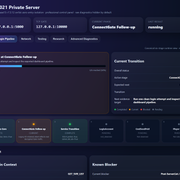
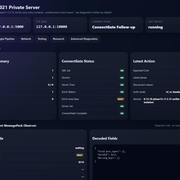
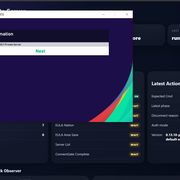
PES 2021 Private Server / Online Emulator

༺Ƥeຮ༻

Championship
Joined
13 July 2020
PES 2021 Private Server / Online Emulator Progress + TrueNAS Docker Setup

Hi everyone,

I want to share the current progress of our PES 2021 private server / online emulator work, explain what has already been achieved, what is still not working, and how other people can run the current test server using TrueNAS + Docker.

First of all, credit where it is due:

Original project by Nikow5:
Nikow5/Pes2021PrivateServer

Our work is based on that project. Nikow5’s project gave the starting foundation for PES 2021 private server research and local/LAN-style testing.

What we are doing now is extending and heavily improving that base into a Dockerized, dashboard-driven, publicly deployable emulator environment for further reverse engineering and eventually online lobby / friendly match support.

This is not a finished public server yet. It is a working reverse engineering and protocol research build.


What this project is trying to achieve

The long-term goal is to restore usable online functionality for PES 2021.

Priority order:

  1. Friendly Match Lobby
  2. Normal 1 vs 1
  3. Room creation
  4. Room joining
  5. P2P negotiation
  6. Gameplay packet handling
  7. Team Play Lobby
  8. MyClub

MyClub is not the priority right now because it has many additional services and is much more complex. Friendly Lobby / normal 1 vs 1 is a better first target.


What was added on top of the original Nikow5 project

The original project was the base.

On top of it, we added or significantly improved:

Docker deployment
Public Docker image
TrueNAS SCALE deployment
Docker Compose / YAML setup
Runtime environment configuration
Web dashboard
Live packet monitor
Packet inspector
HEX viewer
ASCII viewer
Timeline view
Session tracking
Export Debug ZIP
Individual packet .hex export
Auth analysis reports
RX/TX packet comparison
Byte-by-byte Auth diff
Network discovery after Auth
UDP/STUN/raw UDP logger
HTTP/Gateway logger
Runtime Auth mode switching
Auth Lab profiles
Clear Logs button
Version display inside dashboard/API/logs
Debug export suitable for sharing captures with other developers

The Docker image currently used is:

Code:
noobsaibot301/pes2021-emulator:latest

Versioning is intentionally kept inside the dashboard, API, logs, and export files.

We do not rely on versioned Docker tags anymore.


Current technical status

The emulator now reaches far beyond simply listening on TCP.

The current working flow is:

Code:
New TCP connection
        ↓
RX 0x2EE4
EULA / Server Area Request
        ↓
TX 0x2EF4
EULA / Server Area Response
        ↓
RX 0x2E04
Authentication Ticket
        ↓
Authenticated User: TestUser
        ↓
TX 0x2E04
Authentication Response
        ↓
Client closes connection

This means:

DNS redirect works
The PES 2021 client reaches our server
TCP ConnectGate works
XOR / NclMio parser works
Packet parser works
We correctly detect PES commands
EULA request is intercepted
EULA response is accepted by the client
Auth ticket is intercepted
Auth response is accepted far enough for the client to continue through Auth
The game reaches the Online menu / login flow
The client does not yet send the first Lobby packet
The client closes immediately after Auth

This is a very important milestone. The project is no longer stuck at connection, DNS, TCP, XOR, or EULA. The blocker is now specifically the post-authentication transition before the Lobby protocol begins.


Confirmed opcodes so far

Code:
0x2EE4 = EULA / Server Area Request
0x2EF4 = EULA / Server Area Response
0x2E04 = Authentication Ticket / Authentication Response

The current known sequence is stable and repeatable.


What we tested

A lot of Auth Response variants were tested.

Auth Lab profiles include:

Code:
baseline
mirror8
mirror16
mirror32
mirror64
mirror96
full120
mirror_header
user_profile
pure_mirror96
pure_full120
echo_payload120

The reason for testing these profiles was to determine whether the immediate disconnect after Auth was caused by:

  • wrong packet length
  • wrong payload size
  • missing mirrored token
  • wrong session bytes
  • wrong IP field
  • wrong flags
  • zeroed tail
  • overwritten fields
  • bad header/payload layout

Current result:

All tested profiles reach the same general state:

Code:
EULA accepted
Auth accepted
POST_AUTH_WAIT
Client closes
No Lobby opcode

So the problem is probably not just packet length or simple mirroring.


What is currently NOT working

The emulator does not yet reach:

Friendly Lobby
Room list
Room creation
Room join
P2P negotiation
Gameplay packets
Team Play

The client closes the TCP session around 50 ms after the Auth Response.

No additional endpoint is seen after Auth:

Code:
No additional TCP connection
No HTTP request
No UDP packet
No TLS request
No STUN packet
No Lobby opcode

This suggests the remaining blocker is likely inside Auth/session validation, or possibly Steam-related validation.


Current theory

The remaining issue is probably one of:

  • missing Auth Response field
  • unknown session token
  • encrypted/signature field
  • checksum/HMAC-like validation
  • Steam ticket/session validation
  • some internal client-side validation before Lobby starts

The Steam version may require a valid Steam/Konami ticket flow before it sends the first Lobby opcode.

One planned experiment is to test Football Life 26, because it does not require Steam. If Football Life progresses further, that would strongly suggest the blocker is related to Steam authentication/session validation.


TrueNAS / Docker Setup Tutorial

This is the current simple setup method.

You only need:

  • TrueNAS SCALE
  • Docker / Custom App support
  • The Docker image:
    Code:
      noobsaibot301/pes2021-emulator:latest
  • Your server LAN IP
  • PES client DNS/hosts redirect pointing PES domains to your server

Do not publish your real LAN IP or public IP when sharing logs.

Use placeholders like:

Code:
<YOUR_TRUENAS_IP>
<YOUR_CLIENT_IP>
<YOUR_SERVER_IP>


Docker Compose / TrueNAS YAML

Use this as the base YAML:

Code:
services:
  pes2021:
    container_name: pes2021
    image: noobsaibot301/pes2021-emulator:latest
    pull_policy: always
    restart: unless-stopped

    environment:
      PES_DB_PATH: /tmp/pes2021.db
      PES_EVENT_LOG: /tmp/events.log
      PES_GATEWAY_TCP_PORTS: '80'
      PES_HTTP_PORT: '5000'
      PES_REGION_CODE: FRA
      PES_SERVER_PUBLIC_IP: <YOUR_TRUENAS_IP>
      PES_TCP_PORT: '10000'
      PES_UDP_PORTS: '5730,5739,5740'

    ports:
      - "5000:5000/tcp"
      - "8088:80/tcp"
      - "10000:10000/tcp"
      - "5730:5730/udp"
      - "5739:5739/udp"
      - "5740:5740/udp"

Replace:

Code:
<YOUR_TRUENAS_IP>

with the LAN IP of your TrueNAS server.

Do not post your real IP publicly.


What the ports are used for

Code:
Host Port | Container Port | Protocol | Purpose
5000      | 5000           | TCP      | Dashboard / API
8088      | 80             | TCP      | HTTP/Gateway logger
10000     | 10000          | TCP      | PES TCP ConnectGate
5730      | 5730           | UDP      | STUN/raw UDP logger
5739      | 5739           | UDP      | PES UDP/P2P candidate logger
5740      | 5740           | UDP      | PES UDP/P2P candidate logger

Dashboard URL:

Code:
http://<YOUR_TRUENAS_IP>:5000


TrueNAS setup steps

  1. Open TrueNAS SCALE.
  2. Create a Custom App / Docker Compose app.
  3. Paste the YAML above.
  4. Replace <YOUR_TRUENAS_IP> with your TrueNAS LAN IP.
  5. Save / Deploy.
  6. Wait for the container to start.
  7. Open:

Code:
http://<YOUR_TRUENAS_IP>:5000

You should see the emulator dashboard.


Expected startup logs

The logs should show something like:

Code:
TCP Server (ConnectGate) listening on 0.0.0.0:10000
Mode: NclMio (XOR)
STUN/raw UDP logger listening on 0.0.0.0:5730
STUN/raw UDP logger listening on 0.0.0.0:5739
STUN/raw UDP logger listening on 0.0.0.0:5740
Raw TCP/HTTP/TLS hit logger listening on 0.0.0.0:80


Windows connectivity tests

From the Windows PC running PES 2021:

Code:
Test-NetConnection <YOUR_TRUENAS_IP> -Port 5000
Test-NetConnection <YOUR_TRUENAS_IP> -Port 10000
Test-NetConnection <YOUR_TRUENAS_IP> -Port 8088

UDP quick test:

Code:
$udp = New-Object System.Net.Sockets.UdpClient
$bytes = [Text.Encoding]::ASCII.GetBytes("pes udp test")
$udp.Send($bytes, $bytes.Length, "<YOUR_TRUENAS_IP>", 5739)
$udp.Close()

Then check the dashboard logs.


PES DNS / hosts redirect

The PES client must be redirected to your emulator.

Depending on your setup, this can be done with:

  • Windows hosts file
  • local DNS override
  • router DNS override
  • Pi-hole / AdGuard DNS rewrite
  • custom DNS server

Example format:

Code:
<YOUR_TRUENAS_IP> pes21-x64-gate.cs.konami.net
<YOUR_TRUENAS_IP> pes21-x64-stun.cs.konami.net

The exact domains may need to be confirmed by packet capture or previous PES network research.


Testing workflow

Recommended workflow:

  1. Open dashboard:
    Code:
       http://<YOUR_TRUENAS_IP>:5000

  1. Click Clear Logs.

  1. Start PES 2021.

  1. Enter Online mode / Friendly Match Lobby attempt.

  1. Watch dashboard timeline.

  1. Expected current result:

Code:
   RX 0x2EE4
   TX 0x2EF4
   RX 0x2E04
   TX 0x2E04
   POST_AUTH_WAIT
   POST_AUTH_CLOSE

  1. Click Export Debug ZIP.

  1. Share the ZIP with other developers for analysis.

Before sharing, make sure no personal IPs are exposed.

Replace LAN/private IPs with:

Code:
<YOUR_TRUENAS_IP>
<YOUR_CLIENT_IP>


Version / Development History

v0.4

Fixed Docker startup problems.

Added:

  • PYTHONPATH fix
  • DB init fix
  • entrypoint improvements
  • Docker healthcheck
  • TrueNAS Custom App YAML

Purpose:

Make the project start reliably in Docker/TrueNAS.


v0.5

Added:

  • startup banner
  • dashboard URL in logs
  • improved dashboard
  • /health endpoint
  • expanded status API
  • TrueNAS YAML using latest

Purpose:

Make the container easier to run and monitor.


v0.7

Added:

  • live packet monitor
  • selected packet HEX viewer
  • /api/admin/packets
  • RX/TX counters
  • gateway hit counters
  • TCP events written into dashboard logs

Purpose:

Move from simple logging to live packet inspection.


v0.8

Added:

  • dashboard title/version
  • live refresh
  • packet monitor
  • clickable packets
  • HEX + ASCII inspector
  • protocol timeline
  • /api/admin/timeline
  • structured packet fields
  • better stats

Purpose:

Make captured traffic readable in real time.


v0.8.1

Added:

  • Export Debug ZIP
  • /api/admin/export.zip
  • per-packet .hex
  • packet JSON/TXT/CSV
  • timeline export
  • sessions export
  • stats export
  • knowledge base export

Purpose:

Make it easy to share packet captures for reverse engineering.


v0.9

Added:

  • Clear Logs
  • named debug exports
  • post-auth analysis
  • POST_AUTH_WAIT / POST_AUTH_RX / POST_AUTH_CLOSE
  • larger TCP/TLS/HTTP preview
  • UDP/STUN HEX logging

Purpose:

Find out what happens immediately after Auth.

Discovery:

The client closes after Auth and does not send a Lobby opcode.


v0.9.1

Added:

  • Auth Investigation panel
  • /api/admin/auth-report
  • Auth report JSON/TXT exports
  • per-session Auth reports
  • RX 0x2E04 vs TX 0x2E04 byte diff
  • parsed auth helper fields
  • AUTH_FIELDS logging

Purpose:

Understand why the client closes immediately after Auth.


v0.9.2

Added:

  • cleaner debug export
  • auth_offsets.json
  • auth_diff.txt
  • connection_state.json
  • packet_summary.md
  • full auth offset tables

Purpose:

Create better captures before Lobby-focused work.


v0.9.3

Added:

  • PES_AUTH_RESPONSE_MODE
  • PES_AUTH_RESPONSE_PAYLOAD_LEN
  • Auth modes:
    - baseline
    - mirror8
    - mirror16
    - mirror32
    - mirror_header
    - user_profile
  • AUTH_VARIANT logging
  • POST_AUTH_CLOSE now logs active Auth mode

Purpose:

Test whether missing token/session mirroring causes the post-auth close.


v0.9.4

Added:

  • Network Discovery Lab
  • /api/admin/network-discovery
  • network_discovery.json
  • network_discovery.txt
  • correlation window after Auth
  • DISCOVERY_TCP / DISCOVERY_UDP tags
  • HTTP host/path / TLS SNI extraction attempt
  • external endpoint hits after auth stat

Purpose:

Check whether the game opens another TCP/UDP/HTTP/TLS endpoint after Auth.

Result:

No external endpoint detected.


v0.9.5

Added:

  • default auth profile changed to full120
  • TX 0x2E04 total length changed to 120 bytes
  • added:
    - mirror64
    - mirror96
    - full120
  • success/status bytes preserved after mirroring
  • IP candidate preserved after mirroring
  • auth profile test plan export

Purpose:

Test whether the full 120-byte Auth Response is required.

Result:

Still closes after Auth.


v0.9.5.1

Hotfix.

Fixed:

  • /api/admin/export.zip HTTP 500
  • safe export writers
  • export_warnings.json

Purpose:

Make debug export reliable again.


v0.9.6

Added:

  • dashboard Auth Mode dropdown
  • GET/POST /api/admin/auth-mode
  • runtime Auth Mode switching
  • TCP server reads active mode from /tmp/pes_auth_response_mode.txt
  • no Docker rebuild needed for Auth profile tests

Purpose:

Make Auth profile testing fast.

Before this, changing Auth mode required YAML changes / redeploy.

After this, testing is:

Code:
Select Auth Mode
↓
Clear Logs
↓
Test PES
↓
Export ZIP


v0.9.7

Added:

  • pure auth profiles:
    - pure_mirror96
    - pure_full120
    - echo_payload120
  • reference prep exports
  • reference-comparison guidance

Purpose:

Test whether overwritten flags/IP fields caused the disconnect.

Result:

Still no Lobby packet captured.


Current conclusion

We have a working PES 2021 connection, EULA, and Auth pipeline.

The blocker is now narrow:

Code:
Auth Response accepted
↓
Client performs some validation
↓
Client closes before Lobby

The next real breakthrough will likely come from:

  1. Testing Football Life 26
  2. Capturing a real successful reference session
  3. Reverse engineering the remaining Auth/session fields
  4. Comparing original vs emulator Auth Response byte-by-byte


Request for help

If anyone has experience with PES 2021 networking, Konami's ConnectGate/NclMio protocol, Steam ticket validation, or has old packet captures from working PES 2021 online services, any help would be extremely valuable.

The project already has:

working Docker deployment
working dashboard
working packet capture
working EULA
working Auth
reproducible debug exports

The missing piece is the final validation step between Auth and Lobby.
 

Attachments

Last edited:
Small progress update:


We now have a working DNS redirect, ConnectGate handling, EULA flow and Auth flow.


The client successfully reaches the authentication stage and accepts our responses.


The current blocker is what happens immediately after authentication. The client closes the connection roughly 40 ms after receiving the auth response, before any Lobby, STUN, or P2P activity occurs.


We are now focusing on understanding the post-authentication session flow rather than the login process itself.


If anyone has old packet captures, documentation, protocol notes, or reverse engineering work related to PES 2021 online services, Team Play Lobby, ConnectGate, or post-authentication traffic, it would be extremely helpful.
 
Another development update on the PES 2021 Private Server project.

Following the previous breakthrough where we reached the EULA and authentication stages successfully, today's work focused on investigating what happens after authentication.

We now have visibility from both sides of the connection:

  • Server-side instrumentation (DNS, ConnectGate, EULA, Auth, session analysis)
  • Client-side instrumentation through a custom PES Client Inspector

This allowed us to monitor the game process, TCP/UDP sockets, DNS activity and executable analysis while attempting to connect online.

Key findings:

  • PES2021.exe maintains an active TCP connection to the emulated server.
  • The game opens several UDP sockets, confirming that network functionality is still present and active.
  • We identified an additional service endpoint: pesam.stun.service.konami.net, which was not part of our original target list.
  • A dedicated STUN emulation test was implemented and the endpoint was redirected to our infrastructure.

However, the most important result is that the client still disconnects immediately after the authentication exchange.

Even with additional endpoint emulation in place, we are not observing:

  • Lobby traffic
  • STUN negotiation
  • P2P initialization
  • Secondary connections after authentication

Current evidence suggests the client is failing a validation step immediately after authentication and disconnecting before reaching the networking stages associated with Lobby, STUN or gameplay.

We also completed the first successful scans of the PES2021 executable itself and have started identifying internal match-related strings and runtime behavior.

Next focus:

  • DLL/module analysis
  • UTF-16 and resource string scanning
  • Winsock/network API tracing
  • Session validation and ticket verification research

At this point the project is no longer blocked by DNS, ConnectGate, EULA or basic authentication. The primary unknown is now the validation process that occurs between a successful authentication response and the expected transition to Lobby or network services.
 
this sounds really interesting, have a question are you testing all this over the original version of the game? like bought from steam? not asking for forum rules, but because if its a cracked version maybe the cracked could have removed some useful methods used by the game to connect to the server not on proporse but just because he thought it was related to some validation of the game, and that could lead into the game not authenticating the session
 
this sounds really interesting, have a question are you testing all this over the original version of the game? like bought from steam? not asking for forum rules, but because if its a cracked version maybe the cracked could have removed some useful methods used by the game to connect to the server not on proporse but just because he thought it was related to some validation of the game, and that could lead into the game not authenticating the session


Yes, we're testing on the original Steam version of PES 2021. (we..i... mean .. me)

I also looked at Football Life 2025, but many of the online-related components appear to be heavily modified or removed, making it unsuitable for this stage of the investigation.

Your point is actually very interesting because one of our current theories is that the client may be failing some form of session or validation check immediately after authentication. The connection is consistently established, the auth exchange completes successfully, and then the client disconnects before any Lobby, STUN, or P2P activity takes place.

Comparing the behaviour of the original Steam executable against modified versions is definitely something worth investigating further with a cracked version of the game.
 
Yes, we're testing on the original Steam version of PES 2021. (we..i... mean .. me)

I also looked at Football Life 2025, but many of the online-related components appear to be heavily modified or removed, making it unsuitable for this stage of the investigation.

Your point is actually very interesting because one of our current theories is that the client may be failing some form of session or validation check immediately after authentication. The connection is consistently established, the auth exchange completes successfully, and then the client disconnects before any Lobby, STUN, or P2P activity takes place.

Comparing the behaviour of the original Steam executable against modified versions is definitely something worth investigating further with a cracked version of the game.
that's good then, I'd stay with the steam version, I wish I could help but I never got the game on steam, have you tried checking part of this with ghidra mcp + some AI? I manage to get some information for something related on pes5 server thanks to claude code, it helped a lot on my case.

just out of curiosity, did you manage to get anything regarding how the packets are encrypted? also if with ghidra you can find socket or some other equivalent library you'll be able to track that back to understand better how the communication works (this I will totally leave it AI) also you'll probably find some helpers related to data converters such as int32, uint32, int16 all from big endian to little endian, which will help you understand how each packet structure is created
 
Yes, packet encryption/decryption is one of the parts we already made progress on.

The client connects through the ConnectGate flow and the packets are not plain raw data. We already implemented the XOR/NclMio handling well enough to decode the traffic and identify several opcodes.

So far we confirmed:

Code:
0x2EE4 = EULA / server area request
0x2EF4 = EULA / server area response
0x2E04 = auth-related exchange

The emulator can decrypt incoming packets, build responses and the client accepts the EULA and auth exchange.

The current issue seems to happen after that. The client closes the connection immediately after the auth response, before we see Lobby, STUN or P2P traffic.

I agree that Ghidra is probably the next serious step. At this stage we need to understand what the client does internally after receiving the auth response, especially where it decides to close the socket.

The plan is to look for socket/Winsock calls, packet builders/parsers, endian conversion helpers, and the validation path around the auth/session response.

We also started using a client-side inspector to monitor PES2021.exe, sockets, DNS, UDP ports and executable strings during connection attempts. The next logical step is combining that runtime data with static analysis in Ghidra.
 
Small progress update from today's reverse engineering session.

Today I stopped looking at packets and started following the client's internal architecture instead.

One of the biggest findings is that commands such as:

  • CmdLoginAccount
    CmdSendPsid
  • CmdGetPlayerData

are not network packets or TCP opcodes.

From Ghidra it appears they are internal command/task objects.

The current flow looks something like this:

Code:
CmdLoginAccount / CmdSendPsid
↓
FUN_140ffb200()
↓
Command Registry lookup
↓
Create Request Object
↓
FUN_1414a5650()
↓
Request Queue / Scheduler
↓
Network Layer (likely NclMio)
↓
TCP

A few interesting discoveries:

  • FUN_140ffb200() is used by hundreds of different commands. It doesn't appear to serialize packets directly. Instead, it creates a request object based on the command name and queues it.
  • FUN_140ffb330() is a command registry lookup. It hashes the command name and searches an internal hash table.
  • FUN_140ffb3c0() initializes the command registry. The registry currently appears to contain around 0x188 (392) command entries.
  • FUN_1414a5650() doesn't perform networking either. It inserts the newly created request object into a priority queue/scheduler.

This changes the way I'm looking at the emulator.

Until now I was mostly experimenting with Auth responses, packet sizes and post-auth stubs.

Now it's becoming clear that the client has an internal request lifecycle:

Code:
Command
↓
Registry
↓
Request Object
↓
Queue
↓
Scheduler
↓
Network
↓
Response

This also explains why simply returning a valid-looking Auth response is probably not enough. If the internal request/session state isn't what the client expects, it may never create or execute the next request.

The next step is to identify the actual request class created for CmdLoginAccount, understand how its response is validated, and determine what condition causes the transition to CmdSendPsid.

So today's conclusion is that the current blocker is probably not a missing packet, but an internal request/session state transition after Auth.

I also managed to recover a usable Ghidra project from the previous failed analysis, so I no longer need to wait another 7+ hours for a full analysis. From now on I'll be doing targeted reverse engineering on the existing database, which should make progress much faster.
 
PES 2021 Private Server Research Update - ConnectGate Investigation

Hi everyone,

A small research update after another round of reverse engineering and emulator testing.

This week we focused almost entirely on the login pipeline and ConnectGate implementation.

Current confirmed login flow

Code:
ConnectGate
    ↓
CmdGetUrlList
CmdGetSvrVersion
CmdGetSvrTime
CmdGetEulaNationList
(+ CmdGetEulaNationCode / CmdGetEulaAreaListSaveData)
    ↓
ConnectAccount
    ↓
CmdLoginAccount
    ↓
CmdSendPsid (expected)
    ↓
CmdGetPlayerData
    ↓
CmdCreatePlayer
    ↓
CmdSetCurrentPlayer
    ↓
CmdLoginMenu

This pipeline is now confirmed from targeted Ghidra analysis rather than assumptions.

------------------------------------------------------------

New Ghidra findings

A dedicated ConnectGate extraction identified multiple command handlers including:

  • CmdGetUrlList
  • CmdGetSvrVersion
  • CmdGetSvrTime
  • CmdGetEulaNationList
  • CmdGetEulaNationCode
  • CmdGetEulaAreaListSaveData
  • CmdGetSvrList
  • CmdLoginAccount
  • CmdCreatePlayer
  • CmdSetCurrentPlayer
  • CmdLoginMenu

This confirms that ConnectGate performs significantly more work than originally expected.

------------------------------------------------------------

Authentication testing

Several authentication response profiles were implemented and tested:

  • strict_2e04_0060
  • rx0060_mirror96
  • mirror_request_header_payload96
  • rx0060_echo96

Result:

No behavioural difference.

The client always accepts authentication and immediately closes the TCP connection before sending the expected CmdSendPsid.

This strongly suggests that the authentication header itself is not the primary problem.

------------------------------------------------------------

STUN investigation

The STUN implementation was also validated.

Request/Response matching is now complete.

Binding Requests receive valid Binding Responses and all transactions match correctly.

Current conclusion:

STUN is not blocking the login process.

--------------------------------------------------------------

Current working hypothesis

The next major target is no longer authentication.

The focus is now ConnectGate completion.

The emulator must correctly emulate the complete bootstrap process including:

  • URL list
  • Server version
  • Server time
  • EULA information
  • Server list

Only after the client considers ConnectGate complete should it continue with the remaining login pipeline.

------------------------------------------------------------

Current emulator work

Version 0.13.6 introduces a dedicated ConnectGate completion layer with runtime tracking for:

Code:
url_list_ok
version_ok
server_time_ok
eula_nation_list_ok
eula_nation_code_ok
eula_area_save_ok
server_list_ok
shared_group_complete
connectgate_complete

These runtime flags should make future debugging significantly easier.

------------------------------------------------------------

Research philosophy

One important rule we're following now is to document both confirmed facts and rejected hypotheses.

For example:

  • STUN causes login failure → Rejected
  • Authentication header mismatch → Rejected
  • info.service performs authentication → Rejected

This prevents repeating weeks of already completed investigation and allows the project to steadily build a reliable knowledge base instead of relying on assumptions.

The investigation continues.
 

Attachments

Hi everyone,

I want to share a detailed update from today's PES 2021 Online restoration reverse engineering work.

We finally found the region that appears to drive the post-login task sequence.

Current emulator behaviour

Our emulator currently reaches Online Mode and completes these steps:

Code:
ConnectGate
UrlList
ServerVersion
ServerTime
EULA
ServerList
LoginAccount

After LoginAccount:

Code:
Server sends LoginAccount response
Client accepts the response
TCP connection closes around 50–70 ms later
No CmdSendPsid packet is generated
No CmdGetPlayerData packet is generated

This has been the main blocker.

Previously confirmed

We already decompiled:

Code:
CmdLoginAccount  = FUN_140fdf300
CmdSendPsid      = FUN_140fdf860
CmdGetPlayerData = FUN_140fdee40 / related GetPlayerData task

Important correction from earlier analysis:

Code:
request + 0x98 = error flag
not success flag

The request vtable usage is:

Code:
vtable + 0x30 = is_complete()
vtable + 0x20 = destructor / cleanup
request + 0x98 = error flag

New breakthrough today

We were previously looking for a normal "Parent Login Orchestrator", but Ghidra did not show a clean caller chain.

A new focused script checked these exact call sites:

Code:
0x140fde5ae  CALL FUN_140fdf300  ; CmdLoginAccount
0x140fde688  CALL FUN_140fdf860  ; CmdSendPsid
0x140fde6a0  CALL FUN_140fdee40  ; CmdGetPlayerData

Ghidra reports:

Code:
getFunctionContaining(0x140fde5ae) = none
getFunctionContaining(0x140fde688) = none
getFunctionContaining(0x140fde6a0) = none

But the region is clearly valid executable code in .text.

The script found a strong probable function prologue:

Code:
0x140fde443  PUSH RBP
0x140fde444  MOV RBP,RSP
0x140fde447  SUB RSP,0x80

The likely state machine region is approximately:

Code:
0x140fde443 -> 0x140fdeaae

There is a computed switch jump:

Code:
0x140fde489  JMP RDX

with case targets including:

Code:
0x140fde578
0x140fde590
0x140fde5a8
0x140fde685
0x140fde69d
0x140fde707
0x140fde71f
0x140fde737
0x140fde74b
0x140fde777
0x140fde7a5

This explains why the previous parent-orchestrator analysis failed: the important region is not associated with a normal Ghidra function.

Recovered login state sequence

The state machine appears to run this sequence:

Code:
State 5  -> FUN_140fde810  ; CmdAuthSteam / AuthSteam-related step
State 6  -> FUN_140fdebe0  ; unknown pre-login task
State 7  -> FUN_140fdf300  ; CmdLoginAccount
State 8  -> FUN_140fdf860  ; CmdSendPsid
State 9  -> FUN_140fdee40  ; CmdGetPlayerData

So the flow is not:

Code:
CmdLoginAccount directly calls CmdSendPsid

Instead it is:

Code:
Login state machine
    -> calls CmdLoginAccount
    -> checks return value
    -> advances state
    -> calls CmdSendPsid
    -> calls CmdGetPlayerData

Important branch behaviour around CmdLoginAccount

Around the LoginAccount call site:

Code:
0x140fde5a8  MOV EDX, dword ptr [RBX + 0x74]
0x140fde5ab  MOV RCX, RBX
0x140fde5ae  CALL 0x140fdf300      ; CmdLoginAccount
0x140fde5b3  TEST EAX,EAX
0x140fde5b5  JZ 0x140fde7c2
0x140fde5bb  CMP EAX,0x2
0x140fde5be  JNZ 0x140fde5d0
0x140fde5c0  INC dword ptr [RBX + 0x74]
0x140fde5c3  MOV qword ptr [RBX + 0x78],0x7
0x140fde5cb  JMP 0x140fde7c2
0x140fde5d0  CMP EAX,0x3
0x140fde5d3  JNZ 0x140fde67d

This means CmdLoginAccount return value controls whether the state machine advances.

Observed interpretation so far:

Code:
EAX == 0  -> do not advance / wait / exit current tick
EAX == 2  -> retry or next account index via [RBX + 0x74]++
EAX == 3  -> error path
other successful value, likely 1 -> advance toward State 8 / CmdSendPsid

Why this matters for our emulator

The emulator sends a LoginAccount response that is accepted at packet level, but the client still closes TCP and never generates CmdSendPsid.

Given the recovered state machine, this strongly suggests:

Code:
LoginAccount response is syntactically accepted
but semantically incomplete or wrong
therefore CmdLoginAccount does not return success
therefore the state machine never reaches State 8
therefore CmdSendPsid is never sent

Common request creation helper

We also confirmed that multiple online tasks use the same helper:

Code:
FUN_140ffb200

Examples:

Code:
FUN_140fdf300 / CmdLoginAccount:
  creates "CmdLoginAccount"
  stores request pointer at param_1 + 0x90

FUN_140fdf860 / CmdSendPsid:
  creates "CmdSendPsid"
  stores request pointer at param_1 + 0x98

FUN_140fe03f0 / CmdGetPlayerData:
  creates "CmdGetPlayerData"
  stores request pointer at param_1 + 0x90

So FUN_140ffb200 is very likely the common online request/task creation helper.

Current conclusion

We are no longer looking for a missing parent orchestrator.

We now have strong evidence that the real login order is controlled by a switch/state machine around:

Code:
0x140fde443 -> 0x140fdeaae

The current blocker is now more precise:

Code:
Find exactly why CmdLoginAccount does not return success.

That means the next reverse engineering target is:

Code:
FUN_140fdf300 / CmdLoginAccount

Specifically:

Code:
- what response fields does it validate?
- when does it return 0?
- when does it return 2?
- when does it return 3?
- when does it return success and allow State 8 / CmdSendPsid?

If anyone has previously looked at PES 2021's online login task scheduler, CmdLoginAccount response structure, or the state machine around 0x140fde443, any insight would be extremely useful.

Any information about the exact LoginAccount response fields required for success would help a lot.
 
PES 2021 Private Server - Reverse Engineering Progress Report #4

Hello everyone,

A rather large reverse engineering session has just finished and I wanted to share where the project currently stands.

This update is less about adding new emulator features and more about understanding how the original Konami online architecture actually works.

--------------------------------------------------------
Current Goal
--------------------------------------------------------

Our objective remains exactly the same:

CmdLoginAccount
→ CmdSendPsid
→ CmdGetPlayerData

without fake packets, forced state transitions or protocol shortcuts.

The idea is still to reproduce the original protocol rather than simply making the client "think" it logged in.

--------------------------------------------------------
Current Progress
--------------------------------------------------------

Estimated overall progress:

≈ 40%

Already working:

• ConnectGate
• Steam/Auth pipeline
• EULA
• Login pipeline
• Runtime diagnostics
• Professional packet exports
• Login state tracking

Current blocker:

The client still disconnects before reaching CmdSendPsid.

--------------------------------------------------------
Major Reverse Engineering Discoveries
--------------------------------------------------------

During the last few days we focused almost entirely on Ghidra.

The most important discoveries were:

• Complete Login State Machine recovered
• Parent Login Orchestrator behaviour reconstructed
• Factory chain identified
• Request constructor identified
• Base request vtable recovered
• Request object field research
• Multiple writers for request+0x98 identified

One particularly important discovery was that a function we initially believed to be responsible for completion logic turned out to be only a tiny stub.

This immediately changed our reverse engineering strategy.

Instead of following completion polling we started following object writers and dispatcher candidates.

That reduced hundreds of possible functions down to only a handful of high-value targets.

--------------------------------------------------------
Current Research Direction
--------------------------------------------------------

Our current work is no longer focused on packet guessing.

Instead we are reconstructing the original architecture step by step.

Current high-priority targets:

• Request builder chain
• Dispatcher registration
• Handler tables
• Login response parser
• request+0x98 state propagation

This approach has proven significantly more productive than modifying packets blindly.

--------------------------------------------------------
eFootball Research
--------------------------------------------------------

We also spent some time comparing eFootball with PES 2021.

Interesting findings include:

• Same ERR_* error vocabulary
• Same Konami STUN infrastructure
• Same GateInfo service family
• Similar backend naming conventions

This does NOT prove both games share the same protocol.

However it strongly suggests that parts of the online middleware evolved from the same architecture.

--------------------------------------------------------
Next Emulator Version
--------------------------------------------------------

The next build will not introduce protocol hacks.

Instead it will become a knowledge-driven version built around everything we have learned from reverse engineering.

The new version will include:

• Improved state diagnostics
• Better runtime exports
• Recovered Login State Machine
• Internal architecture documentation
• Richer debugging information

The idea is to make every future test produce more useful evidence instead of simply trying another workaround.

--------------------------------------------------------
Final Thoughts
--------------------------------------------------------

Although Login is still not fully completed, I honestly feel that this has been one of the most productive reverse engineering sessions since the project started.

Every analysis has reduced the amount of unknown behaviour.

Rather than searching randomly, we're now following a much more structured methodology based on evidence recovered directly from the original executable.

We're getting closer to understanding how Konami actually designed the online services, and once that architecture is understood, reproducing it becomes a much more realistic goal.

As always, thanks to everyone following the project and sharing ideas. Every discussion helps push the project forward.


The goal is no longer simply to make Login work.
The goal is to accurately reconstruct the original Konami Online Services architecture one verified component at a time.


More updates soon.
 
PES 2021 Private Server - Reverse Engineering Progress Report #5

Full Protocol Stack Decoded — The Breakthrough

Hello everyone,

Following on from Report #4 where I shared the recovered login state machine and architecture-driven approach, today I have what is without question the most significant discovery since the project began.

We have decoded the complete PES 2021 online protocol stack.

═══════════════════════════════════════
CONNECTING THE DOTS
═══════════════════════════════════════


In Post #7 I shared that we had identified opcodes 0x2EE4, 0x2EF4 and 0x2E04, and that the client accepted our EULA and auth exchange.

In Post #9 I shared that Cmd* names like CmdLoginAccount are internal task objects, not network packets, and that FUN_140ffb200 creates request objects through a command registry.

In Post #10 I shared that multiple auth profiles produced identical results — the client always disconnected after auth.

In Post #11 I shared the recovered state machine (States 5-9) and the success gate at request+0x98.

Now all of these pieces connect together — and the picture they form is completely different from what we assumed.

═══════════════════════════════════════
THE CORRECTION
═══════════════════════════════════════


We believed the first client packet was an EULA request and the second was an Auth/Steam ticket.

We were wrong on both counts.

After decoding the full crypto stack — XOR, Blowfish, MD5 — and decrypting the actual application payloads, here is what the client was really sending:

Packet 1 — 152 bytes (previously labelled "EULA request"):

Code:
{
  "msgid": "CMD_GET_SVRLIST",
  "rqid": 1,
  "svrtype": "GATE",
  "client": "NETCLIENT",
  "timeout": 0,
  "lang": "ANY",
  "patch_version": "1.07.02",
  "dlc_version": "7.00"
}

This is the server list request. Not an EULA.

Packet 2 — 120 bytes (previously labelled "Auth/Steam ticket"):

Code:
{
  "msgid": "CMD_DISCONNECT",
  "rqid": 2,
  "svrtype": "NotImplement",
  "client": "NotImplement",
  "logoutstat": "MOV"
}

This is the client disconnecting — because our response to CMD_GET_SVRLIST was invalid.

This explains everything. The client was never failing a "session validation" after auth (as I theorised in Post #5). The client was simply unable to parse our response because we were sending heuristic byte patterns instead of properly encrypted MessagePack.

═══════════════════════════════════════
THE PROTOCOL STACK
═══════════════════════════════════════


Every layer has been recovered from the executable through static analysis:

Code:
┌─────────────────────────────────────────────┐
│ Layer 6: Application (MessagePack map)      │
│   CMD_GET_SVRLIST, CMD_LOGIN_ACCOUNT,       │
│   CMD_DISCONNECT, etc.                      │
├─────────────────────────────────────────────┤
│ Layer 5: Compression (zlib, optional)       │
├─────────────────────────────────────────────┤
│ Layer 4: Padding (PKCS#7, 8-byte blocks)    │
├─────────────────────────────────────────────┤
│ Layer 3: Encryption (Blowfish ECB)          │
│   56-byte static key, independent blocks     │
├─────────────────────────────────────────────┤
│ Layer 2: Integrity (MD5)                    │
│   MD5(header[0:8] + ciphertext)             │
├─────────────────────────────────────────────┤
│ Layer 1: Framing (24-byte header + payload) │
│   kind(2) + len(2) + seq(4) + MD5(16)      │
├─────────────────────────────────────────────┤
│ Layer 0: Transport (XOR)                    │
│   Repeating 4-byte key: 5B 9F 2E 64        │
└─────────────────────────────────────────────┘

═══════════════════════════════════════
CRYPTOGRAPHIC PARAMETERS
═══════════════════════════════════════


XOR Transport Key: (we already had this correct from early versions)
Code:
5B 9F 2E 64

Blowfish Key (56 bytes, static fallback at 0x1434E4270):
Code:
D8 89 0A F0 66 C9 6B 40
D7 01 AE FC 43 6F F9 FE
C9 89 98 16 7A 74 48 3D
39 14 73 0C 5C 01 C0 3C
E2 8E 86 E5 89 C4 A1 85
F8 54 06 51 D2 EC A3 6B
5C 1A 40 EE C5 E9 DA AE

Confirmed by successful decryption of captured client frames.

Blowfish mode: ECB (independent 8-byte blocks, no chaining)
Padding: PKCS#7 for 8-byte block size
Integrity: MD5 computed over header[0:8] + ciphertext, stored at frame offset 8-23

═══════════════════════════════════════
CMD_LOGIN_ACCOUNT PROTOCOL
═══════════════════════════════════════


In Post #9 I shared that CmdLoginAccount goes through a command registry and request queue. Now we know what the request actually contains.

The application-level login command uses MessagePack
Code:
map16
with 16 fields:

Request (client → server):
Code:
DE 00 10  (map16, 16 fields)

1.  msgid
2.  rqid
3.  svrtype
4.  client
5.  username
6.  hash
7.  platform
8.  patch_version
9.  dlc_version
10. livedata_version
11. extradata_version
12. package_type
13. sku
14. net_link_type
15. np_account_id
16. pairwise_id

Response (server → client):
Code:
{
  "msgid": "<copy from request>",
  "rqid": "<copy from request>",
  "result": "NOERR"
}

The success literal
Code:
"NOERR"
was found at static address 0x14288B9F4. The response consumer (FUN_1411791E0) compares the parsed result string against this global. Equality produces request+0x98 = 0 (no error) and request+0x99 = 1 (completion).

This directly connects to the state machine I shared in Post #11 — when request+0x98 = 0 and the completion flag is set, the parent orchestrator advances from State 7 to State 8 (CmdSendPsid).

═══════════════════════════════════════
CMD_GET_SVRLIST RESPONSE FORMAT
═══════════════════════════════════════


The server-list consumer (FUN_1410F4C00) reads entries of 0x58 (88) bytes each:

Code:
+0x00  std::string  (server type, compared with "GATE")
+0x20  uint32
+0x28  std::string  (address/name)
+0x4C  uint32       (port or similar)

Entries whose first string is exactly "GATE" are excluded from the list passed to the next server manager. Only non-GATE entries are forwarded.

Success check: response+0x1C0 == 0

═══════════════════════════════════════
ARCHITECTURE CORRECTION
═══════════════════════════════════════


We have confirmed that the protocol has multiple distinct layers:

Code:
ConnectGate TCP Layer (Blowfish + MD5 + XOR + MessagePack)
    │
    ├─ CMD_GET_SVRLIST → server list response
    │
    └─ (client selects server)
         │
         ▼
Application OnlineLoginTask Layer
    │
    ├─ State 5: CmdAuthSteam (HTTP / NclHttpCodec, port 80)
    │            ← DIFFERENT protocol from ConnectGate!
    │
    ├─ State 6: Unknown PreLogin
    │
    ├─ State 7: CmdLoginAccount (MessagePack map16, 16 fields)
    │
    ├─ State 8: CmdSendPsid
    │
    └─ State 9: CmdGetPlayerData

CmdAuthSteam is an HTTP command, not a raw TCP command. It uses NclHttpCodec, URL parsing, DNS resolution, and defaults to TCP port 80. The raw 0x2E04 ConnectGate exchange and application-level CmdAuthSteam are different protocol layers.

═══════════════════════════════════════
CORRECTED RUNTIME TIMELINE
═══════════════════════════════════════


What was actually happening all along:

Code:
Client → CMD_GET_SVRLIST (MessagePack, Blowfish, MD5, XOR)
Server → INVALID EULA-shaped bytes (wrong format!)
Client → cannot parse response
Client → CMD_DISCONNECT
Server → INVALID Auth-shaped bytes (wrong format!)
TCP closes

The blocker was never at "Auth." The blocker was at the very first response — CMD_GET_SVRLIST.

═══════════════════════════════════════
PROJECT STATUS
═══════════════════════════════════════


Estimated overall progress: ≈ 55% (up from 40% in Report #4)

Working:
  • ConnectGate TCP transport (XOR + Blowfish + MD5)
  • Protocol codec fully reverse-engineered
  • MessagePack command structure decoded
  • Runtime diagnostics and state tracking
  • Professional dashboard and packet exports
  • Login state machine (States 5-9) recovered

Next:
The next emulator version will implement the full protocol codec — Blowfish decrypt/encrypt, MD5 verify, MessagePack decode/encode, and proper CMD_GET_SVRLIST / CMD_LOGIN_ACCOUNT responses.

═══════════════════════════════════════
PREVIOUS ASSUMPTIONS — CORRECTED
═══════════════════════════════════════


  • Post #7: "0x2E04 = auth-related exchange" → 0x2E04 is an emulator-derived heuristic, not a proven opcode
  • Post #10: "auth profiles don't help" → They couldn't help — the response was wrong format (not MessagePack)
  • Post #5: "client fails session validation" → Client simply couldn't parse the response
  • 152-byte packet = EULA request → It is CMD_GET_SVRLIST
  • 120-byte packet = Auth/Steam ticket → It is CMD_DISCONNECT
  • 16 bytes at offset 8-23 = IV → It is an MD5 digest

═══════════════════════════════════════
FINAL THOUGHTS
═══════════════════════════════════════


For months, I was debugging the wrong layer — sending heuristic byte patterns and wondering why the client disconnected within 50-70ms.

Now I know:
  • The client sends MessagePack commands, not raw auth blobs
  • The protocol uses Blowfish encryption, not just XOR
  • The first packet is CMD_GET_SVRLIST, not an EULA request
  • The second packet is CMD_DISCONNECT, not an auth ticket
  • The success literal is "NOERR"

I now understand the protocol architecture better than ever before.
However, there are still unknowns — exact response formats, potential
compression, runtime key verification, and what happens after each
command is accepted.

This is progress, not a finish line. But for the first time, I know
exactly what the client is sending and what it expects to receive.
That is a fundamentally different position from where we were before.

More updates as implementation progresses.
 
It has been some time since my last update, but the project has made significant progress.


We have now passed the previous network validation and connection blockers. PES 2021 is successfully connecting to our private server emulator and processing real responses generated by it.


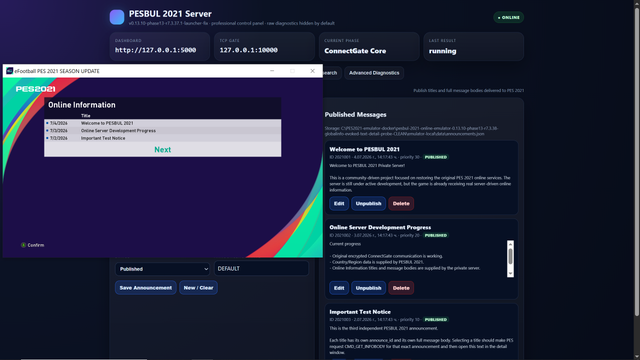
For the first time, the server can now trigger and control actual online interface elements inside the game, including:


• The Country/Region selection screen for the player profile
• A server-provided Online Information announcement
• The server list and other initial online service responses
• Successful communication through the game’s original encrypted network protocol


The Online Information system is the same interface Konami previously used for official notices, maintenance announcements and other online messages. In our current implementation, the country selection and announcement flows are still partially mixed together, so there are several state-transition and profile-persistence issues that must be fixed.


After confirming the selected country, the client currently reaches the next online stage but eventually displays a generic error. The selected region is also not yet saved correctly, so the full login and account transition is not complete.


This means that online matches are not working yet, but this is still a major milestone. We no longer have only packet captures or a basic network listener — we now have a real server emulator that PES 2021 connects to, understands and receives visible online content from.

 
Yes, I built a module that I can control the system/online messages :D Maybe I take/waste too much time on it, because just to CLICK > OPEN the message, I'm reversing and extracting-decoding data the whole day :D but... I wanna finish that if it's possible.
This is realy good please don't give up from it. We gonna show what we can do for not playing efootball to Konami
 
Yes, I built a module that I can control the system/online messages :D Maybe I take/waste too much time on it, because just to CLICK > OPEN the message, I'm reversing and extracting-decoding data the whole day :D but... I wanna finish that if it's possible.
I'm so sorry for saying this but i don't think PESBUL is a good name because its looking like PESBULL
 
Yes, I built a module that I can control the system/online messages :D Maybe I take/waste too much time on it, because just to CLICK > OPEN the message, I'm reversing and extracting-decoding data the whole day :D but... I wanna finish that if it's possible.
it looks amazing, as an advice, dont focus too much on what you can see from the server side, focus more on getting the protocol server working, I know how easy its to get lost into many things :D keep it up!
 
Back
Top Bottom