PES 2021 Private Server / Online Emulator/ Open Alpha Test Server /

Small PES 2021 online emulator progress update.

Last time I posted, the client was only reaching the Terms of Use / Privacy Policy stage. Since then, the project has moved quite a bit further.

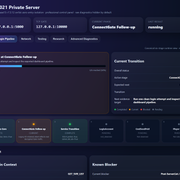
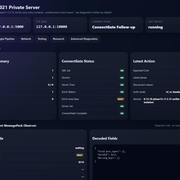
The emulator now gets through the early online flow, including the agreement screens, login/account responses, server list/account handling, and it reaches the Create User Data / Profile screen.

Current state:

Terms / Privacy Policy: passed
Login / account flow: passed
Create User Data screen: reached
Profile creation request: accepted
Current blocker: final post-profile confirmation / transition

After pressing OK on the created user data screen, the game enters the next loading phase. It waits for a while, keeps the connection alive for some time, and eventually disconnects with the “connection to the server was lost” message, and that is for the last 3-4 days....

The expected flow should be:

Create User Data
→ OK
→ loading
→ User Data/Profile created successfully
→ Live Update
→ Main Online Menu

The current flow is:

Create User Data
→ OK
→ loading
→ heartbeat(s)
→ disconnect

We have also been doing a lot of reverse engineering around this part. The focus is now on the internal post-profile finalization logic, not the basic login anymore.

Some of the important areas currently being traced are:

FUN_140FE0370 - post-player-data / profile flow gate
FUN_1411E4390 - slot completion polling
FUN_1411E3BF0 - slot manager state machine
FUN_14121C350 - internal event queue pump
FUN_14121D6A0 - event handler path
FUN_1412402B0 - final slot/profile clear callback

The simplified finding is this:

The game accepts the created profile,
but the internal profile slot never reaches its final completed state.

Because of that, the client keeps waiting instead of showing the “profile created successfully” popup and moving on to Live Update.

We have already tested and rejected a few ideas, including extra route-transition commands and synthetic server-pushed events. Those did not change the behavior, so the next work is focused on identifying the real trigger that makes the client finalize the created profile internally.

So yes, progress is slow, but it is real progress. We are much further than the Terms screen now — the blocker is deep inside the post-profile finalization / slot-state logic. Nobody says that it will be easy, fast, or that success is guaranteed.

 
This is revolutionary stuff, man.
You are slowly cracking the code, this is amazing
Cracking is not the correct word :D Let's say I rebuilt the code from ground zero, bit by bit, step by step. I'm not cracking the original EXE, I'm not modifying the original code, just rebuilding the original Konami server, but success is not guaranteed to be fair. I can be in this final step, "Creating a room" for days.
 
It has been some time since my last update, but the project has made significant progress.


We have now passed the previous network validation and connection blockers. PES 2021 is successfully connecting to our private server emulator and processing real responses generated by it.


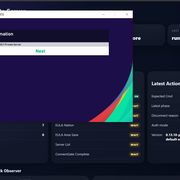
For the first time, the server can now trigger and control actual online interface elements inside the game, including:


• The Country/Region selection screen for the player profile
• A server-provided Online Information announcement
• The server list and other initial online service responses
• Successful communication through the game’s original encrypted network protocol


The Online Information system is the same interface Konami previously used for official notices, maintenance announcements and other online messages. In our current implementation, the country selection and announcement flows are still partially mixed together, so there are several state-transition and profile-persistence issues that must be fixed.


After confirming the selected country, the client currently reaches the next online stage but eventually displays a generic error. The selected region is also not yet saved correctly, so the full login and account transition is not complete.


This means that online matches are not working yet, but this is still a major milestone. We no longer have only packet captures or a basic network listener — we now have a real server emulator that PES 2021 connects to, understands and receives visible online content from.


Dude, I'm really looking forward to the return of MyClub (just like they did with Ultimate Team). One question, Is there a way to modify this to make it work on PES 2013? I'm thinking of trying to get it to work on that platform.
 
I haven’t posted in a while, but here’s a quick update: yes, we now have a working 1v1 mode!

I’m currently fixing the remaining bugs, and I’m hoping to launch an alpha public test server soon. I’ll share more details when everything is ready.


Great work... does it will work only with steam version? or also with a CPY v1.01.00 exe fixed as v1.07.02 and with datapack 7.0 installed? Many people also inside this forum were unable to buy the game in time and now they use the cracked version.
 
Last edited:
I haven’t posted in a while, but here’s a quick update: yes, we now have a working 1v1 mode!

I’m currently fixing the remaining bugs, and I’m hoping to launch an alpha public test server soon. I’ll share more details when everything is ready.


What fantastic work! Regarding MyClub, will it be working in this Alpha version?
 
No, not MyClub. I will never even try to restore that mode.

For the open alpha, the servers will support 1v1 Friendly Lobby, which is already about 99% functional. There are still a few bugs, but I’ll try to fix them before the alpha launch.

I’m also working on restoring Quick Match mode. I thought that since matchmaking was already working, Quick Match would be easy, but nope. It’s much more complicated than I expected.
 
No, not MyClub. I will never even try to restore that mode.

For the open alpha, the servers will support 1v1 Friendly Lobby, which is already about 99% functional. There are still a few bugs, but I’ll try to fix them before the alpha launch.

I’m also working on restoring Quick Match mode. I thought that since matchmaking was already working, Quick Match would be easy, but nope. It’s much more complicated than I expected.
Ok bro, keep going to this wonderful work 🙏🏻🙏🏻
 
PES 2021 Private Server / Online Emulator Progress + TrueNAS Docker Setup

Hi everyone,

I want to share the current progress of our PES 2021 private server / online emulator work, explain what has already been achieved, what is still not working, and how other people can run the current test server using TrueNAS + Docker.

First of all, credit where it is due:

Original project by Nikow5:
Nikow5/Pes2021PrivateServer

Our work is based on that project. Nikow5’s project gave the starting foundation for PES 2021 private server research and local/LAN-style testing.

What we are doing now is extending and heavily improving that base into a Dockerized, dashboard-driven, publicly deployable emulator environment for further reverse engineering and eventually online lobby / friendly match support.

This is not a finished public server yet. It is a working reverse engineering and protocol research build.


What this project is trying to achieve

The long-term goal is to restore usable online functionality for PES 2021.

Priority order:

  1. Friendly Match Lobby
  2. Normal 1 vs 1
  3. Room creation
  4. Room joining
  5. P2P negotiation
  6. Gameplay packet handling
  7. Team Play Lobby
  8. MyClub

MyClub is not the priority right now because it has many additional services and is much more complex. Friendly Lobby / normal 1 vs 1 is a better first target.


What was added on top of the original Nikow5 project

The original project was the base.

On top of it, we added or significantly improved:

Docker deployment
Public Docker image
TrueNAS SCALE deployment
Docker Compose / YAML setup
Runtime environment configuration
Web dashboard
Live packet monitor
Packet inspector
HEX viewer
ASCII viewer
Timeline view
Session tracking
Export Debug ZIP
Individual packet .hex export
Auth analysis reports
RX/TX packet comparison
Byte-by-byte Auth diff
Network discovery after Auth
UDP/STUN/raw UDP logger
HTTP/Gateway logger
Runtime Auth mode switching
Auth Lab profiles
Clear Logs button
Version display inside dashboard/API/logs
Debug export suitable for sharing captures with other developers

The Docker image currently used is:

Code:
noobsaibot301/pes2021-emulator:latest

Versioning is intentionally kept inside the dashboard, API, logs, and export files.

We do not rely on versioned Docker tags anymore.


Current technical status

The emulator now reaches far beyond simply listening on TCP.

The current working flow is:

Code:
New TCP connection
        ↓
RX 0x2EE4
EULA / Server Area Request
        ↓
TX 0x2EF4
EULA / Server Area Response
        ↓
RX 0x2E04
Authentication Ticket
        ↓
Authenticated User: TestUser
        ↓
TX 0x2E04
Authentication Response
        ↓
Client closes connection

This means:

DNS redirect works
The PES 2021 client reaches our server
TCP ConnectGate works
XOR / NclMio parser works
Packet parser works
We correctly detect PES commands
EULA request is intercepted
EULA response is accepted by the client
Auth ticket is intercepted
Auth response is accepted far enough for the client to continue through Auth
The game reaches the Online menu / login flow
The client does not yet send the first Lobby packet
The client closes immediately after Auth

This is a very important milestone. The project is no longer stuck at connection, DNS, TCP, XOR, or EULA. The blocker is now specifically the post-authentication transition before the Lobby protocol begins.


Confirmed opcodes so far

Code:
0x2EE4 = EULA / Server Area Request
0x2EF4 = EULA / Server Area Response
0x2E04 = Authentication Ticket / Authentication Response

The current known sequence is stable and repeatable.


What we tested

A lot of Auth Response variants were tested.

Auth Lab profiles include:

Code:
baseline
mirror8
mirror16
mirror32
mirror64
mirror96
full120
mirror_header
user_profile
pure_mirror96
pure_full120
echo_payload120

The reason for testing these profiles was to determine whether the immediate disconnect after Auth was caused by:

  • wrong packet length
  • wrong payload size
  • missing mirrored token
  • wrong session bytes
  • wrong IP field
  • wrong flags
  • zeroed tail
  • overwritten fields
  • bad header/payload layout

Current result:

All tested profiles reach the same general state:

Code:
EULA accepted
Auth accepted
POST_AUTH_WAIT
Client closes
No Lobby opcode

So the problem is probably not just packet length or simple mirroring.


What is currently NOT working

The emulator does not yet reach:

Friendly Lobby
Room list
Room creation
Room join
P2P negotiation
Gameplay packets
Team Play

The client closes the TCP session around 50 ms after the Auth Response.

No additional endpoint is seen after Auth:

Code:
No additional TCP connection
No HTTP request
No UDP packet
No TLS request
No STUN packet
No Lobby opcode

This suggests the remaining blocker is likely inside Auth/session validation, or possibly Steam-related validation.


Current theory

The remaining issue is probably one of:

  • missing Auth Response field
  • unknown session token
  • encrypted/signature field
  • checksum/HMAC-like validation
  • Steam ticket/session validation
  • some internal client-side validation before Lobby starts

The Steam version may require a valid Steam/Konami ticket flow before it sends the first Lobby opcode.

One planned experiment is to test Football Life 26, because it does not require Steam. If Football Life progresses further, that would strongly suggest the blocker is related to Steam authentication/session validation.


TrueNAS / Docker Setup Tutorial

This is the current simple setup method.

You only need:

  • TrueNAS SCALE
  • Docker / Custom App support
  • The Docker image:
    Code:
      noobsaibot301/pes2021-emulator:latest
  • Your server LAN IP
  • PES client DNS/hosts redirect pointing PES domains to your server

Do not publish your real LAN IP or public IP when sharing logs.

Use placeholders like:

Code:
<YOUR_TRUENAS_IP>
<YOUR_CLIENT_IP>
<YOUR_SERVER_IP>


Docker Compose / TrueNAS YAML

Use this as the base YAML:

Code:
services:
  pes2021:
    container_name: pes2021
    image: noobsaibot301/pes2021-emulator:latest
    pull_policy: always
    restart: unless-stopped

    environment:
      PES_DB_PATH: /tmp/pes2021.db
      PES_EVENT_LOG: /tmp/events.log
      PES_GATEWAY_TCP_PORTS: '80'
      PES_HTTP_PORT: '5000'
      PES_REGION_CODE: FRA
      PES_SERVER_PUBLIC_IP: <YOUR_TRUENAS_IP>
      PES_TCP_PORT: '10000'
      PES_UDP_PORTS: '5730,5739,5740'

    ports:
      - "5000:5000/tcp"
      - "8088:80/tcp"
      - "10000:10000/tcp"
      - "5730:5730/udp"
      - "5739:5739/udp"
      - "5740:5740/udp"

Replace:

Code:
<YOUR_TRUENAS_IP>

with the LAN IP of your TrueNAS server.

Do not post your real IP publicly.


What the ports are used for

Code:
Host Port | Container Port | Protocol | Purpose
5000      | 5000           | TCP      | Dashboard / API
8088      | 80             | TCP      | HTTP/Gateway logger
10000     | 10000          | TCP      | PES TCP ConnectGate
5730      | 5730           | UDP      | STUN/raw UDP logger
5739      | 5739           | UDP      | PES UDP/P2P candidate logger
5740      | 5740           | UDP      | PES UDP/P2P candidate logger

Dashboard URL:

Code:
http://<YOUR_TRUENAS_IP>:5000


TrueNAS setup steps

  1. Open TrueNAS SCALE.
  2. Create a Custom App / Docker Compose app.
  3. Paste the YAML above.
  4. Replace <YOUR_TRUENAS_IP> with your TrueNAS LAN IP.
  5. Save / Deploy.
  6. Wait for the container to start.
  7. Open:

Code:
http://<YOUR_TRUENAS_IP>:5000

You should see the emulator dashboard.


Expected startup logs

The logs should show something like:

Code:
TCP Server (ConnectGate) listening on 0.0.0.0:10000
Mode: NclMio (XOR)
STUN/raw UDP logger listening on 0.0.0.0:5730
STUN/raw UDP logger listening on 0.0.0.0:5739
STUN/raw UDP logger listening on 0.0.0.0:5740
Raw TCP/HTTP/TLS hit logger listening on 0.0.0.0:80


Windows connectivity tests

From the Windows PC running PES 2021:

Code:
Test-NetConnection <YOUR_TRUENAS_IP> -Port 5000
Test-NetConnection <YOUR_TRUENAS_IP> -Port 10000
Test-NetConnection <YOUR_TRUENAS_IP> -Port 8088

UDP quick test:

Code:
$udp = New-Object System.Net.Sockets.UdpClient
$bytes = [Text.Encoding]::ASCII.GetBytes("pes udp test")
$udp.Send($bytes, $bytes.Length, "<YOUR_TRUENAS_IP>", 5739)
$udp.Close()

Then check the dashboard logs.


PES DNS / hosts redirect

The PES client must be redirected to your emulator.

Depending on your setup, this can be done with:

  • Windows hosts file
  • local DNS override
  • router DNS override
  • Pi-hole / AdGuard DNS rewrite
  • custom DNS server

Example format:

Code:
<YOUR_TRUENAS_IP> pes21-x64-gate.cs.konami.net
<YOUR_TRUENAS_IP> pes21-x64-stun.cs.konami.net

The exact domains may need to be confirmed by packet capture or previous PES network research.


Testing workflow

Recommended workflow:

  1. Open dashboard:
    Code:
       http://<YOUR_TRUENAS_IP>:5000

  1. Click Clear Logs.

  1. Start PES 2021.

  1. Enter Online mode / Friendly Match Lobby attempt.

  1. Watch dashboard timeline.

  1. Expected current result:

Code:
   RX 0x2EE4
   TX 0x2EF4
   RX 0x2E04
   TX 0x2E04
   POST_AUTH_WAIT
   POST_AUTH_CLOSE
   [/código]

[LIST=1]
[*]Clique em Exportar ZIP de depuração .
[/LIST]

[LIST=1]
[*]Compartilhe o arquivo ZIP com outros desenvolvedores para análise.
[/LIST]

Antes de compartilhar, certifique-se de que nenhum endereço IP pessoal seja exposto.

Substitua os IPs de LAN/privados por:

[código]<SEU_IP_TRUENAS>
<SEU_IP_DO_CLIENTE>


Histórico de versões/desenvolvimento

v0.4

Problemas de inicialização do Docker resolvidos.

Adicionado:

  • correção do PYTHONPATH
  • correção de inicialização do banco de dados
  • melhorias no ponto de entrada
  • Verificação de integridade do Docker
  • YAML do aplicativo personalizado TrueNAS

Propósito:

Faça com que o projeto inicie de forma confiável no Docker/TrueNAS.


v0.5

Adicionado:

  • banner de inicialização
  • URL do painel de controle nos registros
  • painel de controle aprimorado
  • /healthponto final
  • API de status expandida
  • TrueNAS YAML usandolatest

Propósito:

Torne o contêiner mais fácil de executar e monitorar.


v0.7

Adicionado:

  • monitor de pacotes ao vivo
  • visualizador HEX de pacotes selecionados
  • /api/admin/packets
  • Contadores RX/TX
  • contadores de acessos ao portal
  • Eventos TCP registrados nos logs do painel de controle

Propósito:

Passe da simples coleta de dados para a inspeção de pacotes em tempo real.


v0.8

Adicionado:

  • título/versão do painel
  • atualização ao vivo
  • monitor de pacotes
  • pacotes clicáveis
  • Inspetor HEX + ASCII
  • cronograma do protocolo
  • /api/admin/timeline
  • campos de pacotes estruturados
  • melhores estatísticas

Propósito:

Tornar o tráfego capturado legível em tempo real.


v0.8.1

Adicionado:

  • Exportar ZIP de depuração
  • /api/admin/export.zip
  • por pacote.hex
  • pacote JSON/TXT/CSV
  • exportação de linha do tempo
  • exportar sessões
  • exportar estatísticas
  • exportação da base de conhecimento

Propósito:

Facilite o compartilhamento de capturas de pacotes para engenharia reversa.


v0.9

Adicionado:

  • Limpar registros
  • exportações de depuração nomeadas
  • análise pós-autorização
  • POST_AUTH_WAIT / POST_AUTH_RX / POST_AUTH_CLOSE
  • Pré-visualização ampliada de TCP/TLS/HTTP
  • Registro HEX UDP/STUN

Propósito:

Descubra o que acontece imediatamente após a autenticação.

Descoberta:

O cliente fecha após a autenticação e não envia um opcode de lobby.


v0.9.1

Adicionado:

  • Painel de Investigação de Aut.
  • /api/admin/auth-report
  • Exportações JSON/TXT de relatórios de autenticação
  • Relatórios de autenticação por sessão
  • diferença de bytes RX 0x2E04vs TX0x2E04
  • campos auxiliares de autenticação analisados
  • AUTH_FIELDSregistro

Propósito:

Entenda por que o cliente fecha imediatamente após a autenticação.


v0.9.2

Adicionado:

  • exportação de depuração de limpeza
  • auth_offsets.json
  • auth_diff.txt
  • connection_state.json
  • packet_summary.md
  • tabelas de deslocamento de autorização completa

Propósito:

Crie melhores capturas de tela antes de trabalhar com foco no lobby.


v0.9.3

Adicionado:

  • PES_AUTH_RESPONSE_MODE
  • PES_AUTH_RESPONSE_PAYLOAD_LEN
  • Modos de autenticação:
    - baseline
    - mirror8
    - mirror16
    - mirror32
    - mirror_header
    - user_profile
  • AUTH_VARIANTregistro
  • POST_AUTH_CLOSEAgora registra o modo de autenticação ativo.

Propósito:

Teste se a ausência de espelhamento de token/sessão causa o fechamento pós-autenticação.


v0.9.4

Adicionado:

  • Laboratório de Descoberta de Redes
  • /api/admin/network-discovery
  • network_discovery.json
  • network_discovery.txt
  • janela de correlação após a autenticação
  • Tags DISCOVERY_TCP / DISCOVERY_UDP
  • Tentativa de extração de host/caminho HTTP / TLS SNI
  • estatísticas de acessos ao endpoint externo após a autenticação

Propósito:

Verifique se o jogo abre outro ponto de extremidade TCP/UDP/HTTP/TLS após a autenticação.

Resultado:

Nenhum ponto de extremidade externo detectado.


v0.9.5

Adicionado:

  • O perfil de autenticação padrão foi alterado parafull120
  • O comprimento total da transmissão 0x2E04foi alterado para 120 bytes.
  • Adicionado:
    - mirror64
    - mirror96
    - full120
  • Os bytes de sucesso/status são preservados após o espelhamento.
  • O candidato a IP foi preservado após o espelhamento.
  • exportar plano de teste de perfil de autenticação

Propósito:

Verifique se a resposta de autenticação completa de 120 bytes é necessária.

Resultado:

Ainda fecha após a autenticação.


v0.9.5.1

Correção urgente.

Fixo:

  • /api/admin/export.zipHTTP 500
  • escritores de exportação seguros
  • export_warnings.json

Propósito:

Torne a exportação de depuração confiável novamente.


v0.9.6

Adicionado:

  • Menu suspenso do modo de autenticação do painel
  • GET/POST /api/admin/auth-mode
  • Alternância do modo de autenticação em tempo de execução
  • O servidor TCP lê o modo ativo de/tmp/pes_auth_response_mode.txt
  • Não é necessário reconstruir o Docker para os testes de perfil de autenticação.

Propósito:

Torne os testes de perfil de autenticação mais rápidos.

Antes disso, alterar o modo de autenticação exigia alterações no arquivo YAML ou uma nova implantação.

Após isso, o próximo passo é o teste:

Code:
Selecione o modo de autenticação
↓
Limpar registros
↓
Teste PES
↓
Exportar CEP


v0.9.7

Adicionado:

  • Perfis de autenticação pura:
    - pure_mirror96
    - pure_full120
    - echo_payload120
  • exportações de preparação de referência
  • orientação de comparação de referência

Propósito:

Teste se a sobrescrita de sinalizadores/campos IP causou a desconexão.

Resultado:

Ainda não foi capturado o pacote Lobby.


Conclusão atual

Temos uma conexão funcional com o PES 2021, um EULA e um sistema de autenticação.

O bloqueio agora está estreito:

Code:
Resposta de autenticação aceita
↓
O cliente realiza alguma validação.
↓
Cliente fecha antes do Lobby

O próximo grande avanço provavelmente virá de:

  1. Testando a Vida no Futebol 26
  2. Capturando uma sessão de referência realmente bem-sucedida
  3. Engenharia reversa dos campos de autenticação/sessão restantes
  4. Comparando byte a byte a resposta de autenticação original com a do emulador


Pedido de ajuda

Se alguém tiver experiência com a rede do PES 2021, o protocolo ConnectGate/NclMio da Konami, a validação de tickets do Steam ou possuir capturas de pacotes antigas de serviços online do PES 2021 em funcionamento, qualquer ajuda será extremamente valiosa.

O projeto já conta com:

Implantação Docker em funcionamento
Painel de controle funcional
Captura de pacotes em funcionamento
EULA em funcionamento
Autenticação funcionando
Exportações de depuração reproduzíveis

A peça que falta é a etapa final de validação entre a autenticação e o lobby.
Olá! Primeiramente, parabéns pelo excelente trabalho na configuração do TrueNAS/Docker e na decodificação do XOR do NclMio. O progresso que vocês fizeram com o ConnectGate e o pipeline de EULA/Autenticação é incrivelmente inspirador!

Tenho uma pergunta específica sobre a versão Steam. Li que você conseguiu fazer funcionar com o executável original do Steam. Como exatamente você contornou a validação de sessão/ticket do Steam que normalmente faz com que o cliente feche o socket TCP cerca de 50 ms após a resposta de autenticação 0x2E04?

Você está falsificando um ticket de sessão Steam específico dentro do payload de 120 bytes (como no perfil full120), ou encontrou um sinalizador específico na resposta de autenticação que impede o .exe original de encerrar a conexão antes do opcode do Lobby?

Qualquer informação sobre como você conseguiu enganar o cliente Steam original para que ele aceitasse o handshake seria muito apreciada. Obrigado por compartilhar todo esse conhecimento com a comunidade!
 

PESBUL COMMUNITY PROJECT · PUBLIC BETA

PES 2021 IS ONLINE AGAIN.


After almost six years without the PES experience we loved, two months of relentless development, and countless sleepless nights, the online mode of eFootball PES 2021 is alive again.


● FRIENDLY MATCH LOBBY IS WORKING

Official project website:
https://pes2021.pesbul.eu


SIX YEARS LATER

Almost six years ago, Konami took PES away from us.

Not only the name, but the football series as we knew and loved it.

For almost six years, players who wanted the traditional PES experience were left without a real alternative. We watched the series move further away from its roots while microtransactions became more important, classic modes disappeared, and the community that had supported PES for decades was gradually left behind.

During those years, I tried many different ideas, approaches, tools, and possible solutions. Most of them led nowhere.

Some gave me small clues, but never enough to build something that actually worked. There were many moments when restoring the PES 2021 online experience seemed completely impossible.

Then, around two months ago, we had our first real breakthrough.

From that moment, the project became countless sleepless nights, long days, failed experiments, new discoveries, and hundreds of very small steps forward.

Sometimes one missing value took several days to understand. Sometimes one correctly implemented command unlocked an entire section of the game. Progress was slow, but every small success brought us closer to something that had seemed impossible only weeks earlier.

Today, eFootball PES 2021 has a working online mode again, and Friendly Match Lobby is approximately 99% functional.

This is not the end of the project. It is the moment when the project finally leaves a small circle of controlled private tests and reaches the community it was created for.

We are now ready for the most important test so far:


OPENING PES 2021 ONLINE TO THE PUBLIC.


THIS IS A PUBLIC BETA, NOT A FINISHED SERVICE

I want to be completely honest about what this public test means.

Will everything be stable?

I do not know. That is exactly what we need to discover.

Will it work perfectly for everyone?

I do not know. Different systems and networks may behave differently.

Will we find new problems?

Almost certainly. This is the purpose of a real public test.

This entire project is new territory for me. I am learning while building it, analysing how the original game behaves, reconstructing the missing online services, and solving each problem as it appears.

The public beta will give us something that private testing cannot provide: real data from different players, countries, internet providers, routers, network conditions, and PC configurations.

We need to learn how the system behaves when more people use it at the same time.

We need to discover the problems that cannot be reproduced with only two test computers.

We need real matches, real connections, and real feedback.

IMPORTANT: PLEASE ENTER THE PUBLIC BETA WITH REALISTIC EXPECTATIONS

This is an independent community project, built with limited time and resources.

Constructive feedback will help improve it.

Anger without useful information will not.


IMPORTANT INFORMATION ABOUT CONNECTION QUALITY AND LAG

Matches in PES 2021 use a peer-to-peer connection.

This means that the actual gameplay traffic is exchanged directly between the two players. It does not pass through the main PESBUL server.

If a match is lagging, the cause will usually be related to the connection between the players rather than the central server.

Possible causes include:

  • Large geographical distance between the players.
  • Wi-Fi instability or poor wireless signal.
  • Network congestion or packet loss.
  • Background downloads, streaming, or cloud synchronisation.
  • Router or NAT configuration.
  • Internet provider routing.
  • An unstable connection from one of the players.

Please do not immediately assume that every lagging match is caused by PESBUL.

FOR THE BEST POSSIBLE TEST

Use a wired connection whenever possible.

Stop active downloads, streams, cloud backups, and other heavy network activity before starting a match.


HOW TO ENABLE THE PES 2021 ONLINE MODE

  1. Open the official PESBUL 2021 website:

    https://pes2021.pesbul.eu

    Click the Connect Now button available on the website.
  2. A file in .BAT format will be downloaded.

    Some browsers or security programs may display a warning because BAT files are executable scripts.

    Download and use the installer only from the official PESBUL website.
  3. Right-click the downloaded file and select:

    Run as administrator
  4. In the installer, choose:

    1 — install and activate the PESBUL online server.

    2 — remove the PESBUL configuration and restore the original setup.
  5. Start eFootball PES 2021.

    The online mode should now be available.

THAT IS ALL. PES 2021 IS ONLINE AGAIN.

The installation is reversible.

Selecting option 2 removes the PESBUL configuration and restores the original setup.


WHAT IS THE PESBUL 2021 HUB?

The website is still in a very early stage.

Its immediate purpose is to provide access to the restored PES 2021 online services, but the long-term plan is much larger.

The website will gradually become a complete PES 2021 community hub, including:

  • ELO seasons and rankings.
  • Traditional leagues and championships.
  • Cups and tournaments.
  • Public player profiles.
  • Match history and detailed statistics.
  • Achievements and permanent competitive records.
  • Competitions organised through Friendly Match Lobby.
  • Future Team Play 11 vs 11 events.

Our main long-term goal remains a fully working 11 vs 11 Team Play mode.

Once the core online services are stable, Team Play will become the primary development focus.

The current Friendly Match Lobby work is not the final destination.

It is the foundation that makes the return of 11 vs 11 possible.


LINKING YOUR WEBSITE ACCOUNT WITH YOUR PES 2021 PROFILE

You do not need to verify your website account simply to play PES 2021 online.

Profile verification is optional.

It provides additional features for players who want to participate in PESBUL competitions and use the full PESBUL 2021 Hub.

A verified profile will eventually allow you to:

  • Join ELO seasons.
  • Participate in leagues, cups, and tournaments.
  • Have a public player profile.
  • Store match results and statistics.
  • Unlock achievements.
  • Build a permanent competitive history.

How to Verify Your Profile

  1. Sign in to your account on the PESBUL 2021 website.
  2. Open your user dashboard and click the profile verification button.
  3. The website will generate a unique verification code.
  4. Open PES 2021 and go to:

    Settings → Online Settings → Edit Profile → Favorite Team
  5. Enter the generated verification code in the Favorite Team field and save the changes.
  6. Return to your website dashboard and click the verification button again.

If everything is correct, your game profile and website account will be linked.

A public player profile will then become available.

This profile will gradually store your statistics, results, achievements, competitive history, and participation in PESBUL events.

VERIFICATION IS NOT REQUIRED FOR NORMAL ONLINE PLAY

You can use Friendly Match Lobby without verifying a website account.

Verification is an additional service for players who want public profiles, statistics, rankings, and access to organised competitions.


COMMUNITY RULES

This project is completely free, and the rules are intentionally simple.

  • Play Fair!!!
  • Treat other players with basic respect.
  • Do not exploit known bugs to disrupt other users.
  • Do not harass players or create unnecessary conflicts.
  • Report technical problems with useful and accurate information.

I will not act as a referee for every personal argument between players.

I will not manually investigate every disputed result, and I will not change match results simply because someone demands it.

I do not have the time or resources to moderate endless personal disputes.

Players who repeatedly create problems, abuse the service, harass others, exploit the testing environment, or deliberately damage the experience will simply lose access.

EVERYTHING IS FREE

There is no money, prize, or commercial service involved.

There is no reason to turn a community project into a source of unnecessary drama.


KNOWN ISSUES

The following problems are already known.

You do not need to report them repeatedly unless you have new and useful information.

  1. Avatars are currently not working correctly.
  2. If a player disconnects during a match or during team selection, the other player may be returned to a room that no longer exists.

    You can still leave that room normally.
  3. Room status does not yet update correctly in every situation.
  4. The Other Results section is not working yet.
  5. Team Play Lobby and CO-OP Clans are accessible and already significantly advanced.

    They include menus, rooms, clan creation, membership functions, and other working elements.

    However, these modes are not yet ready for normal use.

    If you explore too deeply, you may reach an unfinished screen or a dead end.


HAVE YOU FOUND A NEW PROBLEM?

If the issue is not already included in the known-issues list, please publish it in the dedicated Discord forum channel.

A useful report should include:

  • What exactly you did.
  • What you expected to happen.
  • What actually happened.
  • The exact screen or stage where the problem appeared.
  • A screenshot or video whenever possible.
  • Your country and connection type for network or lag-related problems.


REPORT A BUG ON DISCORD


Konami may have shut down the servers.

But the community is not finished with PES.


Thank you to everyone who tests, reports problems, shares the project, supports the development, or simply plays one match.

What comes next, we will build together.


PESBUL is an independent community project and is not officially affiliated with or endorsed by Konami.

Players must use their own legal copy of eFootball PES 2021.


Last edited:

PESBUL COMMUNITY PROJECT · PUBLIC BETA

PES 2021 IS ONLINE AGAIN.


After almost six years without the PES experience we loved, two months of relentless development, and countless sleepless nights, the online mode of eFootball PES 2021 is alive again.


● FRIENDLY MATCH LOBBY IS WORKING

Official project website:
https://pes2021.pesbul.eu


SIX YEARS LATER

Almost six years ago, Konami took PES away from us.

Not only the name, but the football series as we knew and loved it.

For almost six years, players who wanted the traditional PES experience were left without a real alternative. We watched the series move further away from its roots while microtransactions became more important, classic modes disappeared, and the community that had supported PES for decades was gradually left behind.

During those years, I tried many different ideas, approaches, tools, and possible solutions. Most of them led nowhere.

Some gave me small clues, but never enough to build something that actually worked. There were many moments when restoring the PES 2021 online experience seemed completely impossible.

Then, around two months ago, we had our first real breakthrough.

From that moment, the project became countless sleepless nights, long days, failed experiments, new discoveries, and hundreds of very small steps forward.

Sometimes one missing value took several days to understand. Sometimes one correctly implemented command unlocked an entire section of the game. Progress was slow, but every small success brought us closer to something that had seemed impossible only weeks earlier.


This is not the end of the project. It is the moment when the project finally leaves a small circle of controlled private tests and reaches the community it was created for.

We are now ready for the most important test so far:


OPENING PES 2021 ONLINE TO THE PUBLIC.


THIS IS A PUBLIC BETA, NOT A FINISHED SERVICE

I want to be completely honest about what this public test means.


This entire project is new territory for me. I am learning while building it, analysing how the original game behaves, reconstructing the missing online services, and solving each problem as it appears.

The public beta will give us something that private testing cannot provide: real data from different players, countries, internet providers, routers, network conditions, and PC configurations.

We need to learn how the system behaves when more people use it at the same time.

We need to discover the problems that cannot be reproduced with only two test computers.

We need real matches, real connections, and real feedback.


IMPORTANT INFORMATION ABOUT CONNECTION QUALITY AND LAG

Matches in PES 2021 use a peer-to-peer connection.

This means that the actual gameplay traffic is exchanged directly between the two players. It does not pass through the main PESBUL server.

If a match is lagging, the cause will usually be related to the connection between the players rather than the central server.

Possible causes include:

  • Large geographical distance between the players.
  • Wi-Fi instability or poor wireless signal.
  • Network congestion or packet loss.
  • Background downloads, streaming, or cloud synchronisation.
  • Router or NAT configuration.
  • Internet provider routing.
  • An unstable connection from one of the players.

Please do not immediately assume that every lagging match is caused by PESBUL.


HOW TO ENABLE THE PES 2021 ONLINE MODE

  1. Open the official PESBUL 2021 website:

    https://pes2021.pesbul.eu

    Click the Connect Now button available on the website.
  2. A file in .BAT format will be downloaded.

    Some browsers or security programs may display a warning because BAT files are executable scripts.

    Download and use the installer only from the official PESBUL website.
  3. Right-click the downloaded file and select:

    Run as administrator
  4. In the installer, choose:

    1 — install and activate the PESBUL online server.

    2 — remove the PESBUL configuration and restore the original setup.
  5. Start eFootball PES 2021.

    The online mode should now be available.


WHAT IS THE PESBUL 2021 HUB?

The website is still in a very early stage.

Its immediate purpose is to provide access to the restored PES 2021 online services, but the long-term plan is much larger.

The website will gradually become a complete PES 2021 community hub, including:

  • ELO seasons and rankings.
  • Traditional leagues and championships.
  • Cups and tournaments.
  • Public player profiles.
  • Match history and detailed statistics.
  • Achievements and permanent competitive records.
  • Competitions organised through Friendly Match Lobby.
  • Future Team Play 11 vs 11 events.


Once the core online services are stable, Team Play will become the primary development focus.

The current Friendly Match Lobby work is not the final destination.

It is the foundation that makes the return of 11 vs 11 possible.


LINKING YOUR WEBSITE ACCOUNT WITH YOUR PES 2021 PROFILE

You do not need to verify your website account simply to play PES 2021 online.

Profile verification is optional.

It provides additional features for players who want to participate in PESBUL competitions and use the full PESBUL 2021 Hub.

A verified profile will eventually allow you to:

  • Join ELO seasons.
  • Participate in leagues, cups, and tournaments.
  • Have a public player profile.
  • Store match results and statistics.
  • Unlock achievements.
  • Build a permanent competitive history.

How to Verify Your Profile

  1. Sign in to your account on the PESBUL 2021 website.
  2. Open your user dashboard and click the profile verification button.
  3. The website will generate a unique verification code.
  4. Open PES 2021 and go to:

    Settings → Online Settings → Edit Profile → Favorite Team
  5. Enter the generated verification code in the Favorite Team field and save the changes.
  6. Return to your website dashboard and click the verification button again.

If everything is correct, your game profile and website account will be linked.

A public player profile will then become available.

This profile will gradually store your statistics, results, achievements, competitive history, and participation in PESBUL events.


COMMUNITY RULES

This project is completely free, and the rules are intentionally simple.

  • Play Fair!!!
  • Treat other players with basic respect.
  • Do not exploit known bugs to disrupt other users.
  • Do not harass players or create unnecessary conflicts.
  • Report technical problems with useful and accurate information.

I will not act as a referee for every personal argument between players.

I will not manually investigate every disputed result, and I will not change match results simply because someone demands it.

I do not have the time or resources to moderate endless personal disputes.

Players who repeatedly create problems, abuse the service, harass others, exploit the testing environment, or deliberately damage the experience will simply lose access.


KNOWN ISSUES

The following problems are already known.

You do not need to report them repeatedly unless you have new and useful information.

  1. Avatars are currently not working correctly.
  2. If a player disconnects during a match or during team selection, the other player may be returned to a room that no longer exists.

    You can still leave that room normally.
  3. Room status does not yet update correctly in every situation.
  4. The Other Results section is not working yet.
  5. Team Play Lobby and CO-OP Clans are accessible and already significantly advanced.

    They include menus, rooms, clan creation, membership functions, and other working elements.

    However, these modes are not yet ready for normal use.

    If you explore too deeply, you may reach an unfinished screen or a dead end.


HAVE YOU FOUND A NEW PROBLEM?

If the issue is not already included in the known-issues list, please publish it in the dedicated Discord forum channel.

A useful report should include:

  • What exactly you did.
  • What you expected to happen.
  • What actually happened.
  • The exact screen or stage where the problem appeared.
  • A screenshot or video whenever possible.
  • Your country and connection type for network or lag-related problems.


REPORT A BUG ON DISCORD


Konami may have shut down the servers.

But the community is not finished with PES.


Thank you to everyone who tests, reports problems, shares the project, supports the development, or simply plays one match.

What comes next, we will build together.


PESBUL is an independent community project and is not officially affiliated with or endorsed by Konami.

Players must use their own legal copy of eFootball PES 2021.


Hey bro, incredible work!!🤩 Not a very common one I'd imagine, but if one plays SPFL 26 on Steam Deck and wanted to download this, would this .bat file have to be installed via Lutris and is this possible? Thanks bro!🙂
 
Back
Top Bottom