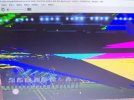
Do games run normally for you with D3D12 renderer without complicated configuration? Everything works perfectly for me with just basic tweaks on Vulkan.
What complicated configuration? There are like only 2-3 additional settings involved to further optimize the visuals and fix some issues.
These settings are required for both Vulkan and D3D12 renderer.
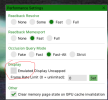
The basic tweak is to set rendering to "accuracy" instead of "performance" on emulator settings. This sets all the accuracy settings to max which causes a huge burden on CPU and GPU. You may be able to bruteforce it on newer and better CPUs but for majority of the users, this is detrimental. Not to mention, even on higher end pcs, you might be able to render the games in even higher resolution without performance loss if you use manual config overrides.
Explanation of some of the config overrides I use and why I set it in particular ways:
anisotropic_override = 0 or 5
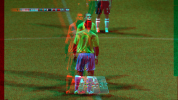
0 would make the games use trilinear filtering. This is useful for FIFA 08 onwards where the pitch texture turns into a grainy mess with repeated noticeable patterns with 16x AF/ especially while running the game at higher resolutions. This affects both ps3 and xbox 360 versions. On ps3 port, the best you can do is 2x AF to mitigate it somewhat and even then the bottom 1/4th of the grass suffers from the aforementioned issues. With the value set to 0 on Xenia, you make the grass look just like it does on native hardware- although you do loose on the 16x AF quality improvement.
5 would set AF to 16x. This is useful for FIFA 06 rtwc to UCL 06-07 where the improved anisotropic filtering does not cause over grain/ repeated patterns. So it's a net improvement. A bit exception to this is WC 06 where 16x AF does look beautiful and it even increases the draw distance of 3D grass and makes it visible even on gameplay camera. But it also results in more shimmering than the already present shimmering on grass during gameplay.
half_pixel_offset = true
This fixes the post process effects to scale correctly on higher resolutions. Otherwise you will see artifacts with postfx effects like bloom and DOF- especially on RTWC 06 and WC 06.
readback_resolve = none/ fast/ strict
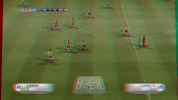
Strict is the biggest framerate killer. It will absolutely crush your framerate and raise the demand on both GPU and especially your CPU. If your CPU, especially it's single core performance is not up to mark, the games will slow down significantly. Unfortunately, this is required in the later FIFA games like 2014 FIFA World Cup where the pitch will remain completely black and jerseys will have wrong textures otherwise. There's workaround to change it back to "none" after a match starts to improve the performance.
occlusion_query = none/ fast-alt
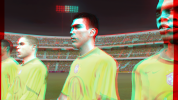
Setting it to "Strict" will again, drop the performance significantly. Instead setting it to "fast-alt" can get similar results without huge performance loss. Required in some of the FIFA games like RTWC 06-08 to prevent stadium lights bleeding through.
occlusion_query_saturation = 1/ 0.75
Lower values can help with the occlusion intensity of stadium lights on RTWC 06-WC 06.
render_target_path = accuracy
Required in FIFA 07-08 to fix the missing crowds when running in 4k.
Among the above settings, only render_target_path, occlusion_query, readback_resolve and half_pixel_offset are must required settings and not all of them are needed in every FIFA game. Manually setting these without putting the whole general rendering setting to "accuracy" saves up on a lot of performance- on both vulkan and d3d12.




 I was able to resolve it, thank you