FiFA [2006-2011] Next gen ports via RPCS3 and Xenia

There's also a bug with current build of Xenia Edge. If you press the tirggers once, it acts more like a toggle state and it makes navigating through the menus pain in the ass. It only untoggles if you press some other button or move the left stick/dpad. A very weird bug.

Regarding the stuttering, see if you have variable refresh option enabled for dx12. It will bypass the desktop composition vsync- which affects the frametimes regardless of having VRR monitor.

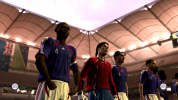
For WC 06, the canary build is fine because you can't run that game at 4k without the missing crowd bug anyways. For RTWC 06, I'm still using edge since the higher resolution really makes the game look great.
 
There's also a bug with current build of Xenia Edge. If you press the tirggers once, it acts more like a toggle state and it makes navigating through the menus pain in the ass. It only untoggles if you press some other button or move the left stick/dpad. A very weird bug.

Regarding the stuttering, see if you have variable refresh option enabled for dx12. It will bypass the desktop composition vsync- which affects the frametimes regardless of having VRR monitor.

For WC 06, the canary build is fine because you can't run that game at 4k without the missing crowd bug anyways. For RTWC 06, I'm still using edge since the higher resolution really makes the game look great.
"Xenia Edge is currently the best Xbox 360 emulator available. When running FIFA RTWC 06 or FIFA 06 World Cup, you don't need to switch the rendering mode to 'accuracy' (precise rendering); just keep it on 'Performance' mode and set 'Readback Resolve' to 'Full'."
 
Is there a way to have per-game settings (like we can do for example with RPCS3)?
Otherwise, is there a way to launch Xenia via command line? This way we could create a .bat that loads the correct settings (by copying the relevant .toml file in the "default" location) for each game annd then invokes Xenia with the path to the ISO to make it run.
I do something similar already with different patches for of PES 2021 (bat files handle the files in "My Documents" then launch Sider in the relevant folder, then Sider lauches the game) so it could be an interesting solution also for Xenia.

EDIT: apparently it can be done! 🤩
So, expanding the cmd file by adding copy commands for the .toml before starting Xenia should be possible also.
Xenia Edge supports per-game config overrides—you can set graphics, CPU, audio, etc. individually for each title. The only thing that can't be customized per-game is the controller/button mapping (input bindings are global).
 
"Xenia Edge is currently the best Xbox 360 emulator available. When running FIFA RTWC 06 or FIFA 06 World Cup, you don't need to switch the rendering mode to 'accuracy' (precise rendering); just keep it on 'Performance' mode and set 'Readback Resolve' to 'Full'."

I think you are a little too late with the settings suggestion. I've already posted about the performance mode thing in the attached screenshots few comments back. However, setting "Readback Resolve" to "Full" tanks the performance on my 5070 Ti. I went from locked 60 FPS during cutscenes to 30-33 FPS without any improvement in the visuals. The stadium lights still bleed through the player models. Screenshot attached below:
1779708931747.png


Also, none of that solves the problem about the trigger bug. Details linked in the github bug post here: https://github.com/has207/xenia-edge/issues/169#issuecomment-4533451649

Demonstration of the trigger bug on Xenia Edge (It doesn't occur with Xenia Canary):

 
Xenia Edge supports per-game config overrides—you can set graphics, CPU, audio, etc. individually for each title. The only thing that can't be customized per-game is the controller/button mapping (input bindings are global).
Thanks! Yes I went that route before but apparently (and probably it's my fault but I haven't quite found why) Canary performs better than Edge for me so I reverted to Canary and managed to "keep" also the "custom settings" feature by copying and replacing the .toml files before and after launching Xenia.
So far the first test has been successful so I think I'll stay on that route (unless there's something forcing me to go to Edge but at the moment it isn't the case).
 
I think you are a little too late with the settings suggestion. I've already posted about the performance mode thing in the attached screenshots few comments back. However, setting "Readback Resolve" to "Full" tanks the performance on my 5070 Ti. I went from locked 60 FPS during cutscenes to 30-33 FPS without any improvement in the visuals. The stadium lights still bleed through the player models. Screenshot attached below:
View attachment 422490


Also, none of that solves the problem about the trigger bug. Details linked in the github bug post here: https://github.com/has207/xenia-edge/issues/169#issuecomment-4533451649

Demonstration of the trigger bug on Xenia Edge (It doesn't occur with Xenia Canary):


Trigger lock bug has been fixed on the latest fix. Thanks to has207 on github for quick response and fix.

Link of the latest release:

Github release page
Windows build Mirror 1
Linux build


Thanks! Yes I went that route before but apparently (and probably it's my fault but I haven't quite found why) Canary performs better than Edge for me so I reverted to Canary and managed to "keep" also the "custom settings" feature by copying and replacing the .toml files before and after launching Xenia.
So far the first test has been successful so I think I'll stay on that route (unless there's something forcing me to go to Edge but at the moment it isn't the case).
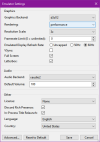
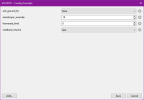
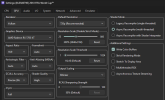
Did you set the settings in Edge like this?
1779713105684.png1779713109309.png

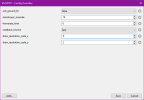
As for resolution scale, you can try setting it to 2x or 1x because higher resolution puts a lot of load on GPU and even on my 5070 Ti, on night matches, I do get drops below 60 on replays sometimes. You can also increase the resolution scale on a single axis to further lower the performance impact while still having some resolution boost:

1779713212385.png

You have to add it on game specific settings.
 
Trigger lock bug has been fixed on the latest fix. Thanks to has207 on github for quick response and fix.

Link of the latest release:

Github release page
Windows build Mirror 1
Linux build


Did you set the settings in Edge like this?
View attachment 422492View attachment 422493

As for resolution scale, you can try setting it to 2x or 1x because higher resolution puts a lot of load on GPU and even on my 5070 Ti, on night matches, I do get drops below 60 on replays sometimes. You can also increase the resolution scale on a single axis to further lower the performance impact while still having some resolution boost:

View attachment 422494

You have to add it on game specific settings.
There's no need for 3x resolution; it's overkill. Since these are native 720p games, 2x (1440p) is plenty clear. Unlike your setup, I didn't tweak multiple parameters. I just use 2x resolution with readback_resolveset to full. My 3060 Ti maintains a stable 60 FPS. Graphically, it's near perfect aside from the missing crowds in the World Cup 2006 mode and the occasional commentary glitch.
 
There's no need for 3x resolution; it's overkill. Since these are native 720p games, 2x (1440p) is plenty clear. Unlike your setup, I didn't tweak multiple parameters. I just use 2x resolution with readback_resolveset to full. My 3060 Ti maintains a stable 60 FPS. Graphically, it's near perfect aside from the missing crowds in the World Cup 2006 mode and the occasional commentary glitch.

3x resolution scale is required for 4k screens. "Not enough" is subjective.

Setting readback resolve to full is making no difference visually other than dropping my framerate by nearly half on cutscenes. So I personally see no reason to set it to "full" instead of "fast" which so far looks same but with siginificantly higher framerate.
 
I have FIFA World Cup 2010 on RPCS3 and the game runs perfectly on 30 and 60 fps but when i start a match the audio is not fine, it slows down and becomes choppy.

PLEASE HELP!! 😭😭😭
 
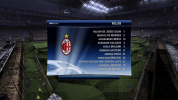
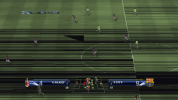
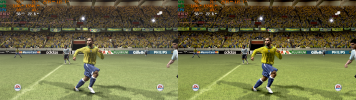
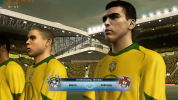
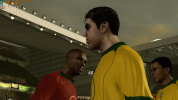
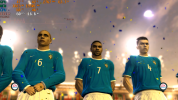
FIFA 06: Road To FIFA World Cup is finally working with audio without crashing. Played a full match with audio with minimal visual bugs.

Took more than 13 years since Xenia first became a thing and it's been over 20 years since the game has been released. It was a long wait but finally the game is running on PC without crashing or significant issue.

You have to download this build of Xenia canary from here: https://github.com/xenia-canary/xenia-canary/actions/runs/26235088799

Direct link of the build (Windows): Windows build
Direct link of the build (Linux): Linux build


Gameplay footage of Xenia running on my pc (Video is still processing):

Settings to be changed in Xenia-canary.config.toml (Open with notepad):
readback_resolve = "fast" [Otherwise the game's lighting will be completely broken]
draw_resolution_scale_x = 1 [Rendering the game in higher resolution breaks the lighting unfortunately]
draw_resolution_scale_y = 1

Some bugs I noticed:
-Random post process glitch in cutscenes: rare but the colors glitches out for few seconds.
-Random artifacts during cutscenes: rare.
-Stadium lights bleed through the player models: Most noticeable on dusk and night matches. Looks wrong but in most cutscenes the camera angles wont be in such situation.
-Cloth and hair physics randomly stops working at times: no idea why it happens or if it's a problem with the game itself.
-Audio has some double playback effect randomly, especially noticeable with commentary.


I haven't tested FIFA world Cup 2006 yet but this build of Xenia might work with that game as well and UCL 06-07.

Edit: FIFA World Cup 2006 is playable too. Footage below:

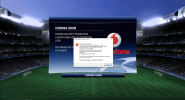
hi friend! please tell me, during loading such an error pops up
 

Attachments

  • Безымянный.png
    Безымянный.png
    2.2 MB · Views: 0
I have FIFA World Cup 2010 on RPCS3 and the game runs perfectly on 30 and 60 fps but when i start a match the audio is not fine, it slows down and becomes choppy.

PLEASE HELP!! 😭😭😭
So currently, Xenia Edge is the top choice for playing FIFA-style games.
 
I haven't had any luck with UCL so far.
I solved the problem with this error by turning off the processor cores before the match, but now this problem has appeared.....
 

Attachments

  • Безымянный.png
    Безымянный.png
    3.4 MB · Views: 0
  • Безымянный 2.png
    Безымянный 2.png
    1.8 MB · Views: 0
I solved the problem with this error by turning off the processor cores before the match, but now this problem has appeared.....
Set the “gpu” to Vulkan and the render_target_patch to "accuracy" to fix this issue in the game.
 
So currently, Xenia Edge is the top choice for playing FIFA-style games.
THANKS IT WORKS PERFECTLY!!! But i have installed Xenia Canary and i feel muy control is lagging but i have good fps and good audio now, any solution???
 
1780415097111.png

Black levels and saturation are completely crushed on rtwc 06 release build. Have to find the lighting files in the game. It was possible to modify the lighting values on fifa 09-10.
 
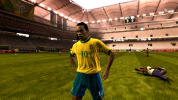
Stadium flood lights bleeding through player models on RTWC 06 and WC 06 has been improved. On game specific settings, set occlusion_query_fast_preserve_cached_zero = true and it will be 'fixed'.

This will unfortunately cause the framerate to drop significantly but not as much as regular occlusion_query = strict where the framerate dropped to abysmal amounts [the stadium lights did not improve either with that setting on rtwc 06, but it did improve on wc 06]. My GPU and CPU did not necessarily reach 100% usage either. However, after some discussion on github, I think it's probably a CPU bottleneck as well. My CPU is quite old and so its my overall spec other than the GPU. Discussion source.

Here's some footage with the fix:

RTWC 06:


WC 06:


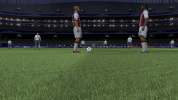
Unfortunately, WC 06 still suffers from missing crowd if you render the game at higher resolutions:


Download links of the Xenia Edge build used here:
Github page
Windows build Mirror 1
Linux build

Here's some screenshots showing the improvements with stadium flood light bleed:
1780525627383.png1780525670805.png
1780525735081.png

It seems like the light still bleeds slightly onto the player models through their right side and remains occluded slightly to the left side even after it's no longer occluded by the player models. Depth buffer position mismatch perhaps?

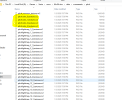
I also managed to swap grass color on RTWC 06 by renaming these files:
1780526199288.png

Using quick bms tool, I was able to extract all the files from .big files. Majority of the files seems to be easily extractable. Most of these files are packaged in .rx2 format, this includes 3d models, textures, light data txt files, etc. If we can manage to extract and re import the files back in these .rx2 containers, we can start modding the game.

FIFA converter tool by tokke001 can already extract some of the .rx2 files from FIFA 07 and 08. Unfortunately the tool still can't correctly extract files from FIFA 06 WC and RTWC 06. Hopefully we will see some progress now that the game is playable on pcs.

FIFA Converter tool page
 
Last edited:
Latest xenia edge fixes UCL 07 flickering on nvidia gpus using DX12, but crowds are still invisible at higher resolutions

xenia_edge_windows_2 Screenshot 2026.06.16 - 19.10.21.08.pngxenia_edge_windows_2 Screenshot 2026.06.16 - 19.11.42.91.png

2006FWC light bleed still present even with occlusion_query = strict , but not as annoying as the missing crowds

xenia_edge_windows_2 Screenshot 2026.06.16 - 19.19.26.84.pngxenia_edge_windows_2 Screenshot 2026.06.16 - 19.26.06.53.png
 
Latest xenia edge fixes UCL 07 flickering on nvidia gpus using DX12, but crowds are still invisible at higher resolutions

View attachment 426864View attachment 426865

2006FWC light bleed still present even with occlusion_query = strict , but not as annoying as the missing crowds

View attachment 426866View attachment 426867

Occlusion query = strict drops the framerate significantly. Use occlusion query = fast-alt which offers similar effect but with much better performance. The light bleeding is there even on real x360 hardware. That was how the game looked. However, on Xenia there's some alignment issue for the light occlusion which results in weird look.
 
So far, at least 4 games have been affected with missing crowds when using resolution scale on Xenia:

FIFA World Cup 2006
FIFA 07
UCL 06-07
FIFA 08

UEFA Euro 08 is possibly affected too but I haven't tested it.

For these particular games, if someone can patch the rendering resolution of the game natively, then there will be no need to use res scale and the bugs associated with it will not be present.

Also, it seems like WC 06 doesn't really seem to run at native 720p either. I can't point it out but the image doesn't really look like 720p. There are some artifacts that makes it almost look like it's upscaling from slightly lower res.


When UCL's rendering bug was fixed, I was hoping it would fix FIFA 07's crash too but unfortunately it seems like Xenia still crashes with FIFA 07 right after you attempt to start a match.

Update: I don't know if UCL 06-07 can still be called "playable". I played few matches in that game and there's crash when picking particular stadiums. Same happened with FIFA 07. I played on Wembley stadium on day time and the game ran perfectly. Then I tried to play a match on old tafford on night and the emulator crashed. Tried to play on the same stadium and match time several times and every time I got the same error. UCL had less crash but likely some stadiums trigger crash. I need to investigate more on this.
 
Last edited:


Don't get your hopes up. Only managed to play one single match. Every other time on with other teams and other stadiums and other match types the game crashed. Fuck, the game even crashed with the same teams and same stadium and same match time on subsequent runs. I don't even know how the emulator did not crash this one time.

Unbelievable. I got so happy when playing this match only to be massively disappointed later on.
 
I've moved back from Xenia to RPCS3 for the 2010 World Cup game.
Apparently with these settings the names on the back of the shirts are rendered quite correctly (they still have little imperfections when seen from close range, but it's way better than having solid rectangles when playing):
Screenshot 2026-06-20 175744.png

This being said, a wonderful side-effect of using 300% as resolution scale is that the game looks very good with that setting as it's more polished and detailed than with the scale at 100%.
It also runs in a smoother way than it did with Xenia, despite the higher resolution.

So, now I'll have to find a way to edit the unlicensed kits/missing GK kits because boy they’re annoying: I started the World Cup qualifiers with Japan, and by now two teams out of two that I faced were using generic kits.

Second step: there's a lot of teams that only have home and away kits licensed (for example Ukraine), but they miss the GK ones (and that might be a little difficult to amend as it would require DB editing, and I currently am not sure that the PS3 DBs can be edited with PC tools).

Last in terms of importance, but a good way to improve the immersion, would be to be able to add “qualifiers” kits to the teams (e.g. Japan) that only have the 2010 ones.

I’ll have to give it a go someday.
 
I've moved back from Xenia to RPCS3 for the 2010 World Cup game.
Apparently with these settings the names on the back of the shirts are rendered quite correctly (they still have little imperfections when seen from close range, but it's way better than having solid rectangles when playing):
View attachment 427624

This being said, a wonderful side-effect of using 300% as resolution scale is that the game looks very good with that setting as it's more polished and detailed than with the scale at 100%.
It also runs in a smoother way than it did with Xenia, despite the higher resolution.

So, now I'll have to find a way to edit the unlicensed kits/missing GK kits because boy they’re annoying: I started the World Cup qualifiers with Japan, and by now two teams out of two that I faced were using generic kits.

Second step: there's a lot of teams that only have home and away kits licensed (for example Ukraine), but they miss the GK ones (and that might be a little difficult to amend as it would require DB editing, and I currently am not sure that the PS3 DBs can be edited with PC tools).

Last in terms of importance, but a good way to improve the immersion, would be to be able to add “qualifiers” kits to the teams (e.g. Japan) that only have the 2010 ones.

I’ll have to give it a go someday.
"Xenia Edge is definitely the superior choice for 2010 South Africa. RPCS3's jersey back name bug is just awful."
 
I've moved back from Xenia to RPCS3 for the 2010 World Cup game.
Apparently with these settings the names on the back of the shirts are rendered quite correctly (they still have little imperfections when seen from close range, but it's way better than having solid rectangles when playing):
View attachment 427624

This being said, a wonderful side-effect of using 300% as resolution scale is that the game looks very good with that setting as it's more polished and detailed than with the scale at 100%.
It also runs in a smoother way than it did with Xenia, despite the higher resolution.

So, now I'll have to find a way to edit the unlicensed kits/missing GK kits because boy they’re annoying: I started the World Cup qualifiers with Japan, and by now two teams out of two that I faced were using generic kits.

Second step: there's a lot of teams that only have home and away kits licensed (for example Ukraine), but they miss the GK ones (and that might be a little difficult to amend as it would require DB editing, and I currently am not sure that the PS3 DBs can be edited with PC tools).

Last in terms of importance, but a good way to improve the immersion, would be to be able to add “qualifiers” kits to the teams (e.g. Japan) that only have the 2010 ones.

I’ll have to give it a go someday.

2010 world cup runs really well on both xenia and rpcs3 and your preferrence will ultimately depend on your CPU and GPU.

Rpcs3 runs really well even on older GPUs and lower end gpus as long as you have a decent CPU. 2010 world cup had slowdowns on my i7 6700k.
Xenia on the other hand runs well on older CPUs like my i7 6700k but requires beefy GPU- otherwise it won't do 4k at consistent framerate.


RPCS3's only problem atm are the invisible back player names. Write color buffer removes that ugly rectangular artifact on the back of the jerseys which honestly looks the worst. With write color buffer the rectangle is gone- however the player names aren't visible either unless you get really close.


2014 World cup on the other hand, RPCS3 seems to be the only option to play that game. On Xenia the game still doesn't render correctly and the lighting is dark and at times unplayable.


2011 and onwards all have better outcomes on RPCS3. 2010 WC is a draw. For FIFA 10- RPCS3 results in a cursed bug and FIFA 09 crashes a lot, FIFA 08 has all the visual effects stripped down on ps3 port. So for the older ones Xenia is the better choice.


Btw, I managed to play another match on FIFA 07 on the same stadium+ teams+ match time on Wembley stadium like that video. But other stadiums are still causing crash.
 
Hi! On the ”UEFA CL 2006-07” (XBOX 360), any items (like balls) can be unlocked if I beat any teams on higher difficulty, progress the Ultimate Challenge or beat any past records?
 
I've moved back from Xenia to RPCS3 for the 2010 World Cup game.
Apparently with these settings the names on the back of the shirts are rendered quite correctly (they still have little imperfections when seen from close range, but it's way better than having solid rectangles when playing):
View attachment 427624

This being said, a wonderful side-effect of using 300% as resolution scale is that the game looks very good with that setting as it's more polished and detailed than with the scale at 100%.
It also runs in a smoother way than it did with Xenia, despite the higher resolution.

So, now I'll have to find a way to edit the unlicensed kits/missing GK kits because boy they’re annoying: I started the World Cup qualifiers with Japan, and by now two teams out of two that I faced were using generic kits.

Second step: there's a lot of teams that only have home and away kits licensed (for example Ukraine), but they miss the GK ones (and that might be a little difficult to amend as it would require DB editing, and I currently am not sure that the PS3 DBs can be edited with PC tools).

Last in terms of importance, but a good way to improve the immersion, would be to be able to add “qualifiers” kits to the teams (e.g. Japan) that only have the 2010 ones.

I’ll have to give it a go someday.
2010 WC had a dlc on consoles that replaced the generic kits for some teams. You can easily find the xbox360 update files, but not sure about ps3 though.


Don't get your hopes up. Only managed to play one single match. Every other time on with other teams and other stadiums and other match types the game crashed. Fuck, the game even crashed with the same teams and same stadium and same match time on subsequent runs. I don't even know how the emulator did not crash this one time.

Unbelievable. I got so happy when playing this match only to be massively disappointed later on.

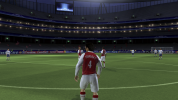
For it's age, this looks stunning when upscaled. I really wish xenia devs solve the missing crowds bug.
 
2010 WC had a dlc on consoles that replaced the generic kits for some teams. You can easily find the xbox360 update files, but not sure about ps3 though.
Thanks! I'll have a look for them.

Apparently, meanwhile, tools developed by Rinaldo for the PC versions of FIFA (specifically, File Master 16 and RX3 Master 14) seem to handle 2010 FIFA World Cup files fine.
I've been able to extract the Ukraine home kit with File Master, change one of the texturs with RX3 Master, place it in the /USRDIR/data/sceneassets/kit folder and then regenerate the data3.bh file to make the game read the edited rx3 file for Ukraine's home kit from the folder instead of the original one from the data3.big archive.

Screenshot 2026-06-21 133701.png

Long way to go, but each journey starts with the first step.

Next steps:
  • See which versions of files (e.g. FIFA 10 PS3, FIFA 11 PC) are compatible and which aren't
  • See if there's a way to extract the DB from the data0.big.sdat file (it looks somehow encrypted to me?) > This could be the way (@Skoczek managed to do it, with that tool, so I guess it's a matter of me finding the tool and getting my head around the way it works) DONE
  • See if the DB files can be opened and edited with DB Master 11 (or a subsequent version) as I'm not sure that PS3 and PC databases are the same, I seem to remember that they needed to be converted somehow DONE
  • See if the changes to the DB can be made permament (making sure that the "edited" DB gets read from the /USRDIR/data/db folder instead of being loaded from the data0.big.sdat archive) DONE
  • See if we could integrate the data from the DLC that you mentioned
Let's keep fingers crossed for this to continue!
 
Last edited:
I need to be able to edit the DB of FIFA 10 WC too. I want to add Ronaldo to the game. He is missing in that game.
 
Thanks! I'll have a look for them.

Apparently, meanwhile, tools developed by Rinaldo for the PC versions of FIFA (specifically, File Master 16 and RX3 Master 14) seem to handle 2010 FIFA World Cup files fine.
I've been able to extract the Ukraine home kit with File Master, change one of the texturs with RX3 Master, place it in the /USRDIR/data/sceneassets/kit folder and then regenerate the data3.bh file to make the game read the edited rx3 file for Ukraine's home kit from the folder instead of the original one from the data3.big archive.

View attachment 427788

Long way to go, but each journey starts with the first step.

Next steps:
  • See which versions of files (e.g. FIFA 10 PS3, FIFA 11 PC) are compatible and which aren't
  • See if there's a way to extract the DB from the data0.big.sdat file (it looks somehow encrypted to me?) > This could be the way (@Skoczek managed to do it, with that tool, so I guess it's a matter of me finding the tool and getting my head around the way it works)
  • See if the DB files can be opened and edited with DB Master 11 (or a subsequent version) as I'm not sure that PS3 and PC databases are the same, I seem to remember that they needed to be converted somehow
  • See if the changes to the DB can be made permament (making sure that the "edited" DB gets read from the /USRDIR/data/db folder instead of being loaded from the data0.big.sdat archive)
  • See if we could integrate the data from the DLC that you mentioned
Let's keep fingers crossed for this to continue!
There's something about that 2010 World Cup game that makes people gravitate towards it, isn't it. I feel the same. I even bought PS3 copy couple of years ago for some ridiculous low price just to experience it properly, but unfortunately wasn't able to download patch with fixed Chile and Spain kits and with updated squads. I tried editing rosters using ingame editor as closely as possible to official World Cup squads but after editing 4 or 5 teams it turned out that saving new team erases one of the previously edited team XD I remember there was some workaround, but man, was it disappointing. It was then that I wished that maybe there is a way to edit it using PC tools somehow, but never actually tried to do it. Reading about your attempts my heart started to beat a little bit harder ;) I eagerly await what you will discover.

P.S. I think Skoczek managed to find original files from official update when he was doing his conversion to FIFA 11 PC.

P.S. 2: About those ingame editing bug in 2010 World Cup. Not only EA hasn't fixed it in 2014 World Cup, but in that game there was some absurd constraint that you couldn't edit player numbers or something like that (can't remember exactly what it was, but there was something that prevented me from recreating official squads using ingame editor as well). Classic EA.
 
Back
Top Bottom