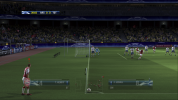
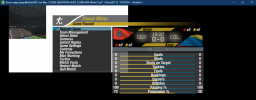
FiFA [2006-2011] Next gen ports via RPCS3 and Xenia

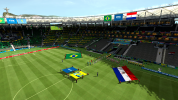
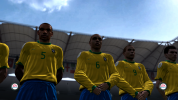
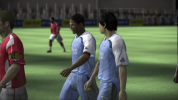
By the way, I also tested some other fifa games on the latest xenia edge on Jan 23 2026 and xenia canary on Dec 30 2025


xenia edge on Jan 23 2026 :
2006 world cupFIFA 092010 world cup2014 world cup
playableplay on 720p and 1080pperfect on 1080pperfect on 1080pplay on 720p and 1080p
resolustion scale1080p but without crowds1080p1080p1080p but without crowds
readback resolveset fullset fullset fullset full
disable context promotionset trueset trueset trueset true
audiodisable the audioperfectperfectperfect


xenia canary on Dec 30 2025
2006 world cupFIFA 092010 world cup2014 world cup
playableplay on 720pplay on 720p and 1080pperfect on 1080pperfect on 720p
resolustion scale1080p but render error1080p random crash1080p1080p but render error
readback resolveset fullset fullset fullset full
disable context promotionset trueset trueset trueset true
audiodisable the audioperfectperfectperfect

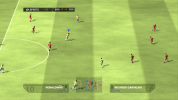
454109D4 - 2026-01-24T12-25-13.png
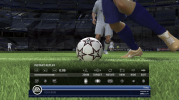
454107E6 - 2026-01-24T12-37-33.png
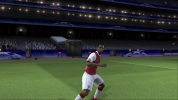
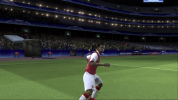
454107E6 - 2026-01-24T12-37-38.png
 
Last edited:
On 1080p? Afaik, none of these fifa games supported 1080p on xbox 360. Setting resolution to 1080p on xbox 360's dashboard would only upscale the 720p source to 1080p signal, nothing more than that.
 
I still have UEFA CL 2006 2007 flashing (could anybody attach the config file with the correct configuration?)
 
Does anyone know how to fix the issue with jersey names displaying incorrectly when playing FIFA 09–11 on RPCS3? In other people's YouTube videos, it looks normal.
 
I wonder if that guide related to extract the Game file would work on Playstation 4 with a JB firmware for FIFA 16 a.e. too? I recently tried again to mod FIFA 16 on my PS4 Pro. I dumped the game with itemzflow and extracted the data_startup.big to get the DB and other data files. I tried it with CG File Explorer 16, but after I replaced the DB with the DB of FIP 16 default Version I repacked the Game files with Ps4 Patch Maker and renamed before the data_startup.big so in theory my Ps4 couldn´t read the file again and read now the extracted and modded files. Oh and I imported scousers Revolution Mod 16 as well.
But no luck after launching on my PC. Everything was default in game. Maybe to extract the files from FIFA 16 with quickBMS could be another attempt?
you need "Regenerate All"
 
guys,follow the tips,and I finally get road to world cup 2006 playable in the full match though there is no audio and has rendering issue.

firstly, i use quickBMS tool to exact all the files from data00.big with loading the ea_big4.bms file

secondly, open the common.ini in game folder, to change all audio settings to "0"

you can enter the match without any problem though there is no sound anymore

do you know how to fix the rendering of the game ? the match is so dark in the rendering
After using CG File Explorer to extract the big file, the resulting ini files are encrypted. How can I decrypt these ini files?
 
The meaning of "Regenerate All" is to regenerate all .bh files, and a .bh file is equivalent to a mapping table.
Thanks for the lesson, but I know what it means regenerate all. My question is related to do a regenerate all everytime I add a new kits, a new boot etc. Just like on PC is obviously what you are refering to.
Btw, I already did regenerate all for the files I wish to have in game, but it doesn´t change anything on my Ps4. I also enabled the plugin on my Ps4 which are allow replacing files in the FIFA 16 game folder but no changers in game are visible. Can you confirm that any modifications are visible on your FIFA 16 on your Ps4? Any screenshots?
 
Does anyone know how to fix the issue with jersey names displaying incorrectly when playing FIFA 09–11 on RPCS3? In other people's YouTube videos, it looks normal.
Enabling Write color buffer removes the rectangle block in the back of the jerseys. However it also makes the names invisible as you move the camera further from the player. Still, it looks better than rectangle solid blocks.
 
Thanks for the lesson, but I know what it means regenerate all. My question is related to do a regenerate all everytime I add a new kits, a new boot etc. Just like on PC is obviously what you are refering to.
Btw, I already did regenerate all for the files I wish to have in game, but it doesn´t change anything on my Ps4. I also enabled the plugin on my Ps4 which are allow replacing files in the FIFA 16 game folder but no changers in game are visible. Can you confirm that any modifications are visible on your FIFA 16 on your Ps4? Any screenshots?

I successfully got the FIP 8 patch working on the PS4 version of FIFA 16 last year, but I haven't tried FIP 9 yet.
 
Enabling Write color buffer removes the rectangle block in the back of the jerseys. However it also makes the names invisible as you move the camera further from the player. Still, it looks better than rectangle solid blocks.
It's indeed better to only turn on WCB. Previously, I had WCB and RCB turned on.
 
I successfully got the FIP 8 patch working on the PS4 version of FIFA 16 last year, but I haven't tried FIP 9 yet.
Mate, how to do it ? I am mean FIP 8 PC Patch make suitable and working on PS4.
Can you provide few links to forums or instructions, please ...
 
The principle is the same as applying the FIP patch on the PC version.
Yeah, but how do make the patch files running and your Ps4 recognizing the PC Files? Do you use AFR plugin from GoldHEN or do you repack the modified files into a "Update" and merge this Update with the base game on the Ps4? Like I said, I tried a lot the last years. From decrypting the big files with QuickBMS and extracting the files directly in the Ps4 Game Folder on my Ps4. I regenerated those files after it, I tried it aditionally with Revo Mod 16 by scouser, but my Ps4 won´t regognize the files.
Like @Sany023 says a lil more info would be nice or at least an Tutorial where somebody shows exactly how the Ps4 recognize the files. Because to put just the FIP Files in the dumped FIFA 16 Ps4 Game Folder I can confirm doesn´t do anything. I highly guess the need of the AFR Plugin from GoldHEN is a hard requirement. Bloodborne runs with PC Mods or PES 2021, that´s proofed a lot of times over the last years on youtube. I succesfully could run Bloodborne mods and PES 2021 Monster Patch on my JB Ps4. I guess the key are lying in correct extracting of the big and bh files from the Main Game Folder from FIFA 16. Than replacing the files with the FIP ones and like you said regenerate them as well before try to run the modded Game Folder on the Ps4.
But in my case nothing I tried works.
 
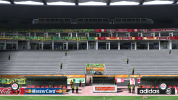
UCL 07 on latest xenia edge after rebuilding shaders, crowds are now visible at 1440P but only from certain angles:

View attachment 407750

View attachment 407749

View attachment 407751
Looking good besides the crowd. Players and pitch are profit from sharpening settings in game settings. Did you ever try to install reshade for better lightning and illumination in night games? It works wonders when you apply "fakeHDR" and "tonemap" shaders in reshade settings. With tonemap you can easily and very well increase illumination and brightness where the games at night looking instantly greater than by default. I always use reshade on all of my Xenia or RPCS3 Games.
 
Looking good besides the crowd. Players and pitch are profit from sharpening settings in game settings. Did you ever try to install reshade for better lightning and illumination in night games? It works wonders when you apply "fakeHDR" and "tonemap" shaders in reshade settings. With tonemap you can easily and very well increase illumination and brightness where the games at night looking instantly greater than by default. I always use reshade on all of my Xenia or RPCS3 Games.
I don't use reshade yet as I don't play the game that much. The broken graphics (crowds, net, kit animations) doesn't cut it for me.
 
Is there any fix for this, or is already over for me? 😔RTWC 2006 works pretty decently. But WC 2006 gives me this error. My only options are using ROV (which fix the error but is slow) and that's it, because Vulkan doesn't work for me anymore. (Vulkan works in some old version of Canary/Master , but with lighting error)

Emulator devs decided to start using more vulkan ''extensions'' and i literally cannot use the most updated version of emulators anymore. It sucks having to use the igpu. The RPCS3 devs even took out the TSX option.

Guess i will have to buy a GPU at some point.
 

Attachments

  • Captura de pantalla 2026-03-08 011355.png
    Captura de pantalla 2026-03-08 011355.png
    291.7 KB · Views: 0
Did any older version worked correctly? If yes, better backup that version in your harddrive or somewhere because releases older than 6 months gets auto deleted on GitHub last I remember.
 
Did any older version worked correctly? If yes, better backup that version in your harddrive or somewhere because releases older than 6 months gets auto deleted on GitHub last I remember.
On RPCS3, i am using 0.0.37-18022. That's the last one that works, anything above that, doesn't works, it gives some memory error. It sucks, because that's the last version that worked, then they had some problem with Visual Studio and that was the only functional version for months. Months later they ''fixed'' it but changed something, and since then i cannot use the newer ones. At least i can play the FIFA's i am interested in, like 08, 09, 10, and the WC. Sad about WC 2014, that one doesn't work properly, it gives texture errors

Never really tried Xenia properly, only game i tried before, was FIFA 07, it worked, but same problem as everyone, it crashed after some point. I have no idea which was the last version that had a functional Vulkan for my igpu.
 
Not the most optimized, but here it is
bandicam 2026-03-17 21-29-41-860.jpgbandicam 2026-03-17 21-26-04-736.jpg
Hello friend, I tried loading your configuration file. Xenia Edge can indeed display some spectators at 1440p resolution, but only a small number of them. Additionally, the latest version of Xenia Edge still has a high chance of crashing right before entering a match. I have to adjust the CPU cores to 4 or fewer to get into the game normally.I compared your configuration file with the default one for Xenia Edge and found numerous differences. I then specifically set up two options for UEFA Champions League 06-07: I switched the GPU renderer to Vulkan and set the rendering mode to "accuracy". This fixed the jersey flickering issue, but the spectator problem remains unresolved.When you run this game, do you still encounter crashes without modifying the core count?
 
View attachment 410122View attachment 410123
Hello friend, I tried loading your configuration file. Xenia Edge can indeed display some spectators at 1440p resolution, but only a small number of them. Additionally, the latest version of Xenia Edge still has a high chance of crashing right before entering a match. I have to adjust the CPU cores to 4 or fewer to get into the game normally.I compared your configuration file with the default one for Xenia Edge and found numerous differences. I then specifically set up two options for UEFA Champions League 06-07: I switched the GPU renderer to Vulkan and set the rendering mode to "accuracy". This fixed the jersey flickering issue, but the spectator problem remains unresolved.When you run this game, do you still encounter crashes without modifying the core count?
I guess most of my modified settings are not needed, I just keep experimenting with different combinations to see if it makes any improvement.
BTW my game only runs when I do the core count trick.
Increasing/decreasing time_scalar just before the match loading screen does work sometimes, but it's a hit or miss.
 
Back
Top Bottom