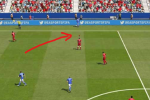
Hey friend, how did you solve this problem?Cuando añado una cámara, el cursor del jugador desaparece. ¿Hay alguna forma de que vuelva a aparecer? Gracias.
Encontré la respuesta. Leí el hilo con atención. Jaja. Gracias de nuevo.


Navigation
Install the app
How to install the app on iOS
Follow along with the video below to see how to install our site as a web app on your home screen.
Note: This feature may not be available in some browsers.
More options
Style variation
You are using an out of date browser. It may not display this or other websites correctly.
You should upgrade or use an alternative browser.
You should upgrade or use an alternative browser.
FIFA 16 new Camera packs
- Thread starter papinho81
- Start date
-
- Tags
- fifa16; camera

jkenobi93
Non-League
- 17 September 2022
want to ask, how yall got new extracted file from fc26. i want some of the boots model from fc26. share me if someone know how to get that file
Hi everyone!
I have decided to create that thread to share new cameras usable for gameplay for FIFA 16 (any version of it including the demo).
Those cam have been discovered using Fidel Gameplay (from soccergaming) shared knowledge and tools, so big thank to him.
Many of those camera have been extracted from the muse.big files and have been originally designed by EA for replay purpose. They can be used for gameplay, but no player selection icon is displayed when using them. The trick is to use modified versions of trainer files, so we can activate the trainer to locate our controlled player on the pitch without having all the move suggestions being displayed (thank to manmachine for sharing those tips and Nisoley for the selection tuning tips!). The shared pack will also include the require file, so that you only have to copy the files in your folders, regenerate, then play.
Others camera have been found by exploring the game exe and some do not require the trainer being activated.
I am also sharing fidel tool to allow you further editing camera to your liking. You should just know that while zoom can be edited with quite some sensitivity, changes in height seems to have no impact with many cams I am sharing (further exploration needed). My suggestion is, find the camera that have the height you like, then edit the zoom inside the file. Instructions are given inside the pack on how to edit.
Initial problem of quick camera movement has been fixed, but I could not find a way to standardise stadium variability in terms of height and zoom with broadcast cams yet.
All these camera have not been tested extensively in every stadium, so weird thing might happen with some stadiums particularly with created ones.
If when you launch the game you see the ball from very close, then go to the game menu settings and change the camera you are using, it will fix it.
Instructions are inside the archive.
Pack1 (required):
http://www.mediafire.com/file/50498929z9cvos7/Camera_Pack_Pap.rar
Pack2 (additional):
http://www.mediafire.com/file/zsztfmx0d1g3w7f/Camera_Pack_N2.rar
Pack3 (additional):
http://www.mediafire.com/file/dnd8do8dcbqh9uo/Camera_Pack_Pap3.rar
Feel free to post your feedback and finding if you find new interesting things!
Some screenshots:Iso medium
View attachment 4163
Broadcast Low v2
View attachment 4164
PracticeModeSetplayCreationSelectRegion
View attachment 4165
SkillGame
View attachment 4166
Broadcast Main v2View attachment 4167
UserInstantReplayCameraView attachment 4181View attachment 4182
How to add point on head?