

PES 2021 Private Server / Online Emulator/ Open Beta Test Server /

Before, at least, I could start a match even if I got kicked out almost immediately after it started, but now it won't even start anymore... It's "unable to connect" with everyone... This has been happening for about 3 days with everyone I try to matching... I don't know if the live update has affected a lot of people.

Unfortunately, if people only think about playing when they can, it’s impossible to test with someone who’s willing to take the time to check if the games have the same configuration, and you never know if whoever connects now knows how to get the full game or not, since most of the downloadable PES 2021 repacks that many people have are still version 1.01 without any working data packs. It’s hard want to connect to the server when you’re trying to run your tests without any point of reference to go by.

I think before to release 11vs11, 1v1 should be fixed for everyone, and make possible to users to undersdant what version of the game ( steam a part) they should use.

I've ready also some steam users that now are unable to connect anymore too:
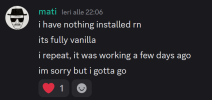
1787388582450.png

@tuxter " did you resolved it?"
 
Last edited:
As I said earlier, the feedback section is quiet. If there is a problem, it needs to be described properly: what time it happened, which match, preferably the room number or room name, which users were involved, and a clear description of the issue.

This almost never happens; most of them are just general complaints that are hard to track. I am not going to dig through logs with hundreds of thousands of lines without any specific information.

Everyone has a different game version, configuration, internet connection, restrictions, and so on. I am not Konami with a team of 300 people. I am just one person.

The complaints section on Discord is quiet, so as far as I can see, there are no major problems.

And yes, 11 vs 11 is my priority. 1 vs 1 was basically something I did along the way. The server will be better and better need time for that.
 
Before, at least, I could start a match even if I got kicked out almost immediately after it started, but now it won't even start anymore... It's "unable to connect" with everyone... This has been happening for about 3 days with everyone I try to matching... I don't know if the live update has affected a lot of people.

Unfortunately, if people only think about playing when they can, it’s impossible to test with someone who’s willing to take the time to check if the games have the same configuration, and you never know if whoever connects now knows how to get the full game or not, since most of the downloadable PES 2021 repacks that many people have are still version 1.01 without any working data packs. It’s hard want to connect to the server when you’re trying to run your tests without any point of reference to go by.

I think before to release 11vs11, 1v1 should be fixed for everyone, and make possible to users to undersdant what version of the game ( steam a part) they should use.

I've ready also some steam users that now are unable to connect anymore too:

View attachment 441047

@tuxter " did you resolved it?"
Hey, nothing, I've trying with opencode installed on my machine to help me with this but without success, I just droped to change, before my last attempet got a weyrd thing, after link my account to pesbul perfil, my game don't recognize my pesbul perfil, but on pesbul site got a message that linked successful, after this I just stop trying.
 
As I said earlier, the feedback section is quiet. If there is a problem, it needs to be described properly: what time it happened, which match, preferably the room number or room name, which users were involved, and a clear description of the issue.

This almost never happens; most of them are just general complaints that are hard to track. I am not going to dig through logs with hundreds of thousands of lines without any specific information.

Everyone has a different game version, configuration, internet connection, restrictions, and so on. I am not Konami with a team of 300 people. I am just one person.

The complaints section on Discord is quiet, so as far as I can see, there are no major problems.

And yes, 11 vs 11 is my priority. 1 vs 1 was basically something I did along the way. The server will be better and better need time for that.
Hey mate, If you playing with a cpy version is it possible to share your game version? with a version that work online maybe we can just try to figure out what happen, last week I change my internet company and the game still not connect.
I've downloaded many versions without success, if we got one version with all dlc and a unique dpfilest that work we can reduce some possibilities of errors.

Sorry my bad english, I'm braziliam.
 
Hey mate, If you playing with a cpy version is it possible to share your game version? with a version that work online maybe we can just try to figure out what happen, last week I change my internet company and the game still not connect.
I've downloaded many versions without success, if we got one version with all dlc and a unique dpfilest that work we can reduce some possibilities of errors.

Sorry my bad english, I'm braziliam.
The CPY version with all DLC (this is the ready-made version ready and working as it is)

Download PES 2021 (Full udpated version) ...

the version most shared on PESBUL discord channel
(you always need to change into CPY.ini file the name and the "ID" with a valid id taken by your real steam account)

but the most repacks online are still only without any dlc and without modded exe and dpfilelist for datapacks...so it depends if the users aren't informed about need to update their cpy version and how they arrived on PESBULL server without right infos about cpy version with right DLCs, dpfilelist and fixed exe...

As I said earlier isn't so easy to understand for a player if your opponent use a right udpated version of the game
 
Last edited:
The CPY version with all DLC (this is the ready-made version ready and working as it is)

Download PES 2021 (Full udpated version) ...

the version most shared on PESBUL discord channel
(you always need to change into CPY.ini file the name and the "ID" with a valid id taken by your real steam account)

but the most repacks online are still only without any dlc and without modded exe and dpfilelist for datapacks...so it depends if the users aren't informed about need to update their cpy version and how they arrived on PESBULL server without right infos about cpy version with right DLCs, dpfilelist and fixed exe...

As I said earlier isn't so easy to understand for a player if your opponent use a right udpated version of the game
lets do it one more time.....
 
today annuncement:

by PESBUL 15:17

@everyone

1787670950205.pngServer Update: 1v1 Disconnect and Session Cleanup Fix​

A new server-side update is now live. No client update is required.During the investigation, the server data showed 40 match attempts that ended with DISCONN_P2P before kickoff. These were not necessarily interrupted matches that had already started. In many cases, the P2P connection failed while the game was still trying to establish communication.We also found and fixed a concrete session cleanup bug:If a player disconnected and then reconnected, a delayed cleanup from the old connection could still remove the player's new active session from the room. The server now identifies the exact session instead of relying only on the player ID, so an old connection can no longer remove a newer active one.

What improvements can we expect?​

  • Fewer disconnects caused by reconnect/session replacement,
  • More reliable room membership after reconnecting,
  • Fewer cases where a valid player is unexpectedly removed from a room,
  • More stable 1v1 room and session handling,

Is Unable to connect completely fixed?​

Not yet. This update fixes one proven server-side defect, but not every possible cause of Unable to connect.Some failures still happen during the initial UDP/P2P connection and may be related to NAT, network conditions or another part of the connection process. We are also monitoring whether this update improves cases where a match becomes stuck after entering the Pause menu, but that has not yet been proven to have the same cause.Please continue playing normally. If a match disconnects, report:
  • Both player names,
  • Approximate time of the match,
  • Whether it failed before kickoff or during gameplay,
  • Whether one player was stuck in the Pause menu,
  • Whether either player had reconnected before the problem,
This information helps us separate initial connection failures from real interrupted matches.

Team Play 11v11​

The latest server also contains the current 11v11 backend progress. Team Play can reach the match loading flow, but it still stops before kickoff. It is not considered fully working yet, and development will continue after the 1v1 stability work.Thank you to everyone testing and reporting problems. Every report helps us make the server more stable.
 
Last edited:
Hi! I’m still working on my PES 2018 server revival project. I had stopped working on it for a while, but I’m back on it now and making progress again.


I’ve currently reached a very specific point: PES 2018 accepts my CMD_GET_SVRLIST response and immediately sends CMD_GET_URLLIST with rqid=2, svrtype=GATE, client=NETCLIENT and region=REGION_EU.


I saw that in your PES 2021 work you successfully got through UrlList and then reached ServerVersion, ServerTime, EULA, etc.


Could you tell me what the minimum valid UrlList response structure was in PES 2021?


Specifically, the field names/structure of the response, how the URL list entries are represented, what success/result value you used, and — most importantly — which URL/service entry the client actually consumes first after UrlList in order to advance to ServerVersion.


Even one sanitized example response payload would probably save me several hours of reverse engineering. I’m not asking for your server source code — just the response shape and the first required route/service would already help me a lot.


Thanks again, and congratulations on how far PESBUL has progressed.
 
Hi! I’m still working on my PES 2018 server revival project. I had stopped working on it for a while, but I’m back on it now and making progress again.


I’ve currently reached a very specific point: PES 2018 accepts my CMD_GET_SVRLIST response and immediately sends CMD_GET_URLLIST with rqid=2, svrtype=GATE, client=NETCLIENT and region=REGION_EU.


I saw that in your PES 2021 work you successfully got through UrlList and then reached ServerVersion, ServerTime, EULA, etc.


Could you tell me what the minimum valid UrlList response structure was in PES 2021?


Specifically, the field names/structure of the response, how the URL list entries are represented, what success/result value you used, and — most importantly — which URL/service entry the client actually consumes first after UrlList in order to advance to ServerVersion.


Even one sanitized example response payload would probably save me several hours of reverse engineering. I’m not asking for your server source code — just the response shape and the first required route/service would already help me a lot.


Thanks again, and congratulations on how far PESBUL has progressed.
Hello, I’ll help you if I can, and if I remember correctly, especially because you’re working on PES 2018. :)

I already know that other people are working on different versions of the PES series, which honestly makes me happy. But PES 2018 is one of my favorite games, and after I finish with PES 2021, PES 2018 would probably be the next server I’d like to work on.

As for your question, since you’re still at a very early stage and I’ve only gone through this process twice myself, what I can tell you is that the minimum CMD_GET_URLLIST response structure we verified was a MessagePack map containing these fields:

Code:
msgid    string
rqid     integer, echo the request rqid
result   string
url_num  integer
ulist    array

The smallest response accepted by our clean PES 2021 client was:

Code:
{
"msgid": "CMD_GET_URLLIST",
"rqid": 2,
"result": "NOERR",
"url_num": 0,
"ulist": []
}

With that empty URL list, the client advanced directly through this sequence:

Code:
CMD_GET_SVRLIST       rqid=1
CMD_GET_URLLIST       rqid=2
CMD_GET_SVRVERSION    rqid=3
CMD_GET_SVRTIME       rqid=4

The most important answer is that PES 2021 did not consume any URL or service entry in order to advance from UrlList to ServerVersion.

CMD_GET_SVRVERSION was sent over the same existing GATE TCP/NCL connection. A special URL entry was not required for that transition.

When URL entries are present, there is one critical serialization detail. Each ulist element is not a directly nested map. It must be a MessagePack bin value containing a separately serialized MessagePack map:

Code:
ulist:
[
bin(msgpack({
"type": "EULA_PES",
"url": "http://server.example/eula/pes"
}))
]

For example, using Python MessagePack:

Python:
import msgpack

entry = msgpack.packb(
{
"type": "EULA_PES",
"url": "http://server.example/eula/pes",
},
use_bin_type=True,
)

response = {
"msgid": "CMD_GET_URLLIST",
"rqid": request["rqid"],
"result": "NOERR",
"url_num": 1,
"ulist": [entry],
}

wire_payload = msgpack.packb(response, use_bin_type=True)

The inner entry must appear in the outer MessagePack object as BIN data. Sending ulist as an array of direct maps caused a parser failure in PES 2021, while the BIN-wrapped form was accepted.

For your current PES 2018 stage, I would test the empty response first:

Code:
{
"msgid": "CMD_GET_URLLIST",
"rqid": 2,
"result": "NOERR",
"url_num": 0,
"ulist": []
}

If PES 2018 still does not send CMD_GET_SVRVERSION, I would first verify:

  • The exact MessagePack value types
  • The echoed rqid
  • That url_num matches the number of entries in ulist
  • The existing NCL framing
  • That ulist entries are encoded as MessagePack BIN values, not direct maps

I would not assume that a missing service URL is the blocker at this stage.

I hope this saves you some reverse-engineering time, because for me its take me a lot of work time and testing. Let me know what PES 2018 sends after testing it.
 
Last edited:
I built the website from scratch with 100% original code. There is still a lot of work to do, but I like how it is turning out.

However, I have no experience with betting or gambling websites, so I can’t really judge it from that perspective.
Okay lets just say, it can be like pes6es website.
 
Sorry, I'm not following all this text... at least say to your AI to make it for a bb post.
Sorry about the wall of text 😅 I'll keep it short.

Current PES 2018 progress:

Code:
STUN -> works
GateInfo.php -> works
TCP :10000 -> works

CMD_GET_SVRLIST rqid=1
<- valid response

Previously:
-> CMD_GET_URLLIST rqid=2

Latest tests:
-> PES2018.exe crashes about 1.4s after GET_SVRLIST

The interesting part is that the GET_SVRLIST response from the working run and the crashing run is 100% byte-identical.

Code:
SHA256:
DDEE25BCB21FF678ADF3E4C5D5FC9D1E95D62B2D2DFD905455D53D4D9069F1CA

Windows confirms a real crash:

Code:
PES2018.exe
vcruntime140.dll
Exception: 0xC0000005

In Ghidra/Frida I already confirmed the PES18 NCL path:

Code:
TCP
-> XOR 5B 9F 2E 64
-> MD5
-> Blowfish
-> inner header
-> MessagePack
-> msgid / rqid
-> RX message queue

I also found the RX queue and can see CMD_GET_SVRLIST inside it at runtime.

My main question is simply this:

Based on your PES 2021 experience, would you continue reverse-engineering the PES18 RX queue / rqid / callback/state-machine path, or is that unnecessarily deep for getting the initial bootstrap/login working?

If you were at this exact point, what would you focus on next for the fastest progress?

Even something like:

Code:
"stop tracing the RX queue and focus on X"

would help me a lot.

Thanks again.
 
Sorry about the wall of text 😅 I'll keep it short.

Current PES 2018 progress:

Code:
STUN -> works
GateInfo.php -> works
TCP :10000 -> works

CMD_GET_SVRLIST rqid=1
<- valid response

Previously:
-> CMD_GET_URLLIST rqid=2

Latest tests:
-> PES2018.exe crashes about 1.4s after GET_SVRLIST

The interesting part is that the GET_SVRLIST response from the working run and the crashing run is 100% byte-identical.

Code:
SHA256:
DDEE25BCB21FF678ADF3E4C5D5FC9D1E95D62B2D2DFD905455D53D4D9069F1CA

Windows confirms a real crash:

Code:
PES2018.exe
vcruntime140.dll
Exception: 0xC0000005

In Ghidra/Frida I already confirmed the PES18 NCL path:

Code:
TCP
-> XOR 5B 9F 2E 64
-> MD5
-> Blowfish
-> inner header
-> MessagePack
-> msgid / rqid
-> RX message queue

I also found the RX queue and can see CMD_GET_SVRLIST inside it at runtime.

My main question is simply this:

Based on your PES 2021 experience, would you continue reverse-engineering the PES18 RX queue / rqid / callback/state-machine path, or is that unnecessarily deep for getting the initial bootstrap/login working?

If you were at this exact point, what would you focus on next for the fastest progress?

Even something like:

Code:
"stop tracing the RX queue and focus on X"

would help me a lot.

Thanks again.
Yes, at this point I would stop going deeper into the generic RX queue itself.

If you can already see
Code:
CMD_GET_SVRLIST
correctly decrypted, parsed and placed in the RX queue, then that part is probably doing its job. Especially since the response from the working and crashing runs is 100% byte-identical.

What I would focus on next is the very small path immediately after the RX queue:

Code:
CMD_GET_SVRLIST response
        ↓
rqid lookup
        ↓
pending request / callback
        ↓
callback execution
        ↓
state transition
        ↓
CMD_GET_URLLIST rqid=2

I would not try to reverse the whole state machine yet.

The important question is simply:

Code:
Why did the working run continue to CMD_GET_URLLIST,
while the crashing run dies about 1.4 seconds after
the exact same GET_SVRLIST response?

So, if I were at your exact point, I would trace only this:

Code:
rqid=1 lookup
-> request/callback object
-> callback enter
-> callback return
-> next state
-> next outgoing command

Then compare the working and crashing runs and stop at the first divergence.

For example:

  • If
    Code:
    rqid=1
    is not found in the crashing run, investigate the pending request / rqid bookkeeping.
  • If the callback is found but the crash happens inside it, reverse only that callback.
  • If the callback returns normally but
    Code:
    CMD_GET_URLLIST rqid=2
    is never generated, follow only the immediate state transition after the callback.

I definitely would not spend time reversing the entire RX subsystem yet.

One of the biggest lessons from our PES 2021 work was that it is very easy to lose days going deeper and deeper into a generic subsystem when the useful question is actually much smaller:

Code:
What is the first thing that differs
between the working run and the broken run?

Also, I would not assume that the
Code:
0xC0000005
in
Code:
vcruntime140.dll
means the MessagePack response itself is wrong, especially when you already proved that the working and crashing responses are byte-identical.

It could just as easily be a bad/null/stale C++ object being used after the response has already been accepted.

So, short version:

Code:
STOP tracing the generic RX queue.

Find the exact GET_SVRLIST rqid=1 callback,
compare working vs crashing,
and follow only until the first divergence.

Your immediate target is to explain why one run reaches
CMD_GET_URLLIST rqid=2 and the other one does not.

That is what I would do next for the fastest progress.
 
Yes, at this point I would stop going deeper into the generic RX queue itself.

If you can already see
Code:
CMD_GET_SVRLIST
correctly decrypted, parsed and placed in the RX queue, then that part is probably doing its job. Especially since the response from the working and crashing runs is 100% byte-identical.

What I would focus on next is the very small path immediately after the RX queue:

Code:
CMD_GET_SVRLIST response
        ↓
rqid lookup
        ↓
pending request / callback
        ↓
callback execution
        ↓
state transition
        ↓
CMD_GET_URLLIST rqid=2

I would not try to reverse the whole state machine yet.

The important question is simply:

Code:
Why did the working run continue to CMD_GET_URLLIST,
while the crashing run dies about 1.4 seconds after
the exact same GET_SVRLIST response?

So, if I were at your exact point, I would trace only this:

Code:
rqid=1 lookup
-> request/callback object
-> callback enter
-> callback return
-> next state
-> next outgoing command

Then compare the working and crashing runs and stop at the first divergence.

For example:

  • If
    Code:
    rqid=1
    is not found in the crashing run, investigate the pending request / rqid bookkeeping.
  • If the callback is found but the crash happens inside it, reverse only that callback.
  • If the callback returns normally but
    Code:
    CMD_GET_URLLIST rqid=2
    is never generated, follow only the immediate state transition after the callback.

I definitely would not spend time reversing the entire RX subsystem yet.

One of the biggest lessons from our PES 2021 work was that it is very easy to lose days going deeper and deeper into a generic subsystem when the useful question is actually much smaller:

Code:
What is the first thing that differs
between the working run and the broken run?

Also, I would not assume that the
Code:
0xC0000005
in
Code:
vcruntime140.dll
means the MessagePack response itself is wrong, especially when you already proved that the working and crashing responses are byte-identical.

It could just as easily be a bad/null/stale C++ object being used after the response has already been accepted.

So, short version:

Code:
STOP tracing the generic RX queue.

Find the exact GET_SVRLIST rqid=1 callback,
compare working vs crashing,
and follow only until the first divergence.

Your immediate target is to explain why one run reaches
CMD_GET_URLLIST rqid=2 and the other one does not.

That is what I would do next for the fastest progress.
Thanks again for the advice — it helped a lot. 👍

I stopped digging into the generic RX system and followed only the exact path you suggested:

Code:
request
→ rqid
→ pending response
→ callback/context
→ next command

That immediately gave us much better results.

Current confirmed PES 2018 flow:

Code:
STUN
→ GateInfo
→ CMD_GET_SVRLIST
→ CMD_GET_URLLIST
→ CMD_GET_SVRVERSION
→ CMD_GET_SVRTIME
→ disconnect / reconnect
→ CMD_GET_URLLIST
→ CMD_GET_GLOBALINFOTITLELIST

Your PES 2021 information about the empty URL list was especially useful.

This response:

Code:
{
  "msgid":"CMD_GET_URLLIST",
  "rqid":2,
  "result":"NOERR",
  "url_num":0,
  "ulist":[]
}

was accepted by PES 2018 and the client immediately continued to:

Code:
CMD_GET_SVRVERSION
CMD_GET_SVRTIME

So that was a very useful lead. 🙂

We also found how PES18 tracks responses internally.

Each pending request stores:

Code:
msgid
rqid
connection slot
context
timestamp

and the client matches the incoming response using BOTH:

Code:
msgid + rqid

The current first unsupported command is now:

Code:
CMD_GET_GLOBALINFOTITLELIST

Request:

Code:
{
  "msgid":"CMD_GET_GLOBALINFOTITLELIST",
  "rqid":7,
  "svrtype":"GATE",
  "client":"NETCLIENT",
  "lang":"BR",
  "region":"REGION_EU",
  "package_type":"DEFAULT",
  "kind":"DEFAULT"
}

If we don't answer it, PES waits roughly 50 seconds and disconnects.

We also found another interesting issue while parsing the server-list response: PES eventually crashes while processing an item from a nested list. We are currently checking whether PES18 expects nested list entries as:

Code:
ARRAY -> MAP

or something similar to what you explained for PES21 URLLIST:

Code:
ARRAY -> BIN(serialized MessagePack MAP)

So at the moment our two main questions are very small:

1. In PES 2021, do entries inside
Code:
svrlist
also use BIN containing another serialized MessagePack map, or is that special only to
Code:
ulist
?

2. Do you remember the minimum successful response structure for:

Code:
CMD_GET_GLOBALINFOTITLELIST

Even just the field names / whether an empty list is accepted would save us a lot of time.

And if there is another command or bootstrap detail you think we should focus on next, I'd really appreciate the hint.

Your previous advice definitely moved the PES18 project forward. Thanks again!
 
Thanks again for the advice — it helped a lot. 👍

I stopped digging into the generic RX system and followed only the exact path you suggested:

Code:
request
→ rqid
→ pending response
→ callback/context
→ next command

That immediately gave us much better results.

Current confirmed PES 2018 flow:

Code:
STUN
→ GateInfo
→ CMD_GET_SVRLIST
→ CMD_GET_URLLIST
→ CMD_GET_SVRVERSION
→ CMD_GET_SVRTIME
→ disconnect / reconnect
→ CMD_GET_URLLIST
→ CMD_GET_GLOBALINFOTITLELIST

Your PES 2021 information about the empty URL list was especially useful.

This response:

Code:
{
  "msgid":"CMD_GET_URLLIST",
  "rqid":2,
  "result":"NOERR",
  "url_num":0,
  "ulist":[]
}

was accepted by PES 2018 and the client immediately continued to:

Code:
CMD_GET_SVRVERSION
CMD_GET_SVRTIME

So that was a very useful lead. 🙂

We also found how PES18 tracks responses internally.

Each pending request stores:

Code:
msgid
rqid
connection slot
context
timestamp

and the client matches the incoming response using BOTH:

Code:
msgid + rqid

The current first unsupported command is now:

Code:
CMD_GET_GLOBALINFOTITLELIST

Request:

Code:
{
  "msgid":"CMD_GET_GLOBALINFOTITLELIST",
  "rqid":7,
  "svrtype":"GATE",
  "client":"NETCLIENT",
  "lang":"BR",
  "region":"REGION_EU",
  "package_type":"DEFAULT",
  "kind":"DEFAULT"
}

If we don't answer it, PES waits roughly 50 seconds and disconnects.

We also found another interesting issue while parsing the server-list response: PES eventually crashes while processing an item from a nested list. We are currently checking whether PES18 expects nested list entries as:

Code:
ARRAY -> MAP

or something similar to what you explained for PES21 URLLIST:

Code:
ARRAY -> BIN(serialized MessagePack MAP)

So at the moment our two main questions are very small:

1. In PES 2021, do entries inside
Code:
svrlist
also use BIN containing another serialized MessagePack map, or is that special only to
Code:
ulist
?

2. Do you remember the minimum successful response structure for:

Code:
CMD_GET_GLOBALINFOTITLELIST

Even just the field names / whether an empty list is accepted would save us a lot of time.

And if there is another command or bootstrap detail you think we should focus on next, I'd really appreciate the hint.

Your previous advice definitely moved the PES18 project forward. Thanks again!
sorry man, but maybe it's better if you open your own thread about PES 2018 private server and ask there to @༺Ƥeຮ༻
for assistance...

otherwise users lose the thread here (use spoilers function next time... it's better)

this thread is for PES 2021 PESBUL private server and infos and news about this project... ;)
 
Last edited:
Thanks again for the advice — it helped a lot. 👍

I stopped digging into the generic RX system and followed only the exact path you suggested:

Code:
request
→ rqid
→ pending response
→ callback/context
→ next command

That immediately gave us much better results.

Current confirmed PES 2018 flow:

Code:
STUN
→ GateInfo
→ CMD_GET_SVRLIST
→ CMD_GET_URLLIST
→ CMD_GET_SVRVERSION
→ CMD_GET_SVRTIME
→ disconnect / reconnect
→ CMD_GET_URLLIST
→ CMD_GET_GLOBALINFOTITLELIST

Your PES 2021 information about the empty URL list was especially useful.

This response:

Code:
{
  "msgid":"CMD_GET_URLLIST",
  "rqid":2,
  "result":"NOERR",
  "url_num":0,
  "ulist":[]
}

was accepted by PES 2018 and the client immediately continued to:

Code:
CMD_GET_SVRVERSION
CMD_GET_SVRTIME

So that was a very useful lead. 🙂

We also found how PES18 tracks responses internally.

Each pending request stores:

Code:
msgid
rqid
connection slot
context
timestamp

and the client matches the incoming response using BOTH:

Code:
msgid + rqid

The current first unsupported command is now:

Code:
CMD_GET_GLOBALINFOTITLELIST

Request:

Code:
{
  "msgid":"CMD_GET_GLOBALINFOTITLELIST",
  "rqid":7,
  "svrtype":"GATE",
  "client":"NETCLIENT",
  "lang":"BR",
  "region":"REGION_EU",
  "package_type":"DEFAULT",
  "kind":"DEFAULT"
}

If we don't answer it, PES waits roughly 50 seconds and disconnects.

We also found another interesting issue while parsing the server-list response: PES eventually crashes while processing an item from a nested list. We are currently checking whether PES18 expects nested list entries as:

Code:
ARRAY -> MAP

or something similar to what you explained for PES21 URLLIST:

Code:
ARRAY -> BIN(serialized MessagePack MAP)

So at the moment our two main questions are very small:

1. In PES 2021, do entries inside
Code:
svrlist
also use BIN containing another serialized MessagePack map, or is that special only to
Code:
ulist
?

2. Do you remember the minimum successful response structure for:

Code:
CMD_GET_GLOBALINFOTITLELIST

Even just the field names / whether an empty list is accepted would save us a lot of time.

And if there is another command or bootstrap detail you think we should focus on next, I'd really appreciate the hint.

Your previous advice definitely moved the PES18 project forward. Thanks again!
You guys are geinus, finally konami gonna learn some lesson but pls make it compatible with cpy
 
Last edited:
I have a problem; unfortunately, I can't play. When I try to access the server and download the live updates, I get an error. Near the end, I get the message "'Unable to deploy live update data'"
 
I have a problem; unfortunately, I can't play. When I try to access the server and download the live updates, I get an error. Near the end, I get the message "'Unable to deploy live update data'"

1) be sure to have steam game or in alternative an updated CPY version... with all 7.0 DLCs installed and right working inside it (with proper cpy fixed exe (1.07.02) and proper "Dpfilelist.bin" file for DLC 7.0)

2) before start the game and pesbul server connection, try to delete contents inside:

C:\ProgramData\KONAMI\eFootball PES 2021 SEASON UPDATE

NOTE: "ProgramData" folder is hidden folder by windows
 
Last edited:
Back
Top Bottom
