PES 2011 is back online
The elevenserver by pes6.es – no VPN, no Hamachi – BETA
The elevenserver by pes6.es – no VPN, no Hamachi – BETA
Hi everyone,
After PES 2009 and PES 2013, it's PES 2011's turn. Pro Evolution Soccer 2011 (PC) can be played online again, straight from the game's own online menu, just like when Konami's servers were up. No VPN, no Hamachi, no Radmin.
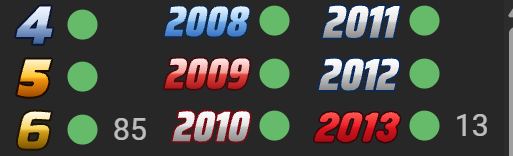
The pes6.es team has built a new server for PES 2011, the elevenserver. It runs alongside our PES5, PES6, PES 2008, PES 2009, PES 2010 and PES 2013 servers, and you use the same pes6.es account for all of them.
This is a beta. Quick matches and rooms are ready; the rest is open but still being tested. If something doesn't work, tell us in this thread.
What you can do
- Quick match: the server finds you an opponent on your same version of the game
- Rooms: create your own (friendly or ranked, with a password if you like) or join someone else's
- Score three own goals and you lose the match 3-0
- Open but still in testing: friends, mail, communities and ranking
- Live lobbies at pes6.es/pes2011/lobbies and every game played at pes6.es/pes2011/games
How we did it
PES 2011 speaks the online language Konami brought in with PES 2010, so the elevenserver grew out of our PES 2010 and PES 2013 work rather than out of the older servers. We worked out each message by reverse-engineering the game itself – login, lobbies, quick match, rooms, end of match, friends, mail and communities – and built the server on the same base as our other servers. Everything has been tested between PCs on different networks, with no VPN.
How to join
The server is already open to everyone. You need the PC version of PES 2011 updated to version 1.03 (Konami's last official patch) and a pes6.es account. There's no serial to enter anywhere.
- Sign up at pes6.es and activate your account from the email we send you.
- Already have a pes6.es account? Log in once at pes6.es: that's what gets your account ready for PES 2011. If you were already logged in, log out and back in.
- Edit your hosts file. Open Notepad as administrator, open C:\Windows\System32\drivers\etc\hosts, remove any line that already has one of these names (if you've played PES 2011 online on another server, it will have its own lines) and add these four at the end:
If you already play PES 2010 with us, you have the last two: add just the first two. You can also take our full hosts file from pes6.es/hosts, which covers every PES from PES5 to PES 2013.Code:46.101.172.11 pes11pcgate-e.winning-eleven.net 46.101.172.11 info.service.konamionline.com 46.101.172.11 locate.madserver.net 46.101.172.11 pes7stun-e.winning-eleven.net
Then open a command prompt and run ipconfig /flushdns. - Log in from the game. Close any other PES first. Go to the online menu and accept the terms the first time. In KONAMI ID, type your pes6.es username exactly as it is, with the same capital letters. In the password field, type your pes6.es password.
- Pick the server PES6.es Server and the lobby No patch / Original, and you're in.
Everyone needs version 1.03. If the game says the downloadable content is different when you join someone's room, or quick match never finds you an opponent, one of you isn't on 1.03.
If something goes wrong
- The game won't connect or stays loading? Check the hosts file and run ipconfig /flushdns again.
- Your KONAMI ID or password is rejected? Check that they're your pes6.es username and password, that your account is activated and that you've logged in once at pes6.es (log out and back in if you were already in).
- Logging in takes a few seconds? That's the game itself testing your router and connection before it lets you in. It's normal.
- Can't connect to your opponent? Forward UDP port 5730 to your PC on your router, or turn on UPnP. On 4G or behind two routers it may not work.
- The match drops after a few minutes? Don't let Windows turn off the screen or go to sleep while you play (Settings > System > Power > Never). The gamepad doesn't count as activity for Windows.
See you on the pitch!
The pes6.es team
P.S. It's a beta: everything listed above works, but over the next few days you may notice short downtimes while we keep improving the server.