


PES 2009 is back online
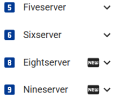
The nineserver by pes6.es – no VPN, no Hamachi
The nineserver by pes6.es – no VPN, no Hamachi
Hi everyone,
We're very happy to announce that Pro Evolution Soccer 2009 (PC) can be played online again. You don't need a VPN or Hamachi: you connect straight from the game's own online menu, just like when Konami's servers were up.
The pes6.es team has built a new server for PES 2009, the nineserver. It runs alongside our PES5, PES6 and PES 2008 servers.
What you can do
- Ranking and friendly quick matches, 5 or 10 minutes, with extra time
- Rooms: create your own (with a password if you like) or join someone else's. Room matches last 10 minutes
- The in-game rankings: overall, weekly, previous week, by division and your position, plus your profile and your last 20 ranking matches
- Monthly seasons with points and rating
- Live rooms with the match minute, played matches and the list of teams in the new Nineserver section on pes6.es
How we did it
PES 2009 is a close relative of PES 2008, so the nineserver is built on the same base as our eightserver and sixserver. We worked out the differences by reverse-engineering the game itself: the room and match packets, the check of the game's data version and the setup of the peer-to-peer match. Every feature has been tested between two PCs on different networks, with no VPN.
How to join
The server is already open to everyone. You need the PC version of PES 2009 with the official 1.40 update and a pes6.es account. This time there's no serial to enter anywhere.
- Sign up at pes6.es/signup and activate your account from the email we send you.
Already have a pes6.es account? Log in once at pes6.es: that's what gets your account ready for PES 2009. If you were already logged in, log out and back in. - Edit your hosts file. Open Notepad as administrator, open
C:\Windows\System32\drivers\etc\hostsand add these two lines at the end:
If you already play PES 2008 with us, you only need the first line. Then open a command prompt and runCode:46.101.172.11 pes09pcgate-e.winning-eleven.net 46.101.172.11 pes7stun-e.winning-eleven.netipconfig /flushdns. - Log in from the game. Go to the online menu. The first time, the game shows two terms texts: accept both. In GAME ID, type your pes6.es username exactly as it is, with the same capital letters. In the password field, type your pes6.es password. No username-hyphen trick this time, unlike PES 2008.
- Pick the server NO PATCH PES6.es PES2009 and a lobby, and you're in.
Everyone needs the same version. Quick match only pairs players whose game has the same data version, and a room made with a different version shows a no-entry sign. Install the 1.40 update and you'll be fine.
Can't connect to your opponent? Forward UDP port 5730 to your PC on your router, or turn on UPnP. Close PES6 and PES 2008 before you start PES 2009.
Thanks to everyone who asked for PES 2009 in the PES 2008 thread. See you on the pitch!
The pes6.es team
P.S. The server is up and running, and everything listed above works; however, over the next few days, you may notice occasional downtime as we make some improvements.
Attachments

Last edited:
