New Star Soccer 3 v3.16
New Star Soccer 3 is the award winning football game that lets you be the star player. Take full control of your career and work your way to the top. Defender, midfielder or attacker, the choice is yours, just make sure you keep the boss, fans and everyone else happy on your rise to football stardom!
DOWNLOAD
mirror
Game is abandonware and was difficult to find prepackaged and working. I poured many hours in this game back in the day.
Latest version. Complete with real names and logos.
Fixed for win10/11 (shipping with dgvoodoo). If you want fullscreen when in match, you can use Lossless Scaling.
Open txt file for licensed Name and Serial. You have to use the given first name and surname to unlock the full game, but you can use any nickname.
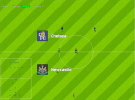
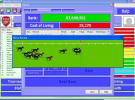
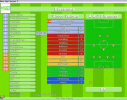
New Star Soccer 3 is the award winning football game that lets you be the star player. Take full control of your career and work your way to the top. Defender, midfielder or attacker, the choice is yours, just make sure you keep the boss, fans and everyone else happy on your rise to football stardom!
DOWNLOAD
mirror
Game is abandonware and was difficult to find prepackaged and working. I poured many hours in this game back in the day.
Latest version. Complete with real names and logos.
Fixed for win10/11 (shipping with dgvoodoo). If you want fullscreen when in match, you can use Lossless Scaling.
Open txt file for licensed Name and Serial. You have to use the given first name and surname to unlock the full game, but you can use any nickname.
Last edited: